
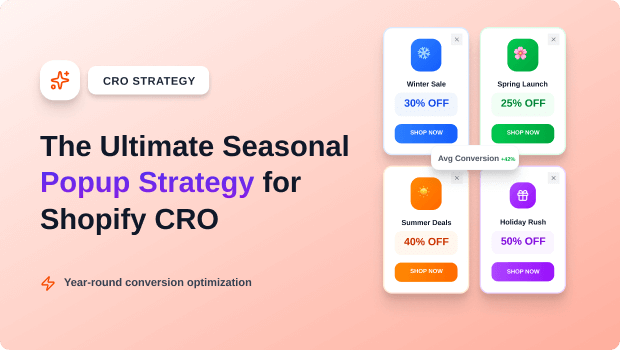
A seasonal popup strategy is a yearly CRO plan mapping specific Popup types, targeting rules, and copy to every major holiday and shopping event to maximize email capture, urgency, and conversion rate for Shopify merchants.
If you’re a scaling Shopify merchant, your Q4 planning probably starts with ad budget and email segments. But where does your on-site conversion strategy begin?
For most, it’s an afterthought: “Let’s just change the Popup design to a pumpkin for Halloween.” This reactive approach is conversion rate kryptonite.
Every major shopping event—from Black Friday to Mother’s Day—requires a unique psychological trigger, a specific offer, and a targeted delivery mechanism. Your customers expect holiday urgency and hyper-relevance, and a generic, year-round “10% off” Popup simply won’t cut it when traffic is 5x the norm.
This expert-level tutorial will provide you with a structured, three-phase framework for planning, executing, and optimizing high-converting seasonal Popup campaigns that coordinate seamlessly with your email and ad efforts, transforming high-traffic holidays into record-breaking sales.
Key Takeaways
- A seasonal popup strategy is a mandatory CRO framework that maps specific Popup types (coupon, email, announcement) to the unique goals of every holiday.
- The 3-Phase Rule: Campaigns must be planned in three phases: Awareness (lead capture), Urgency (sale launch), and Scarcity (final hours).
- Key Action: Use geo-targeting and URL targeting to deliver highly relevant, non-annoying Popups, especially on mobile devices.
- The biggest mistake is using the same generic email capture Popup year-round. Customize the design, copy, and offer for every major event.
- Q4 (BFCM) requires a pre-launch email capture campaign in October, moving to high-scarcity Popups in November.
What You Must Prepare Before Starting Your Seasonal Popup Strategy
Before launching any seasonal Popup campaign, you need to define the four foundational elements that ensure high conversion and optimal Shopify UX.
Defining the Seasonal Conversion Goal for Each Shopify Event
The goal for Christmas is not the goal for Valentine’s Day.
- Goal 1: Email/SMS Lead Capture (e.g., Early BFCM, New Year): Use a clean, highly valuable opt-in (e.g., “Get first access to the 40% off sale”) on Scroll or Timed triggers. This builds your segment for the main event.
- Goal 2: Urgency/Sales Conversion (e.g., BFCM Launch, 4th of July): Use a coupon, countdown timer, or announcement bar on Exit-Intent or Timed triggers to convert fence-sitters.
- Goal 3: UX/AOV Management (e.g., Free Shipping Day, Mother’s Day): Use a subtle Bottom-Bar Popup or Announcement Bar to clearly communicate shipping cutoffs or gift-wrapping options without obstructing the screen.
Why Seasonal Design and Copy Customization Is Non-Negotiable
Customers are highly attuned to seasonal cues. Your Popup needs to pass the “Is this a new campaign?” test instantly.
| Holiday | Popup Offer/Goal | Copy Entity Focus |
| BFCM | Early Access / Steep Discount | Scarcity, Exclusivity, “Black Friday” |
| Valentine’s Day | Gift Guide / BOGO | Emotion, Love, “Perfect Gift” |
| New Year’s Day | Fitness/Health/Self-Care | Resolution, “Start Fresh,” Goal-Setting |
| St. Patrick’s Day | Niche “Green” Products | Luck, Limited Edition, Theme |
Preparing Segments and Trigger Rules for Optimal Targeting
The best Popups are the ones the user expects or needs. You must leverage targeting rules:
- URL Targeting: Show an accessory upsell Popup only on relevant product pages.
- Geo-Targeting: Only show a Free Shipping Day Popup to customers in the country where free shipping applies, reducing confusion.
- Frequency Capping: Do not show the same Popup more than once per user session (or X hours) to prevent irritation.
Recommended Blogs for You:
👉 Popups vs Announcement Bars: When to Use Each on Shopify
👉 What Are Sales Popups? How Real-Time Social Proof Increases Conversions
👉 How to Create Bundles on Shopify: A Step-by-Step Guide to Boost Sales
👉 Shopify Wishlist Psychology: Why “Save for Later” Increases Revenue
How To Design a 3-Phase Seasonal Popup Campaign Workflow
A successful seasonal strategy is broken down into three distinct phases that transition seamlessly, maximizing lead capture and driving final conversion.
Phase 1: The Awareness Phase (3–4 Weeks Before Event)
This is your lead-up and data-gathering period. The goal is to maximize email/SMS opt-ins for your pre-sale list.
- Popup Type: Email/SMS Capture (Full-Screen or Modal).
- Offer: Highest Value: Early Access, Guaranteed Stock, or a slightly higher discount than the public sale.
- Trigger: Aggressive but non-intrusive: 10-second timer or 50% Scroll.
- BFCM Example: An exit-intent Popup 4 weeks out stating, “Unlock our Secret 50% Off Black Friday List. Sign up for 24-hour Early Access.”
Phase 2: The Urgency Phase (The Day of the Event)
The sale is live, and the goal is to convert first-time visitors and push return visitors toward checkout.
- Popup Type: Small Bottom Bar or Announcement Bar.
- Offer: The actual sale discount (“30% Off Everything”).
- Trigger: Page Load/Timed (instant visibility).
- BFCM Example: A persistent sticky bar that says, “Sale is LIVE! Use Code BFCM30. Ends in 48 Hours. [Countdown Timer].”
Phase 3: The Scarcity Phase (The Final 12–24 Hours)
The goal is to convert fence-sitters and drive final-hour panic buys before the sale ends.
- Popup Type: Highly Visible, High-Contrast Exit-Intent.
- Offer: A final, often non-replicable offer (e.g., “Free Expedited Shipping” or “Extra 5% Off for the Next Hour”).
- Trigger: Exit-Intent (when the user shows intent to leave).
- BFCM Example: A full-screen Popup on exit stating, “Wait! Sale Ends in 2 Hours. Don’t Miss This Year’s Only 50% Off Event.”
The Best Shopify App to Create High-Performing Popup Campaigns
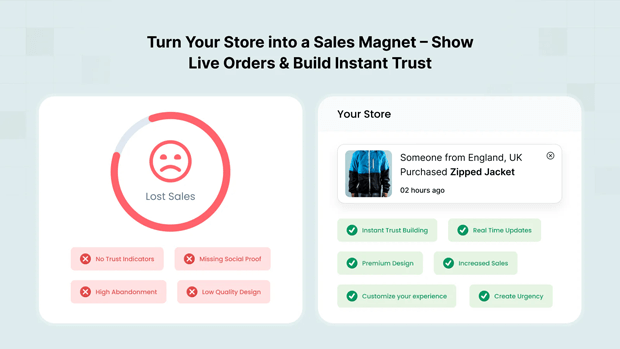
Turning this high-level strategy into actual results requires a powerful tool built for speed and control. The SalesPulse ‑ Sales Pop Up app gives you the features necessary to deploy complex seasonal campaigns without hassle:
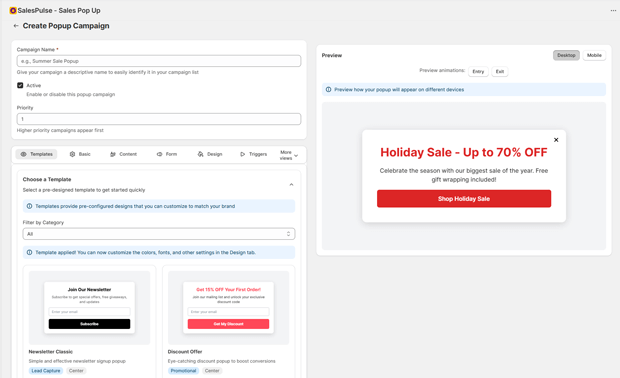
- Designer & Templates: Use ready-made seasonal templates or the visual designer to perfectly match your holiday branding without needing code.
- Smart Scheduling: Precisely set the start and end dates for your Phase 1, 2, and 3 pop-ups, ensuring your scarcity messaging ends exactly when the holiday sale does.
- Targeting & Triggers: Leverage the Exit-Intent and Scroll Depth triggers to hit users at the optimal time, capturing leads in Phase 1 and converting abandoners in Phase 3.
- A/B Testing: Easily test different offers and copy during peak season to guarantee you’re running the highest-converting campaign variant possible.
- Actionable Analytics: Don’t guess what works. Instantly track seasonal campaign performance by measuring Views, Submissions, Conversions, and the Total Revenue generated directly from your pop-ups.
Step-by-Step Guide for Planning & Executing Your Holiday Popups
Use this four-step process to plan and launch a high-converting seasonal Popup strategy for any event.
Step 1: Map the Holiday Calendar & Define Goals (Q1-Q4)
Create a yearly table in a spreadsheet. List every major event, including niche ones like Singles’ Day or National Coffee Day if relevant to your brand.
- Action: For each holiday, assign one primary conversion goal (Email Capture, AOV Boost, Final Sale Conversion).
Step 2: Select the Best Popup Type and Offer
Align the mechanism with the goal. An email capture goal works best with a modal or full-screen opt-in. An urgency goal works best with a countdown bar.
- Action: Determine the specific offer (e.g., 20% off vs. Free Gift) and the mechanism (Modal, Floating Bar, Exit-Intent). For example, an announcement bar Popup is ideal for communicating a last-minute shipping deadline on Mother’s Day.
Step 3: Implement Advanced Seasonal Targeting Rules
You must use your chosen Popup app to create sophisticated rules that ensure a great UX. This is where most merchants fail during peak traffic.
- Scenario: You have a BFCM Early Access Popup.
- Rule 1 (Exclusion): Exclude visitors who have already signed up (based on a cookie or customer tag).
- Rule 2 (Trigger): Show on all pages except Cart/Checkout.
- Rule 3 (Mobile Priority): Use a separate, less intrusive Popup design for mobile devices to respect Google’s Core Web Vitals.
Tool Insight: Utilizing the SalesPulse ‑ Sales Pop Up app allows you to easily set up complex geo-targeting rules, which is crucial for handling international holidays or domestic shipping deadlines. Use this feature to prevent irrelevant Popups from appearing to the wrong audience.
Step 4: A/B Test Your Seasonal Popup Copy and Timing
Even with a great plan, a slight copy change can drastically change conversion.
- Copy Test: Test Scarcity (“Only 50 Left”) vs. Urgency (“Sale Ends in 4 Hours”) in your Popup headline.
- Timing Test: Test a 5-second delay vs. a 10-second delay for the Urgency Phase Popup to find the conversion sweet spot.
Advanced Tips That Improve Shopify Seasonal Conversion Results
Tip 1: Pre-Qualify Leads for Q4 with Niche Popups
Instead of just asking for “email,” ask for preference in the Popup.
- Example: For a fashion brand, the pre-BFCM Popup could ask: “Which deals are you interested in? (A) Sweaters (B) Footwear (C) Accessories.” This segments your list immediately, enabling hyper-personalized follow-up emails.
Tip 2: Use Seasonal Popups to Combat Cart Abandonment
Seasonal campaigns don’t just capture emails; they save sales. If a user is exiting the cart page during a holiday sale:
- Action: Trigger a non-discount exit-intent Popup that highlights a key benefit tied to the holiday (e.g., “Wait! You’re eligible for Free 2-Day Shipping—order now to get it by Christmas!”).
Tip 3: Leverage Specificity to Boost Urgency
Generic scarcity works, but specific scarcity converts higher.
Tool Insight: For high-volume events like BFCM, use the SalesPulse ‑ Sales Pop Up countdown timer feature that dynamically embeds the remaining hours or items in the Popup copy, significantly increasing the fear of missing out. The visibility of this on-site widget is a powerful final conversion trigger.
Troubleshooting the Common Errors in Shopify Seasonal Popup Timing
| Common Seasonal Popup Error | Why It Happens | Conversion-Focused Solution |
| BFCM Popup is still live in December. | Failure to set an automatic end date on the Popup’s rules. | Always set the display rule to End Display After a specific date/time (e.g., 11:59 PM, Nov 27). |
| Mobile Popup is too large/obstructive. | Using a desktop-optimized modal size on mobile. | Use an app with responsive design settings. For mobile, stick to small, subtle banners/bottom bars that don’t cover $\geq20\%$ of the screen. |
| Visitors see too many Popups. | No frequency capping or exclusion rules set up. | Set a strict Display Frequency rule, e.g., “Show once per 24 hours,” and Exclude users who have converted (cookie/tag). |
Alternate Ways To Achieve the Same Conversion Outcome: Beyond the Discount
Not every holiday Popup needs to be a discount code.
- The Content Popup (Father’s Day): “Need gift ideas? Download our Free 2026 Father’s Day Gift Guide.” (Goal: Lead Capture/Trust)
- The Value-Stack Popup (Any Day): “All orders over $75 get Free Shipping + 90-Day Returns.” (Goal: AOV/Confidence)
- The Social Proof Popup (Any Day): “Join 5,000+ happy customers! Shop our best-selling [Seasonal Product].” (Goal: Trust/Conversion)
Next Steps After Completing This Seasonal Strategy Tutorial
- Build Your Q1-Q4 Seasonal Popup Calendar: Start by detailing your strategy for the first three upcoming events, defining the Goal, Offer, and Popup Type for each.
- A/B Test Your Control: Take your highest-traffic seasonal Popup (likely BFCM early access) and run an A/B test on the headline copy to establish your seasonal control benchmark.
- Review Mobile UX: On your own store, simulate a full mobile customer journey (homepage $\rightarrow$ product page $\rightarrow$ exit) to confirm your seasonal Popup is non-intrusive and fast-loading.
Freequently Asked Questions
When should you start running seasonal Popup campaigns like Black Friday?
You should start the Awareness Phase (email capture) 4–6 weeks before a major event like Black Friday, typically in early to mid-October. The actual Urgency Phase (sale Popups) should launch on the day of the sale.
What is the best type of Popup for holiday sales?
The best Popup type for holiday sales is a countdown-enabled Floating Bar or Exit-Intent Modal. The Floating Bar is great for persistent urgency across the site, while the Exit-Intent Modal converts abandoning users with a final, high-scarcity offer.
How do you ensure seasonal Popups don’t hurt mobile SEO?
To ensure seasonal Popups don’t hurt mobile SEO (Core Web Vitals), use non-obtrusive formats like small bottom banners or top announcement bars on mobile. Crucially, do not use full-screen modals that obscure content immediately upon page load.
Should I use a different Popup for different products during a holiday?
Yes. Use URL Targeting to display Popups relevant to the product category. For instance, show a “Free Gift with $50 Purchase” Popup on a high-margin category page, but a simpler “20% Off” Popup on a lower-margin page during the same holiday.




