
You have steady sales. Your traffic is growing. Your product quality is solid. Yet, when a potential customer searches for your brand on Google, they find a “digital ghost town”—three reviews from two years ago and a 3.5-star rating.
For Shopify merchants, this is a silent conversion killer.
The disconnect isn’t that your customers are unhappy; it’s that your review collection process is likely broken.
Most merchants either forget to ask or ask at the wrong time (like sending a “How was it?” email before the package has even arrived). This friction creates a gap between your actual brand value and your public reputation.
When you fix this workflow, you don’t just get more stars. You unlock Google Seller Ratings for your ads, improve your local SEO visibility, and drastically lower your customer acquisition costs (CAC) because trust does the selling for you.
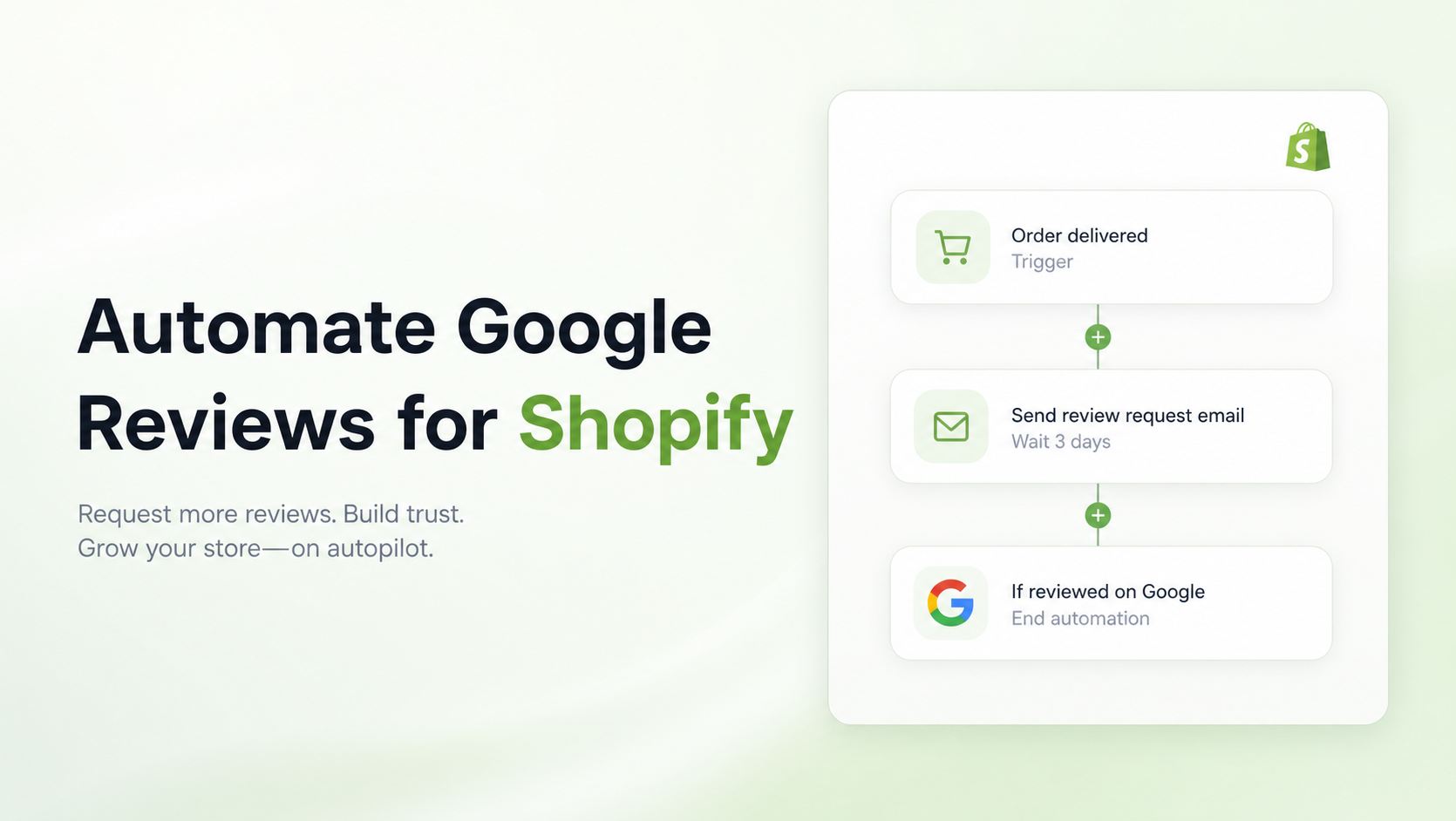
To boost Google reviews on Shopify, avoid sending requests immediately after purchase. Instead, set up an automated email workflow that triggers 3–7 days after delivery. Use a tool to inject a direct Google Review link, minimize friction (don’t ask for a login), and display the resulting social proof on your product pages to create a flywheel effect.
Summary:
- The Problem: Most Shopify merchants struggle to get consistent Google reviews because they rely on manual requests or generic, poorly timed emails.
- The Fix: switching from “purchase-based” to “delivery-based” automation workflows that ask when satisfaction is highest.
- The Tool: We’ll look at how apps like GroPulse automate this process to build trust on autopilot.
- The Outcome: Higher Google Seller Ratings, improved local SEO, and a trustworthy store that converts cold traffic.
Why Google Reviews Are Your Most Undervalued SEO Asset
Before we build the workflow, it is critical to understand why we are prioritizing Google reviews over standard on-site testimonials.
While Shopify-native reviews (like those on your product page) help conversion, Google Reviews help acquisition.
- Local SEO & “Map Pack” Rankings: Google explicitly uses review quantity and velocity as ranking signals. If you are a DTC brand with a physical HQ or a hybrid retail presence, fresh reviews are the fastest way to leapfrog competitors in local search results.
- The “Zero-Click” Search Journey: Many users see your star rating on the SERP (Search Engine Results Page) and decide whether to click your site based solely on that number. A low rating often means they never even see your beautiful Shopify store.
- Google Shopping & Ads: Google Seller Ratings (the stars that appear under your PPC ads) generally require a minimum of 100 verified reviews within a 12-month period. Without automation, hitting this volume is mathematically impossible for most small-to-mid-sized brands.
The “Perfect Timing” Workflow Strategy
The biggest mistake Shopify merchants make is triggering the review email based on the Order Created date.
If you sell a product that takes 5 days to ship and you send a review request 3 days after purchase, you are asking the customer to review a product they haven’t touched. This annoys them and leads to negative “I haven’t received it yet” reviews.
The Golden Rule: Always trigger based on Delivery Date.
Recommended Delays by Product Type:
- Apparel & Accessories: Send 3 days post-delivery. (They know if it fits immediately).
- Skincare & Supplements: Send 14–21 days post-delivery. (They need time to see results).
- Home Goods/Tech: Send 7 days post-delivery. (They need time to set it up and use it).
Recommended Blogs for You:
👉 How to Display Google Reviews on Shopify
👉 How to Add Social Proof to Your Shopify Store
👉 How to Optimize Hierarchy for Featured Snippets
👉 5 Ways Geo-Targeted Popups Boost Shopify Conversion Rates
Building the Automated Workflow: Step-by-Step
Here is the exact logic you should implement to stop chasing reviews manually.
Phase 1: The Request (The “Ask”)
Your subject line must be personal, not transactional.
- Bad: “Review your recent order #10239”
- Good: “How is your new [Product Name] working out, Sarah?”
The Copy: Keep it short. Acknowledge that you are a small business (if true) or focus on community help.
“Hi [Name], we saw your order arrived on Tuesday! We’re building a community of honest feedback and would love to know what you think. Could you take 30 seconds to leave a Google review? It helps others find us.”
Phase 2: The Frictionless Link
Do not make them search for your business. Use a direct “Write a Review” link. You can generate this in your Google Business Profile (GBP) dashboard. When they click, the review box should pop up immediately.
Phase 3: The Automation Engine (How to Execute)
Shopify’s native notification settings are too rigid for this “delivery + X days” logic. You need a dedicated tool to handle the trigger and the link injection.
This is where an app like GroPulse Google Reviews becomes essential for Shopify merchants who want to move beyond manual work.
While the free version of the app is excellent for displaying reviews you already have, their “Boosting Review through Email Automation” feature (available on premium plan) is the engine you need here. It allows you to:
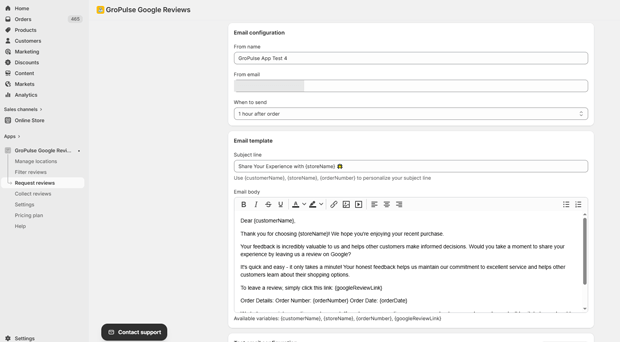
- Automate the Request: Instead of manually emailing customers, the app triggers the email automatically after orders are fulfilled.
- Collect on “Thank You” Page: You can capture sentiment right when the customer is happiest. Immediately request reviews after they buy, using their “Thank You” page collection feature.
- Filter by Rating: This ensures you are showcasing your best social proof on your storefront widget while still collecting authentic feedback on Google.
3 Timing Mistakes That Kill Review Conversion Rates
Even with the right app, you can mess up the strategy. Avoid these common pitfalls:
1. The “Ambush” Request
- The Mistake: Asking for a review inside the Order Confirmation email.
- The Fix: The Order Confirmation is for transactional peace of mind (receipts, tracking). Do not clutter it with requests.
2. Ignoring Mobile Friction
- The Mistake: Sending long, text-heavy emails that look terrible on iPhone.
- The Fix: According to nearly every major email marketing study, mobile opens account for over 50% of engagement. Your email should be: Logo -> One Sentence -> Big Button.
3. Treating VIPs Like Strangers
- The Mistake: Sending the exact same generic template to a customer who has bought 5 times.
- The Fix: If your email tool supports it, segment your audience. For repeat buyers, say: “Thanks for sticking with us again, Sarah! Since you know our gear best, your review would mean the world to us.”
Closing the Loop: Displaying the Proof
Collecting the reviews is only half the battle. To maximize conversion rate optimization (CRO), you must display them back on your site to reassure new visitors.
This is the “Flywheel Effect.”
- New visitor sees Google Reviews widget on your site.
- Trust increases -> They buy.
- Automation requests a review.
- They leave a review -> Widget updates.
- Repeat.
GroPulse Google Reviews handles this closing step effectively. It allows you to import authentic reviews from Google Maps and display them in a widget that matches your brand’s aesthetic (colors, fonts, layout). Unlike some competitors that use generic iframes, GroPulse lets you customize the widget style so it looks native to your Shopify theme, which helps maintain a high-end brand feel.
Freequently Asked Questions
Can I incentivize Google Reviews on Shopify?
No, Google’s policies strictly forbid offering money or gifts in exchange for reviews. Doing so can get your Google Business Profile suspended. However, you can simply ask for a review, which is what these workflows do.
What is the best app for Google Reviews on Shopify?
For merchants looking for a balance of affordability and automation, GroPulse Google Reviews is a strong contender. It offers automation features and widget customization at a lower price point ($5.99/mo) than many enterprise-level competitors.
How often should I send review reminders?
Send one primary request (3-7 days post-delivery) and one optional reminder (5 days later) if they didn’t open the first one. Never send more than two emails for a single review request.
Do Google Reviews help Shopify SEO?
Yes. Google Reviews improve your local SEO rankings (Map Pack) and increase click-through rates (CTR) on organic search results by displaying star ratings, which signals trust to Google’s algorithm.
Conclusion: Stop Leaving Reputation to Chance
Your brand reputation is being built whether you manage it or not. By automating your review workflow, you take control of the narrative. You ensure that your happiest customers, not just the noisy, unhappy few, are the ones representing your brand to the world.




