
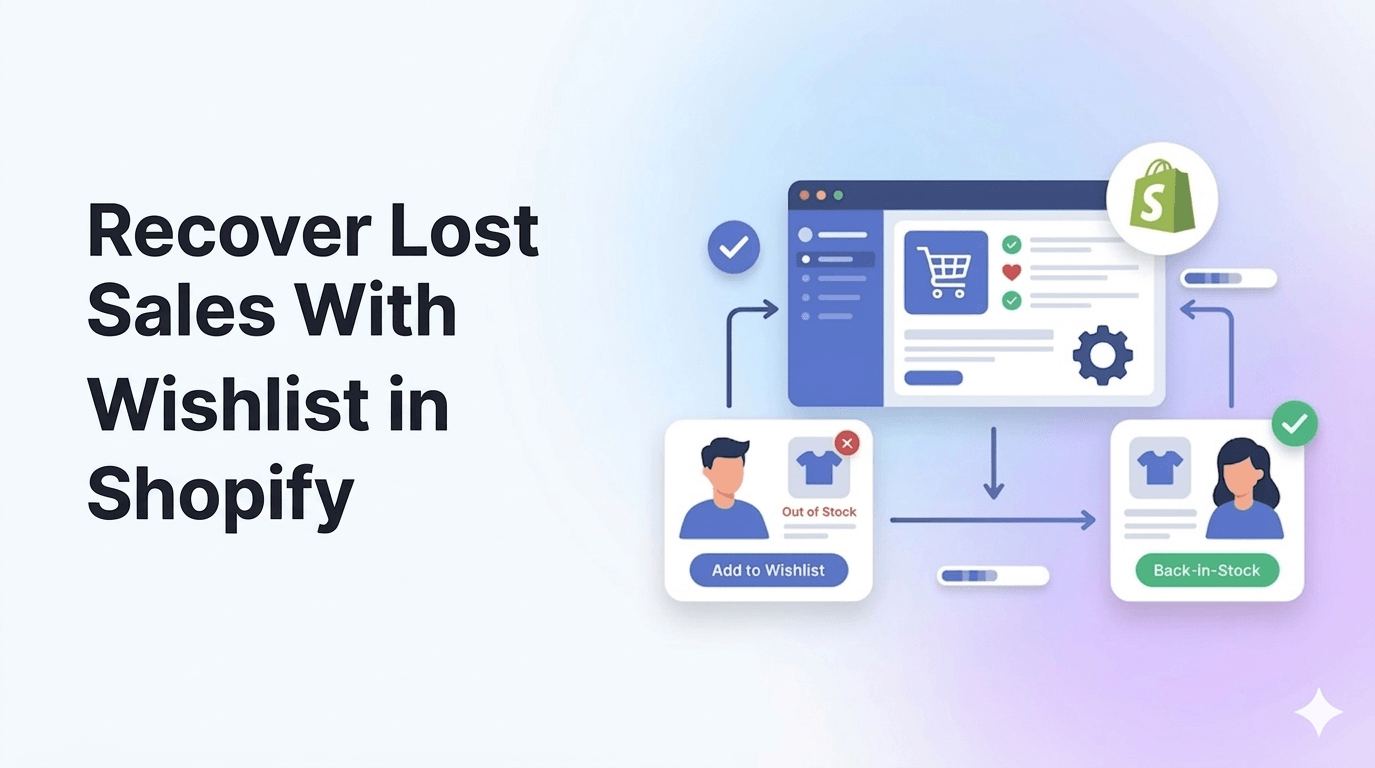
Driving traffic to your Shopify store is expensive. But what happens when that hard-earned traffic lands on your product page, only to find the item out of stock?
Or worse, what if they browse, add items to a wishlist, and simply forget to come back?
For many merchants, these scenarios represent thousands of dollars in leaked revenue every month. You pay for the click, but a temporary friction point prevents the conversion.
Fortunately, lost sales don’t have to stay lost. By implementing intelligent re-engagement strategies, you can turn passive browsers into paying customers.
Summary:
- The Main Benefit: Automating wishlist reminders and back-in-stock alerts allows you to capture high-intent shoppers who aren’t ready to buy or can’t buy due to inventory issues.
- Who It Helps: Shopify merchants and DTC brands experiencing high cart abandonment or frequent out-of-stock scenarios.
- What You’ll Learn: How to deploy behavioral triggers (like price drops and restock alerts) to bring hesitant buyers back to your checkout funnel.
- Key Insight: Shoppers who request back-in-stock notifications convert at a significantly higher rate than standard cold traffic because they have already signaled direct purchase intent.
How do wishlist reminders recover lost sales?
Wishlist reminders and back-in-stock alerts recover lost sales by automatically emailing high-intent shoppers when a saved item drops in price, runs low on inventory, or is restocked. This creates urgency and provides a direct, personalized path back to checkout.
Why High-Intent Shoppers Abandon Shopify Stores
Experienced ecommerce strategists often point out that a lack of immediate conversions doesn’t always mean a lack of interest. Shoppers leave sites for a variety of logical reasons.
According to data from the Baymard Institute, the average documented online shopping cart abandonment rate hovers around 70%.
While shipping costs are a primary culprit, hesitation and inventory issues play a massive role earlier in the funnel.
Shoppers might be waiting for payday, comparing products on competitor sites, or waiting for a specific size or color to return to your warehouse.
If you don’t have a system to capture their intent at that exact moment, they will likely buy from a competitor.
Recommended Blogs for You:
👉 How to Negotiate Prices on Shopify
👉 Why Visitors Leave Your Shopify Store Without Buying
👉 Fix Cart Data Needs Attention in Google Ads
👉 Why “Save for Later” Increases Revenue
👉 Why Guest Wishlists Convert Better Than Account-Only
The Conversion Power of Shopify Wishlists
A wishlist is more than just a digital bookmark; it is a behavioral goldmine. When a shopper adds a product to their wishlist, they are explicitly telling you what they want.
Triggering FOMO With Low-Stock and Price-Drop Emails
The true value of a wishlist isn’t in saving the item—it’s in the follow-up. You can leverage the data collected from wishlists to trigger automated emails that drive urgency.
- Low-Stock Alerts: “The item you saved is almost gone!” This triggers the Fear Of Missing Out (FOMO). If a shopper knows their desired product might sell out, they are heavily incentivized to complete the purchase immediately.
- Price-Drop Alerts: “Good news! The jacket you liked is now on sale.” Price sensitivity is a major barrier to conversion. A targeted alert validating a shopper’s patience often results in an immediate click-through.
Why Back-in-Stock Alerts Are Your Best Conversion Tool
Out-of-stock pages are historically conversion killers. If a customer lands on a sold-out product and sees nothing but a “Unavailable” button, their journey ends.
Turning Inventory Delays Into Guaranteed Future Sales
By swapping a dead-end button with a “Notify Me When Available” prompt, you capture an email address and a high-intent lead.
Many CRO experts recommend treating stockouts not as a lost sale, but as a lead generation opportunity.
When you finally restock the item, you aren’t blasting a generic promotional email to your entire list; you are sending a highly relevant, deeply personalized notification to a segment of buyers who have effectively raised their hands and said, “I have my credit card ready for this specific item.”
Step-by-Step: Setting Up Restock Alerts and Wishlist Triggers on Shopify
To make this work, you need a system that integrates seamlessly with your Shopify store’s inventory and customer data. Hand-tracking inventory and manually emailing customers is impossible to scale.
Using GP – Wishlist & Upsell Suite for Automated Reminders
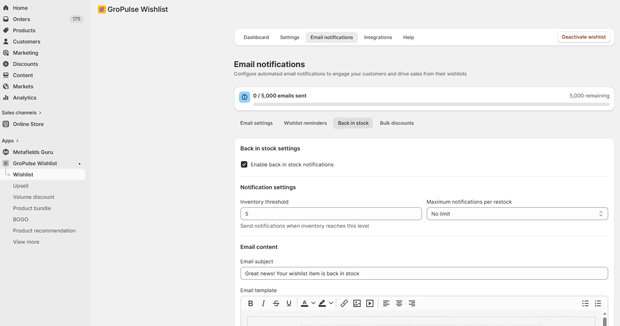
For Shopify merchants looking to streamline this process, the GP – Wishlist & Upsell Suite app is a powerful tool to bridge the gap between browsing and buying.
Instead of relying on a patchwork of different apps, you can use it to allow guests and logged-in customers to curate shareable wishlists.
More importantly, it handles the backend automation. When a merchant updates their Shopify inventory, the app can automatically trigger back-in-stock alerts to everyone who requested them.
Similarly, it can deploy automated email reminders for items sitting idle in a wishlist or notify shoppers when those saved items are running low on stock.
It also pairs these recovery features with cross-selling capabilities, allowing you to increase your Average Order Value (AOV) once you successfully bring the shopper back.
The Workflow
- Enable Guest Wishlists: Ensure shoppers don’t have to create an account just to save an item. The less friction, the better.
- Swap Out-of-Stock Buttons: Replace standard disabled buttons with an email or SMS capture form.
- Automate the Email Flow: Set up your triggers (e.g., send a reminder 3 days after an item is wishlisted, or immediately when inventory goes from 0 to 1+).
- Optimize the Microcopy: Use clear, urgent subject lines like “It’s Back: Grab Your [Product Name] Before It Sells Out Again.”
Common Mistakes Merchants Make With Shopify Restock Notifications
Even with the right tools, execution matters. Avoid these common pitfalls:
- Sending Alerts Too Late: If you restock an item but the notification email goes out 24 hours later, the shopper may have already moved on. Automation must be instantaneous.
- Ignoring Mobile UX: Mobile shopping dominates ecommerce. If your “Add to Wishlist” heart icon or “Notify Me” pop-up is too small to tap or breaks the mobile layout, shoppers won’t use it.
- Failing to Cap Restock Alerts: If you only receive 10 units of a product, but 100 people signed up for the alert, blasting all 100 people simultaneously will lead to 90 frustrated customers. Ensure your tool can batch notifications based on available inventory levels.
FAQs on Wishlists and Restock Alerts
Do wishlist apps slow down Shopify store speed?
Most modern, well-coded wishlist apps use asynchronous loading or lightweight scripts that do not noticeably impact your Shopify store’s load time or Core Web Vitals.
Are back-in-stock alerts better sent via email or SMS?
Both are highly effective, but SMS generally boasts faster open rates. SMS is ideal for fast-selling, highly anticipated drops, while email works well for standard catalog restocks.
Can guest shoppers use wishlists without creating an account?
Yes, leading Shopify wishlist tools allow session-based guest wishlists. If the shopper returns using the same device and browser, their saved items will still be there.
How do restock alerts help with inventory forecasting?
By looking at the number of people who have signed up for a back-in-stock alert on a specific SKU, merchants can accurately predict demand and order the correct amount of inventory from their suppliers.
Conclusion
Optimizing your Shopify store isn’t just about redesigning landing pages or tweaking ad copy; it’s about plugging the leaks in your existing funnel.
Out-of-stock items and browsing hesitation are inevitable, but losing the customer entirely is a choice.
By deploying strategic wishlist reminders and back-in-stock alerts, you give your shoppers the nudge they need exactly when they need it, turning missed opportunities into measurable revenue.




