
Imagine paying for ads to drive 1,000 people into a physical retail store. Now imagine 950 of them walk in, look around for 10 seconds, and walk out the door without you ever speaking to them.
This is the reality for most Shopify merchants. According to average ecommerce benchmarks, conversion rates for first-time visitors often hover between 1% and 3%.
The vast majority of your traffic, traffic you likely paid for via Meta or Google Ads, is leaving. If they leave without buying, that’s okay. If they leave without subscribing, that is a wasted opportunity.
The welcome popup is your safety net. It isn’t just about aggressive sales; it’s about starting a relationship. By capturing an email, you move the conversation from “one-time visitor” to “owned audience,” allowing you to nurture that lead via Klaviyo or Mailchimp until they are ready to purchase.
However, there is a fine line between a helpful offer and an intrusive annoyance. Here is how to walk that line and turn your popup into your store’s highest-converting asset.
Summary
- The Problem: Over 95% of first-time visitors leave Shopify stores without buying. Without an email, you have no way to bring them back.
- The Solution: A well-timed welcome popup offers value (discounts, content) in exchange for contact info, bridging the gap between browsing and buying.
- The Strategy: Success lies in timing (don’t trigger immediately), mobile optimization (keep it unobtrusive), and A/B testing your offers.
- The Tech: We’ll explore how using smart triggers and integrations (like Klaviyo or Mailchimp) turns a simple form into a revenue engine.
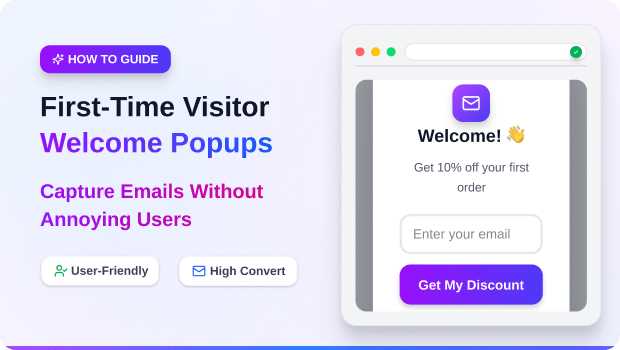
A First-Time Visitor Welcome Popup is a modal window that appears to new users when they land on your store. Its primary goal is lead generation: capturing an email address or phone number by offering an immediate incentive (like a discount code or free shipping) before the visitor bounces.
Timing Is Everything: Why “Instant” Popups Fail
One of the biggest mistakes new merchants make is triggering the welcome popup the second the page loads.
Think about the user experience (UX). The visitor just clicked a link. They haven’t even seen your product, read your headline, or determined if they like your brand yet. Slapping them with a form immediately creates friction and increases your bounce rate.
Smart Trigger Strategies:
Instead of immediate loading, use “smart triggers” to display the popup when purchase intent is higher:
- Time-Based Delay: Wait 5 to 10 seconds. This ensures the visitor has actually looked at your content.
- Scroll Percentage: Trigger the popup only after the user has scrolled 30% or 50% down the page. This indicates engagement.
- Exit-Intent: This is often the highest-converting trigger. The popup appears only when the user’s mouse breaks the browser plane to close the tab or hit the back button.
Pro Tip: Apps like SalesPulse allow you to set these specific parameters easily. Whether it’s a standard time delay or sophisticated exit-intent technology, controlling when the popup appears is just as important as what it says.
The Anatomy of a High-Converting Offer
A generic “Sign up for our newsletter” box rarely works anymore. Consumers protect their inboxes fiercely. You need to offer a tangible exchange of value.
1. The Headline (The Hook)
Avoid “Subscribe to our list.”
Try: “Unlock 10% Off Your First Order” or “Join the VIP Club for Free Shipping.”
2. The Incentive (The Value)
- Discount Code: The most common driver (e.g., WELCOME10).
- Free Gift: “Free pair of socks with first purchase.”
- Content/Lead Magnet: “Get our Ultimate Skincare Routine Guide.”
- Mystery Offer: “Spin the wheel to win a prize” (Gamification).
3. The Call to Action (The Button)
Make it action-oriented. Instead of “Submit,” use “Get My 10% Off” or “Reveal My Code.”
Recommended Blogs for You:
👉 Shopify Free Shipping Threshold Strategy
👉 How to Increase Shopify Sales with Smart Upsell Popups
👉 Back-in-Stock Popups: Recover Lost Revenue on Shopify
👉 Personalized Popups: 5 Strategies to Target Customer Segments
Mobile Popups: How to Capture Emails Without Ruining UX
Google has strict guidelines regarding “intrusive interstitials” on mobile devices. If your popup covers the main content immediately upon loading a page from search results, Google may penalize your SEO rankings.
Best Practices for Mobile Welcome Popups:
- Use Teasers: Display a small “sticky” tab at the bottom of the screen (often called a “teaser”) that opens the full popup only when tapped.
- Screen Real Estate: Ensure the popup doesn’t take up the entire screen. The user should easily see how to close it (“X” button) without zooming out.
- Simplify the Form: On desktop, you might ask for First Name + Email. On mobile, just ask for the Email. Every extra field reduces conversion rates on touchscreens.
Choosing the Right Tool for the Job
While Shopify themes often come with basic newsletter blocks, dedicated popup apps provide the targeting and analytics required to actually move the needle on revenue.
For merchants looking for a balance between ease of use and advanced features, SalesPulse is a strong option to consider.
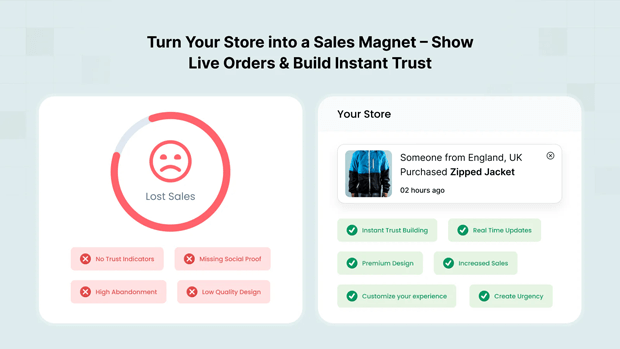
Why it works for this use case:
- Smart Triggers: It includes the critical exit-intent and scroll-depth triggers discussed above, ensuring you aren’t annoying visitors who just arrived.
- Template Variety: With over 20 pre-built templates, you can launch a professional-looking welcome popup that matches your brand in minutes, rather than hiring a designer.
- Revenue Attribution: One of the hardest parts of CRO (Conversion Rate Optimization) is knowing what works. SalesPulse tracks revenue directly attributed to the popup (using a 30-day window), so you can see exactly how much money your welcome offer is generating.
- Seamless Integration: It connects natively with Klaviyo and Mailchimp, meaning your new leads are instantly pushed to your Welcome Flow email sequences without manual CSV exports.
A/B Testing: Stop Guessing What Your Customers Want
You might think a 10% discount is generous, but your customers might actually respond better to “Free Shipping.” You might love the color blue, but a red button might get 20% more clicks.
The only way to know is through A/B Testing.
What to test first:
- The Offer: % off vs. $ off (e.g., “10% Off” vs. “$10 Off”).
- The Trigger: Does showing the popup at 5 seconds perform better than waiting for 15 seconds?
- The Image: Product shot vs. Lifestyle image.
Run one test at a time for at least two weeks to get statistically significant data.
What Happens After the Signup? (The Handoff)
Capturing the email is only step one. The “Welcome Popup” must connect seamlessly to your “Welcome Email Series.”
The Workflow:
- Popup: Visitor enters email to get code.
- Immediate Feedback: The popup state changes to “Success! Here is your code: WELCOME10.”
- Email Trigger: Your email service provider (ESP) immediately sends “Email 1” of your welcome flow. This email should reiterate the code and introduce your brand story.
If there is a lag between the popup and the email, or if the code doesn’t work, you have broken the trust you just established.
Frequently Asked Questions
Do popups hurt my SEO?
Generally, no—as long as you follow Google’s mobile guidelines. Avoid full-screen interstitials on mobile landing pages. Desktop popups rarely impact SEO signals.
What is a good conversion rate for a welcome popup?
While it varies by industry, top-performing popups often see conversion rates between 3% and 8%. If you are below 1%, revisit your offer or your timing.
Should I show the popup to returning visitors?
No. If a user has already subscribed or closed the popup recently, you should suppress it. Tools like SalesPulse allow you to set “frequency caps” (e.g., don’t show again for 7 days) to prevent user fatigue.
Conclusion
A welcome popup is often the very first interaction a potential customer has with your brand. It sets the tone. If it’s clunky, immediate, and impossible to close, it tells the user you don’t care about their experience.
But if it is timed correctly, offers genuine value, and looks beautiful, it is the most effective tool you have for turning anonymous traffic into loyal subscribers. Start by reviewing your current trigger settings and ensure you aren’t greeting your guests by slamming a door in their face.




