
Modern B2B and high-ticket e-commerce doesn’t always fit neatly into a standard “Add to Cart” button. When you sell custom merchandise, wholesale pallets, or industrial equipment, pricing is rarely one-size-fits-all.
It depends on volume, customization, shipping complexity, and long-term buyer relationships.
The problem? Shopify’s native checkout is built for straightforward, fixed-price consumer retail.
If you force high-level B2B buyers through a rigid retail checkout, or make them hunt down an email address to ask for a custom price, you are introducing massive friction into your sales funnel.
Historically, B2B price negotiation has been a slow, manual process. According to estimates from McKinsey, non-value-adding activities—including paper-based quote negotiations and manual order management—can consume roughly two-thirds of a sales team’s time.
Today, successful Shopify merchants are bridging this gap by using dedicated quoting tools.
By turning the storefront into a lead-generation engine, you can protect your margins, offer personalized volume discounts, and speed up the sales cycle.
Here is exactly how to set up and manage a profitable price negotiation workflow on Shopify.
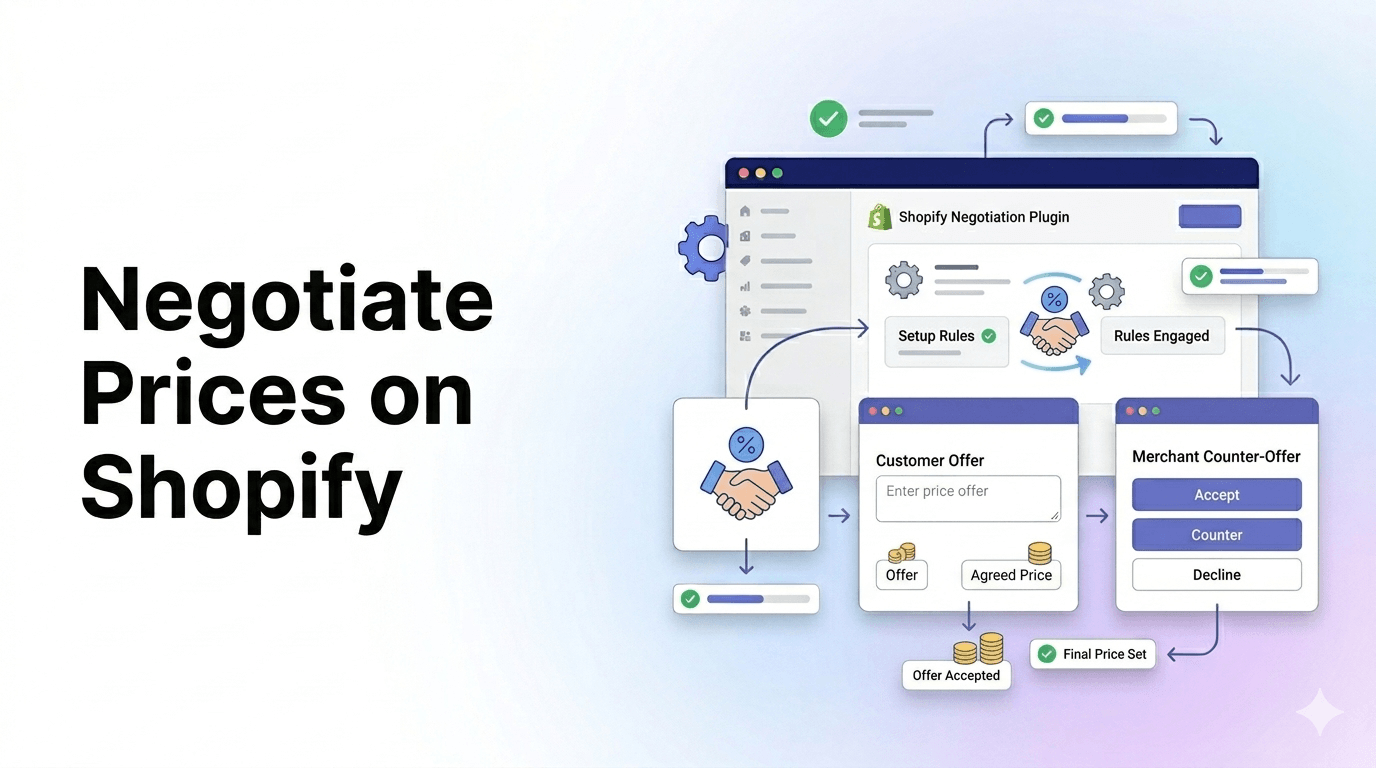
To negotiate prices on Shopify, install a quote request app to hide standard prices and replace the “Add to Cart” button with a custom form. You can then review inquiries, calculate custom discounts, and email buyers a clickable draft order.
Summary
- The core benefit: Implementing a quote request system allows B2B and high-ticket Shopify merchants to negotiate custom pricing, bulk discounts, and complex shipping without losing the sale.
- Who this helps: Wholesalers, custom product creators, and merchants selling variable-priced items who cannot rely on standard “Add to Cart” buttons.
- What you will learn: How to hide standard prices, capture targeted customer requirements, calculate custom proposals, and turn accepted quotes directly into Shopify draft orders.
- Key insight: Automating your quote negotiation pipeline can drastically reduce administrative time, preventing slow email back-and-forths that kill conversion rates.
Why Do Shopify Merchants Need Price Negotiation Tools?
If your store exclusively sells $20 t-shirts direct-to-consumer (DTC), you likely don’t need a quoting system. But if your business model involves complexity, price negotiation becomes a necessity rather than an option.
Experienced e-commerce strategists often suggest implementing quote workflows if you face any of the following scenarios:
- Wholesale & Volume Discounts: B2B buyers expect tiered pricing. A quote system allows you to assess the volume and offer a tailored discount that secures the deal while protecting your bottom line.
- Custom Manufacturing or Personalization: If a customer wants 500 engraved corporate gifts, the cost of labor, materials, and shipping will fluctuate.
- Competitor Price Matching: In highly competitive industrial or electronics markets, buyers often shop around. Allowing them to request a quote gives you the opportunity to beat a competitor’s price and win their loyalty.
- Hiding Pricing from Competitors: Some manufacturers require minimum advertised pricing (MAP), or merchants simply want to prevent competitors from scraping their wholesale rates.
Recommended Blogs for You:
👉 How to Add a Request a Quote Button in Shopify
👉 5 Best Shopify Request a Quote Apps
👉 How to Sync Shopify Products to Facebook Catalogs
👉 5 Smart Ways to Build Urgency on Shopify
What You Need Before Setting Up a Shopify Quote Request Workflow
Before installing any tools or changing your storefront, you need to prepare your internal operations. A quote request is essentially a warm lead, and if your backend isn’t ready to handle it, the lead will go cold.
- Defined Profit Margins: You must know your absolute floor price for every item. If a buyer requests a 30% discount on 1,000 units, you need to know instantly if that is profitable.
- Clear Shipping Logic: Freight and LTL (Less Than Truckload) shipping cannot always be calculated by Shopify’s native carrier rates. Have your freight tables ready.
- Dedicated Sales Routing: Decide who on your team will receive the quote alert emails. A fast response time is the single biggest factor in winning a negotiated deal.
How To Negotiate Prices Using Shopify Quote Request Apps (Step-by-Step)
Setting up a digital negotiation pipeline requires shifting your storefront from a self-service checkout to a consultative sales environment.
Step 1: Hide Shopify Prices and Add a “Request a Quote” Button

The first step is altering the user interface (UI). For specific products, collections, or customer tags (like logged-in B2B accounts), you will need to hide the traditional price tag and the “Buy Now” or “Add to Cart” buttons.
Instead, replace them with a “Negotiate Price” or “Request a Quote” button. This microcopy shifts the user’s expectation, they know they are starting a conversation, not immediately pulling out a credit card.
Step 2: Capture B2B Lead Data With Customizable Forms
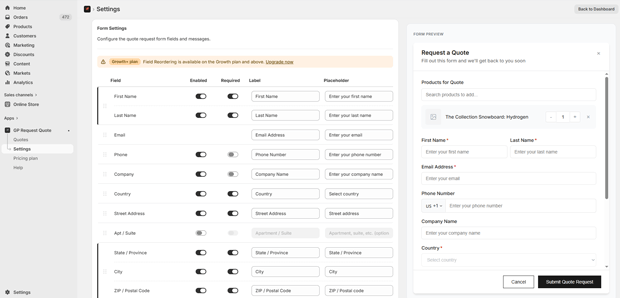
When the user clicks the quote button, they shouldn’t just be given a blank email link. You need a structured form that captures the exact variables required to price the job accurately.
Ask for:
- Target quantity
- Customization requirements
- Timeline/Urgency
- Shipping address (commercial vs. residential drastically changes freight costs)
- Target budget (optional, but helpful for anchoring the negotiation)
Step 3: Review Customer Inquiries and Calculate Custom Pricing
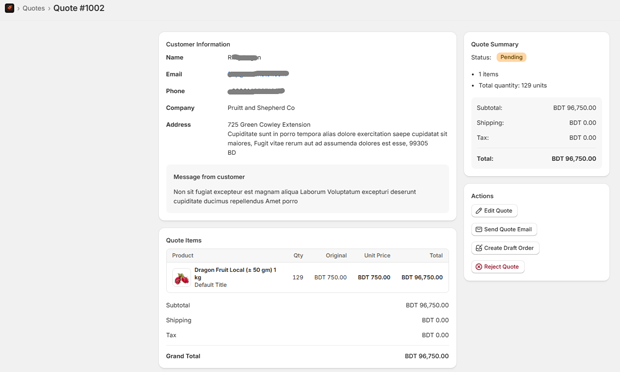
Once the form is submitted, the negotiation moves to your backend dashboard. This is where you evaluate the buyer’s request.
For example, imagine a Shopify store selling commercial office furniture. A buyer requests pricing for 50 ergonomic chairs.
You check your inventory, calculate the bulk freight cost, and realize you can offer a 15% discount off the retail price to win the contract.
You input this custom pricing, add the applicable taxes, and finalize the proposal.
Step 4: Send the Proposal and Convert the Quote to a Draft Order
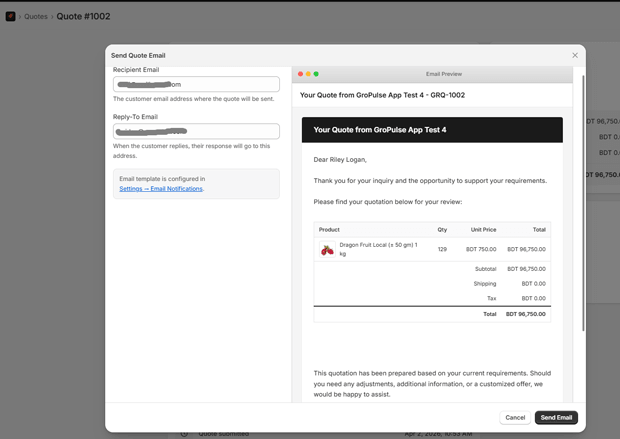
The final step is delivering the negotiated price back to the customer in a frictionless way. Instead of sending an informal email, your app should generate a professional proposal containing a link to a pre-filled Shopify Draft Order.
When the customer clicks “Accept,” they are taken directly to your Shopify checkout, with the negotiated discounts, custom shipping rates, and correct taxes already applied. They simply enter their payment details, and the transaction is complete.
How GP Request Quote Accelerates the Shopify Negotiation Process
If you are looking for a streamlined way to implement the workflow above, many merchants use GP Request Quote to handle the heavy lifting.
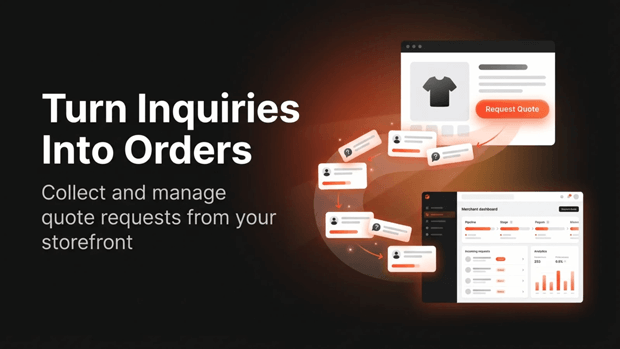
Instead of custom-coding button logic or manually generating invoices, the app handles the entire quote-to-order pipeline.
When you integrate GP Request Quote into your store, you can:
- Target Specific Products: Use rules based on products, collections, or tags to dictate exactly where the quote button appears, while hiding the price, cart, and buy buttons.
- Build Custom Forms: Reorder fields and customize the text to match the exact data you need from your buyers, matching the form colors and CSS to your brand.
- Manage Negotiations in One Dashboard: When a request comes in, automated email alerts notify your team. Inside the app’s dashboard, you can review the requested items, set your negotiated price, apply discounts, and add manual shipping costs.
- Convert with One Click: Once you and the buyer agree on the price, you can turn the quote into a standard Shopify draft order with a single click, sending a proposal email directly to the customer for immediate checkout.
By centralizing the process, tools like this cut out the back-and-forth emails. In fact, broader B2B industry data from platforms like DJUST indicates that switching to automated quoting can free up an average of 30% of a sales representative’s administrative time.
Common Mistakes Merchants Make When Handling Shopify Quote Requests
Even with the best tools, a poor strategy will kill your conversion rates. Avoid these common pitfalls:
- Responding Too Slowly: In B2B e-commerce, the first vendor to provide a comprehensive, accurate quote often wins the business. If your automated alert sits in a shared inbox for three days, the buyer has already moved on.
- Creating Overly Complex Forms: While you need data to create a quote, asking for 15 different fields upfront causes form fatigue. Keep the initial request form strictly to the essentials (Name, Email, Product, Quantity). You can ask for their tax ID and loading dock specifications later.
- Forgetting to Follow Up: A sent quote is not a closed deal. If a draft order sits unpaid for 48 hours, you need an automated email sequence (or a manual phone call) to check in, handle objections, and potentially counter-offer.
What To Do Next To Improve Your B2B Conversion Rates
Transitioning to a negotiated pricing model is an ongoing process of refinement. Once your quote buttons are live, monitor your drop-off rates.
Are people clicking “Request a Quote” but abandoning the form? If so, you may need to reduce the number of required fields.
Are you sending out dozens of draft orders but seeing few payments?
Your pricing may be too high, or your follow-up sequence might be too weak.
Frequently Asked Questions About Shopify Price Negotiation
Can I hide prices on Shopify without using an app?
Technically, yes. You can edit your Shopify theme’s Liquid code to hide the price and cart button, replacing it with an HTML mailto link. However, this requires development knowledge and lacks the ability to track leads, manage proposals, or easily convert inquiries into draft orders.
Does negotiating prices slow down the Shopify checkout process?
It changes the process from an instant checkout to a multi-step sales cycle. While the initial transaction takes longer (due to the negotiation phase), the final checkout is actually faster for the user, as the draft order pre-fills their cart with the agreed-upon items, discounts, and shipping.
Can I offer quote requests only to logged-in B2B customers?
Yes. Most robust quote request apps allow you to set visibility rules based on customer tags. You can display standard retail prices to guest users, while showing a “Request a Quote” button exclusively to accounts tagged as “Wholesale” or “B2B.”
How do I handle shipping costs during a price negotiation?
When you review a quote request in your app dashboard, you can calculate the shipping cost manually (especially useful for bulk freight) and add it as a custom line item before converting the quote into a draft order for the customer.




