
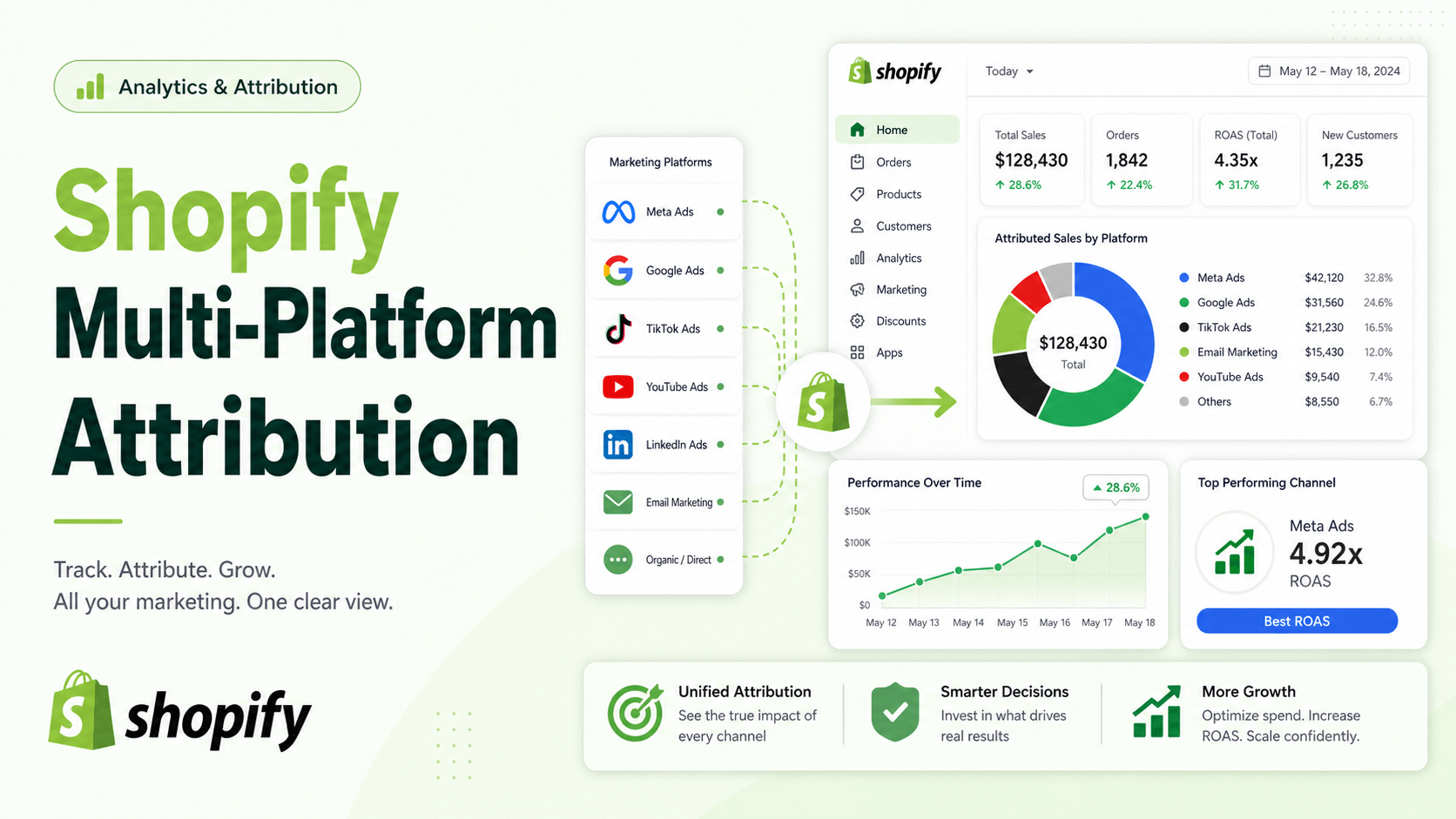
If you run ads on multiple platforms, your morning routine probably looks like this: You check Shopify and see 50 sales. You check Meta Ads, which claims it drove 45 sales. Google Ads claims 30. TikTok claims 20. Suddenly, your ad platforms are taking credit for 95 sales that don’t actually exist.
This tracking discrepancy is the fastest way to drain your marketing budget. If you cannot accurately attribute where your sales are coming from, you cannot optimize your ad spend.
Here is exactly why your multi-platform tracking is breaking, and the technical architecture required to fix it—without needing a developer to rewrite your Shopify theme.
Summary
Multi-platform attribution on Shopify often breaks because ad blockers and privacy updates disrupt client-side tracking. The most effective solution is implementing server-side event tracking and event deduplication to bypass browser restrictions.
By unifying your setup with Google Tag Manager and a robust data layer, you can accurately track conversions across Meta, Google, TikTok, Pinterestf and other platforms without relying on fragile browser cookies.
How do you fix multi-platform attribution on Shopify?
To fix Shopify attribution, shift from client-side pixels to server-side event tracking. This bypasses ad blockers and iOS privacy restrictions by sending conversion data directly from your server to ad platforms (like Meta CAPI or GA4). Ensure you use event deduplication to prevent double-counting.
Why Client-Side Tracking Fails in Modern E-Commerce
Traditional client-side tracking relies on JavaScript running in the user’s browser. For years, simply pasting a Meta Pixel or Google tag into your theme code was enough. Today, this method is increasingly unreliable due to several overlapping technical barriers:
- Aggressive Ad Blockers: Users are installing ad blockers that actively block tracking scripts from firing.
- Browser Privacy Features: Built-in browser privacy features, such as Intelligent Tracking Prevention (ITP) in Safari and Enhanced Tracking Protection (ETP) in Firefox, severely limit cookie lifetimes.
- Operating System Restrictions: Updates like Apple’s iOS App Tracking Transparency reduce data availability across the board.
When a pixel gets blocked, the ad platform loses visibility into the customer’s journey. You lose the attribution, the algorithm loses the optimization signal, and your retargeting audiences shrink.
The Foundation of Accurate Shopify Tracking: Server-Side Events
Server-side tracking solves data loss by sending conversion data directly from the app’s server to ad platforms’ APIs, bypassing browser restrictions entirely.
Instead of relying on the customer’s browser to tell Meta or Google that a purchase happened, your server communicates securely with their server.
When a conversion event occurs, browser identifiers are collected, such as _fbp and _fbc for Facebook, _ttp and ttclid for TikTok, and GA4’s client_id and session_id. This rich event data—including the shop domain, timestamp, user agent, page URL, and full e-commerce details like product prices and quantities—is then sent directly to APIs like the Facebook Conversions API and GA4 Measurement Protocol.
Recommended Blogs for You:
👉 How to Use Shopify Custom Events for Better Retargeting
👉 How to Drive Your First 100 Sales on Shopify (A Proven Guide)
👉 How to Recover Lost Sales With Wishlist Back-in-Stock Alerts
👉 How to Fix Cart Data Needs Attention in Google Ads for Shopify
Client-Side vs. Server-Side Tracking for Shopify
| Feature | Client-Side (Browser) | Server-Side (API) |
| Data Flow | Browser → Ad Platform | Shopify Server → Ad Platform API |
| Ad Blocker Impact | High (Easily blocked) | None (Bypasses browser) |
| Data Accuracy | Declining due to ITP/iOS14 | High accuracy and reliability |
| Page Speed Impact | Slows down page load | Zero impact on storefront speed |
How Event Deduplication Prevents Double Counting on Shopify
If server-side tracking is so great, why keep the browser pixel at all? Because a hybrid approach—running both client-side and server-side tracking simultaneously—gives you the best matching capabilities.
However, firing two events for one purchase creates a new problem: inflated data. To fix this, you must implement event deduplication.
Every event generates a unique event_id using a combination of a timestamp and a random string. The same event_id is sent both to the data layer on the client-side and to the server-side endpoint. When ad platforms like Meta or Google receive both events, they use this unique ID to deduplicate the data, ensuring the conversion is only counted once.
Consolidating Tracking Across 10 Ad Platforms
Installing separate Shopify apps for Meta, Google, TikTok, Snapchat, and Pinterest creates app bloat and increases the risk of script conflicts. It also scatters your data layer logic.
A cleaner architecture involves using a centralized tag management system, like Google Tag Manager (GTM), paired with a unified data layer.
Many merchants use tools like GroPulse GTM & Data Layer to simplify this.
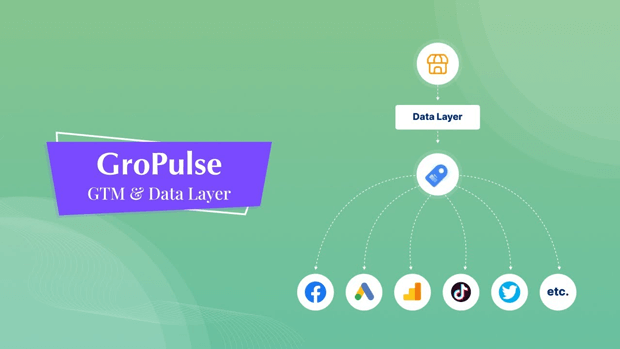
The app lets merchants integrate Google Tag Manager with their Shopify store without editing any theme code. It replaces the need for manual tag configuration by offering a 1-click GTM template generator.
Instead of manually creating dozens of tags, triggers, and variables, merchants can download a pre-configured JSON template with 40+ tags and import it into GTM in one click.
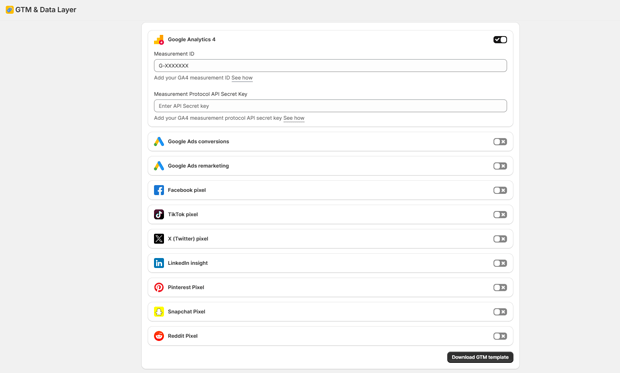
From a single dashboard, you can connect platforms including Google Analytics 4, Google Ads, Meta Pixel, TikTok Pixel, X (Twitter) Pixel, LinkedIn Insight Tag, Pinterest Tag, Snapchat Pixel, and Reddit Pixel.
Managing Compliance: Google Consent Mode V2 on Shopify
You cannot discuss tracking in 2024 and beyond without addressing data privacy. If you advertise to users in the EU or UK, strict compliance is no longer optional—it is a technical requirement from Google.
Your Shopify tracking setup must respect user consent before any cookies are fired. This is where Google Consent Mode V2 comes in.
With built-in support for Google Consent Mode V2, tracking defaults to a denied state for signals like ad_storage and analytics_storage until the user interacts with a consent banner. The tracking system automatically updates the consent state when the user accepts or declines, integrating directly with Shopify’s native Customer Privacy API to ensure compliance.
Checklist: Auditing Your Shopify Attribution Setup
To ensure your multi-platform attribution is accurate, audit your store against this technical checklist:
- Unified Data Layer: Are you pushing standard e-commerce events (like view_item, add_to_cart, purchase) to a standardized data layer?
- Server-Side APIs Active: Have you enabled the Meta Conversions API, TikTok Events API, and GA4 Measurement Protocol alongside your standard pixels?
- Event Deduplication: Is a unique event_id being passed to both your client and server events for matching?
- Consent Management: Are your tracking scripts paused until a user interacts with a GDPR-compliant cookie banner?
- No-Code Implementation: Are you injecting your scripts cleanly via Shopify Theme App Extensions or Custom Pixels rather than hardcoding theme.liquid?
Frequently Asked Questions (FAQ)
Can I run Meta CAPI and standard Meta Pixel at the same time?
Yes, this is highly recommended. Running both improves your event match quality. However, you must pass a unique Event ID to both the client-side pixel and the server-side API to ensure Meta can deduplicate the events and prevent double-counting.
Do I need to hire a developer to install Google Tag Manager on Shopify?
No. While manual GTM setup requires editing Shopify theme code, modern solutions use a no-code theme app extension. Apps can inject the GTM code automatically into the store’s <head> and <noscript> sections.
What happens if I don’t implement Google Consent Mode V2?
If you run Google Ads in the European Economic Area (EEA) and fail to implement Consent Mode V2, Google will restrict your ability to build remarketing audiences and track conversions accurately, leading to degraded ad performance.
Final Thoughts on Shopify Multi-Platform Attribution
Fixing your attribution doesn’t require stitching together ten different tracking apps or writing custom API integrations from scratch. By standardizing your ecommerce data layer, leaning into a centralized container like GTM, and upgrading to server-side event tracking, you can restore visibility into your campaigns. Better data directly translates to more efficient ad spend, more accurate retargeting, and ultimately, higher profitability for your Shopify store.




