
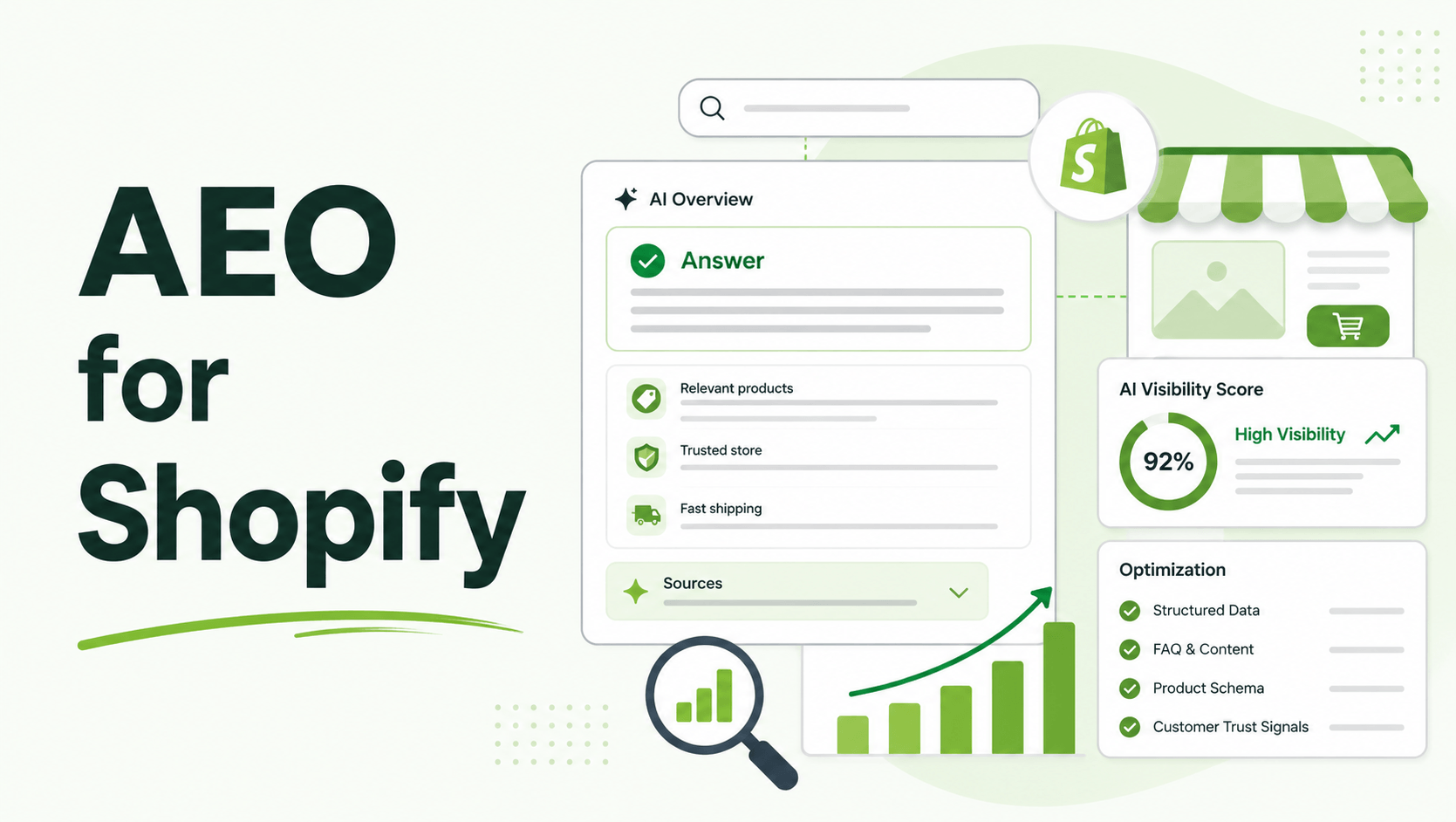
We are in the middle of a massive search behavior shift. Shoppers are increasingly bypassing traditional search bars to ask AI assistants, like ChatGPT, Perplexity, or Google’s AI Overviews, highly specific, conversational queries (e.g., “Find me a vegan leather tote under $150 that fits a 15-inch laptop and ships fast”).
If your Shopify store isn’t built to be understood by Large Language Models (LLMs), you simply won’t appear in these new high-intent funnels. Gartner predicted that traditional search engine volume could drop 25% by 2026 due to AI chatbot adoption, and we are actively seeing that traffic migrate.
Yet, most Shopify merchants are still relying on playbooks from 2023. They focus on keyword density instead of entity resolution. They ignore how AI bots crawl sites compared to Googlebot. This guide covers exactly how to bridge that gap, turn your storefront into an AI-friendly data source, and capture the growing wave of conversational commerce.
Summary
- The Outcome: Learn how to structure your Shopify store so AI models (ChatGPT, Gemini, Perplexity) and Google AI Overviews confidently recommend your products.
- Who It’s For: Shopify merchants, DTC operators, and SEO managers looking to capture traffic from the shift toward conversational search.
- What You’ll Learn: The mechanical differences between traditional SEO and AEO, how to deploy an llms.txt file, and step-by-step workflows to feed brand context directly to AI crawlers.
- The 2026 Nuance: Search behavior is fracturing. Relying solely on standard keyword insertion is no longer enough; LLMs require structured entity relationships and explicit machine-readable guidelines.
What is Artificial Engine Optimization (AEO) for Shopify?
AEO is the process of structuring your store’s data, content, and metadata so that Large Language Models (LLMs) and AI search features can easily crawl, understand, and recommend your products in conversational answers.
The Real Cost of Ignoring AI Search Intent
The top-of-funnel journey has fundamentally changed. When a customer uses a traditional search engine, they sift through ten blue links and evaluate the brands themselves.
When they use an AI assistant, the LLM acts as an aggressively curated gatekeeper, often recommending just two or three specific products.
If your Shopify architecture doesn’t clearly feed product specs, brand values, and real-time inventory data to these AI crawlers, your competitors get the recommendation.
This directly hurts your top-line revenue, raises your Customer Acquisition Cost (CAC) across paid channels, and leaves you invisible to early adopters who convert at higher rates.
What You Need Before Starting Your Shopify AEO Strategy
Before making your store AI-ready, you need to ensure your foundational data is spotless. LLMs hallucinate when data is messy; you must give them clean inputs.
- Robust Product Attributes: You can no longer rely on visuals to sell. Your product descriptions must explicitly state dimensions, materials, compatibilities, and use cases in plain text.
- Clean JSON-LD Schema: Your product, review, and organization schema must be error-free. AI relies heavily on structured data to pull pricing and availability without rendering the whole DOM.
- Clear Brand Voice & Positioning: AI models look for consensus. Your “About Us” page, FAQs, and policies need to consistently state who you are, what you sell, and who it is for.
Recommeneded Blogs for You:
How to Optimize Hierarchy for Featured Snippets
The Role of Schema Markup in EEAT and Semantic SEO
Core Web Vitals Rich Results Ranking Impact 2026
Step-by-Step Setup: How To Optimize Your Shopify Store for AI Chatbots
To get your Shopify catalog referenced by LLMs, you need to speak their language. Here is the technical workflow for modern AEO.
Step 1: Deploying an llms.txt File for Your Store
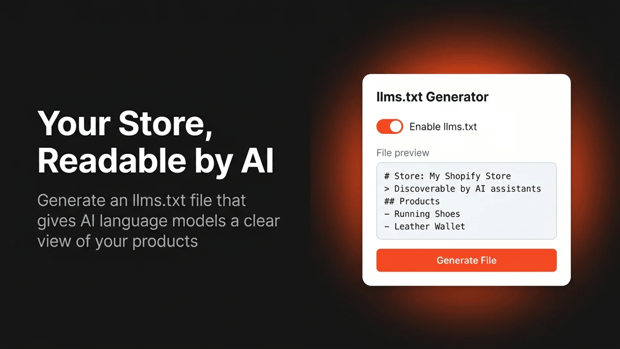
Just as standard search engines rely on a robots.txt file to understand crawling rules, AI bots look for an llms.txt file. This is a machine-readable markdown file that provides LLMs with a clean, summarized index of your store—bypassing heavy JavaScript and visual code.
Many Shopify merchants use the GroPulse ‑ AEO Optimizer app to automate this.
It generates and manages the llms.txt file for your store, formatting your products, collections, and blog posts specifically for models like ChatGPT and Gemini.
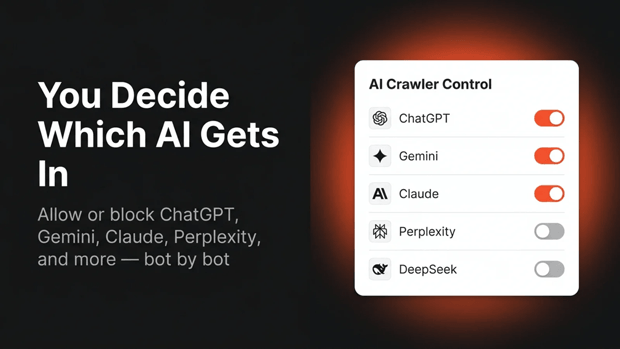
It also allows you to control exactly which AI crawlers are permitted to read your content, giving you governance over your data.
Step 2: Injecting Custom Brand Instructions
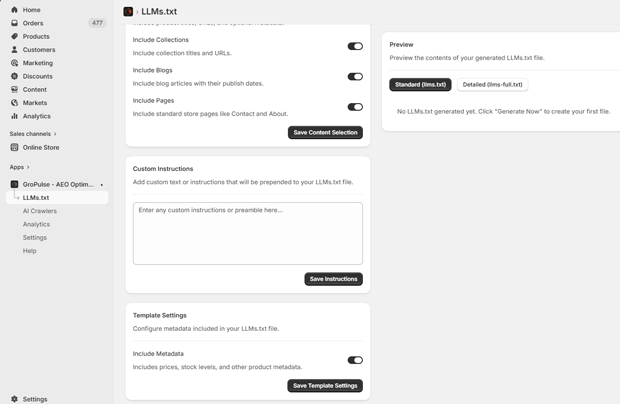
LLMs need to know how to talk about your brand. If you sell sustainable activewear, you want the AI to emphasize the “recycled materials” aspect when someone asks for eco-friendly gym clothes.
- Draft a clear, concise “Brand Context” document.
- Define your unique selling propositions (USPs), target audience, and product guarantees.
- If you are using an app like GroPulse AEO Optimizer, you can add these custom brand instructions directly into the app, which then feeds that narrative to AI models when they crawl your store.
Step 3: Fast-Tracking Indexation via IndexNow
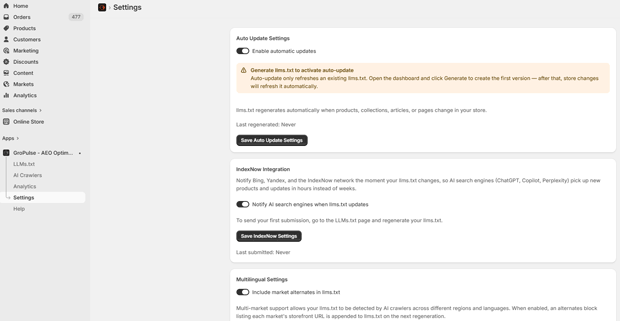
Traditional Google indexing can take days or weeks. AI models, particularly real-time search engines like Perplexity, rely on fresh data.
- Implement IndexNow protocol to automatically ping search engines the moment your content, pricing, or inventory changes.
- This ensures that an AI chatbot doesn’t recommend an out-of-stock item or an expired promotional price, which ruins the user experience and damages brand trust.
Where Visual Callouts Matter Most in AI Optimization
While LLMs are primarily text-based, multi-modal AI (models that process both text and images) is the new standard.
When configuring your Shopify product pages, treat your image alt-text as literal product data. Do not write “IMG_1234.jpg” or stuff keywords like “red shoes running sneakers”. Write descriptive, conversational alt-text: “A pair of lightweight men’s running shoes in cherry red, featuring a breathable mesh upper and thick foam sole.” This helps multi-modal AIs confidently match your images to user queries.
Templates & Reusable Blocks for AI-Friendly Product Copy
To ensure AI picks up your product features accurately, use a structured, bulleted approach in your Shopify product descriptions.
The “AI-First” Product Block Template:
Product: [Exact Name]
Designed For: [Specific use case or persona]
Key Specs:
- Material: [Exact material]
- Dimensions: [L x W x H]
- Compatibility: [List what it works with]
Why It Matters: [1-2 sentences on the primary benefit]
This format is easily parsed by both human scanners and machine crawlers.
Expert Tips That Make AEO Work Better in Real Stores
- Embrace the “Versus” Search: Shoppers often ask AI to compare products. Create content on your store that objectively compares your product to the market standard. If you clearly outline the pros and cons, the AI is more likely to use your content as the source of truth for the comparison.
- Monitor Your AI Traffic: Set up specific tracking for referral traffic coming from chatgpt.com or perplexity.ai in GA4. If you use an AEO tool, check its live analytics dashboard to see which AI bots are actively crawling your site and how often.
How To Troubleshoot Common Shopify AI Visibility Issues
The Problem: ChatGPT recommends your brand, but gets the product details or pricing wrong.
The Fix: This is usually a schema or crawling delay issue. Ensure your JSON-LD product schema updates dynamically with your Shopify variants. Force a recrawl via Google Search Console and ensure your llms.txt file is synced with your live inventory.
The Problem: Your store isn’t appearing in AI Overviews for your main keywords.
The Fix: AI Overviews reward Information Gain. If your content is identical to the top 5 search results, the AI won’t cite you. You must add unique expert quotes, original data, or a novel framework that the LLM finds valuable enough to highlight.
What To Do Next After You Finish Your AEO Setup
Once your data structure is clean and your AI crawler instructions are set:
- Test your brand in ChatGPT and Perplexity. Open a fresh prompt and ask, “What are the best [Your Product Category] brands?” and see if you appear.
- Audit your FAQs. Expand your Shopify FAQ pages to answer highly specific, long-tail questions that voice-searchers and chatbot users are likely to ask.
Frequently Asked Questions
How is AEO different from traditional SEO on Shopify?
Traditional SEO optimizes for keyword rankings and blue links based on search algorithms. AEO (Artificial Engine Optimization) focuses on structuring entity data, clear brand context, and machine-readable files (like llms.txt) so that AI language models can directly answer user questions with your products.
Do I need an llms.txt file for my Shopify store?
Yes, as AI-driven search becomes standard, an llms.txt file provides a clean, stripped-down map of your store’s data, making it easier for AI bots from OpenAI, Google, and Anthropic to accurately read and recommend your products.
Will optimizing for AI hurt my regular Google rankings?
No. In fact, standardizing your structured data, improving content clarity, and ensuring fast indexation (the core pillars of AEO) directly align with Google’s helpful content guidelines and will typically improve traditional SEO performance.
Final Recap: How To Maintain and Iterate on Your AEO Setup
AEO is not a one-and-done task. As language models update and search behaviors shift toward real-time conversational agents, your Shopify store’s data must remain pristine.
Keep your llms.txt synced with your active inventory, actively monitor referral traffic from AI platforms, and continuously inject unique, high-value information into your product pages that LLMs can’t find anywhere else.
The merchants who structure their data for machines today will be the ones winning the recommendations tomorrow.




