
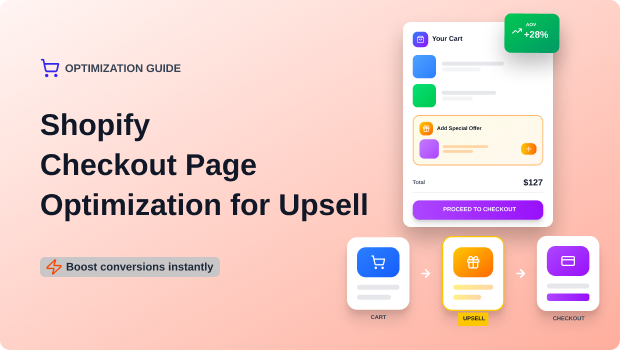
Checkout is the highest-intent moment in the buyer journey. Smartly timed upsells—using Checkout Extensions, post-purchase offers, and optimized placement—can lift AOV 10–30% without hurting conversion rates. The key is relevance, timing, and minimal friction.
The best way to optimize Shopify checkout for upsells is to use Checkout Extensions and post-purchase offers that appear after payment, keep recommendations relevant, reduce friction, and test placement, timing, and copy to maintain conversion rates.
Key Takeaways
- Upsells must enhance—not interrupt—the checkout flow
- Checkout Extensibility allows safe, fast, native upsell placements
- Post-purchase offers outperform pre-purchase because payment is already captured
- Copy must be benefit-driven, simple, and trust-safe
- Testing placement (right column, below order summary, post-payment) is essential
- Relevance > discount > urgency in checkout environments
- Shopify Plus merchants have more placement options
Why This Matters
Shopify Checkout is now a revenue engine. With Checkout Extensibility and one-click post-purchase upsells, merchants can increase average order value (AOV) without risking extra friction. But poorly timed offers, cluttered layouts, and non-contextual upsells can instantly spike abandonment.
This guide explains how to optimize each stage of checkout—from pre-purchase to post-purchase—so you maximize add-ons without interrupting the customer’s momentum.
The Root Problem
Merchants want higher AOV, but every new element on checkout increases cognitive load. This leads to:
- Confusion → “Why am I seeing this?”
- Distrust → “Is this store trying too hard?”
- Friction → “Too many choices… I’ll think later.”
And friction at checkout kills conversions faster than any other touchpoint.
Why This Problem Happens (with entities)
Most checkout upsells fail due to:
1. Poor Relevance:
Recommending random accessories or unrelated products breaks the flow.
Entities involved: Shopify Checkout Extensions, Cart Transformations API.
2. Wrong Timing
Upsells shown before payment slow the user down.
Better: post-purchase one-click offers.
3. Bad Placement
Offers added to the wrong checkout block push key elements down.
Entities: right-side order summary, checkout block extensions.
4. Overpowering Copy
Bold, loud, sales-heavy messaging in checkout feels risky → abandonment.
5. Too Many Selections
Choice overload: multiple product cards, variant selectors, or pop-ups.
Recommended Blogs for You:
👉 Tiered Pricing Examples: The Ultimate Guide to How Top Companies Maximize Revenue
👉 How to Add a Wishlist Button to Your Shopify Store Complete Guide
👉 10 Proven Upsell Strategies for Shopify Stores to Increase AOV
👉 How to Create Bundles on Shopify: A Step-by-Step Guide to Boost Sales
Step-by-Step Complete Solution
Step 1: Use Shopify Checkout Extensions (Shopify Plus & Basic with apps)
Checkout Extensibility replaces checkout.liquid with secure, app-powered blocks.
Recommended upsell placements:
- Below Order Summary (Right Column) – safest, highest visibility
- Above Payment Section – good for warranties or “protect your order” offers
- Review Page / Payment Confirmation Screen – gentle reminder
Step 2: Focus Upsells on “Micro-Yes” Offers
Upsells that require NO cognitive load convert best:
- Gift wrapping
- Shipping protection
- Warranty
- Priority processing
- Small accessories (under $20)
- Replenishables (add another pack)
Avoid: high-ticket or multi-option products during checkout.
Step 3: Match Upsells to Cart Context (The 3-R Rule)
R1: Relevance
Offer something that enhances the product.
R2: Relationship
Complement main item (e.g., batteries, case, polish kit).
R3: Risk-free
Keep it one-tap add-on with no extra form fields.
Step 4: Optimize Copy for Trust and Speed
High-intent shoppers scan, not read.
Bad copy (too salesy):
“LIMITED TIME! Add this amazing extra product to supercharge your order!”
Optimized checkout copy:
- “Protect your order for $2.95”
- “Add a case that fits your device perfectly”
- “Add priority packing for faster processing”
- “Customers frequently buy these together”
Guidelines:
- One sentence max
- No urgency timers
- No exaggerated promises
- Use benefits + clarity
Step 5: Use Post-Purchase One-Click Offers
This is the most undervalued conversion lever.
After payment is captured, Shopify redirects the buyer to a post-purchase page where you can:
- Offer a single product
- Pre-select variants
- Give a time-limited discount
- Allow 1-click acceptance without re-entering details
Benefits:
- Zero abandonment risk
- High acceptance rates (8–15%)
- No friction added to the original checkout flow
Step 6: Test Placement & Layout (Small changes = big impact)
Most merchants only test the offer, not the location of the offer.
Test these:
- Offer above payment
- Offer below order summary
- Compact card vs. large product card
- Trust-based positioning vs. CTA-based positioning
Tools:
- Shopify Plus Checkout Editor
- A/B testing apps (e.g., Intuitive Shipping, Rebuy)
- Heatmaps for checkout (serverside proxy tools)
Step 7: Keep Checkout Visually Clean
Your upsell component should be:
- Compact
- Unobtrusive
- Native looking
- Minimalist
Avoid:
- Bright colors
- Pop-ups
- Animations
- Cluttered product cards
Remember: Clean checkout = strong signals for trust + security.
Tools / Shopify Features Required
- Shopify Checkout Extensibility
- Shopify Post-Purchase Page
- Apps supporting checkout upsells (for non-Plus merchants)
- Shopify Functions (for specific conditional logic)
- Cart Transform API (optional for advanced logic)
Tool Spotlight: GP – Wishlist & Upsell Suite (Free)
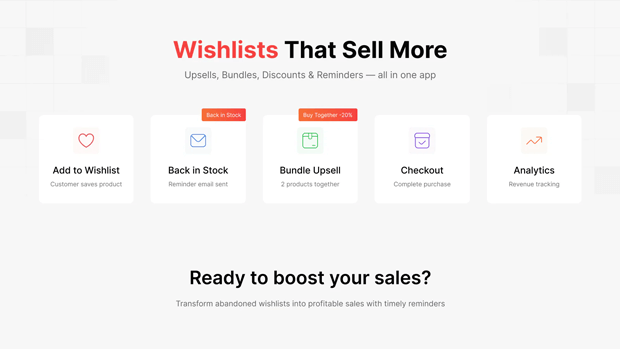
A unified AOV and retention app combining wishlists, automated reminders, product-page upsells, bundles, volume discounts, and smart recommendations
Why it’s relevant to checkout optimization:
It captures intent before checkout (wishlist activity), re-engages users via alerts, and increases product/cart value with upsells—making your checkout-stage upsells far more effective.
Key Features:
- Guest + customer wishlists
- Back-in-stock + reminder alerts
- Product and cart upsells
- Bundles + tiered volume discounts
- Smart recommendations
- 15 languages + theme compatibility
- Free to use
Real Merchant Scenarios
Scenario 1: DTC Skincare Brand
Added a “Add a travel-size cleanser for $8” under order summary → +14% AOV lift.
Scenario 2: POD Store
Added gift wrapping & “priority print queue” → +9% acceptance rate.
Scenario 3: Electronics Brand
Post-purchase offer: “Add extended warranty for $12” → 18% acceptance rate.
Risks, Pitfalls & Edge Cases
Showing too many offers
More than ONE offer inside checkout = confusion.
Upsells with variant selectors
Multi-step decisions hurt conversions.
“Hard sell” language
Can trigger fraud concerns.
Overwriting essential checkout blocks
Can break layout visibility hierarchy.
Not testing on mobile
Most apps look different on small screens → friction.
Alternative Methods / Workarounds
If you don’t want checkout upsells, alternatives include:
- Cart page upsells
- Slide cart drawers
- In-cart bundles
- Product page cross-sells
- Post-purchase email upsells
- Thank-you page upsells
Checkout is most powerful, but not the only place to lift AOV.
A multi-purpose solution like GP – Wishlist & Upsell Suite can bridge pre-purchase and post-purchase AOV gaps by pairing wishlist intent, personalized reminders, and upsells on product/cart pages.
This is especially useful for merchants who want checkout upsells but also need consistent upsell triggers across earlier touchpoints.
Trending Context (2025)
- Shopify expanded Checkout Extensibility to all plans (gradual rollout).
- Google banned aggressive countdown timers in checkout for some industries.
- Rising advertising costs make AOV optimization more important.
- One-click post-purchase offers are rising in adoption across DTC.
What to Learn Next
- How to build a high-converting slide cart
- How Shopify Functions power smarter offers
- Best Shopify upsell apps for 2025
- How to use GA4 + Shopify checkout events to measure upsell success
- AOV tactics with bundles & subscriptions
Freequently Asked Questions
Do checkout upsells reduce Shopify conversion rates?
Not when placed correctly. Simple, non-intrusive, relevant offers do not increase abandonment.
Where should checkout upsells be placed?
Below the order summary, above payment, or in the post-purchase page for maximum performance.
Are post-purchase upsells better than checkout upsells?
Yes. Payment is already captured, so there is zero risk to conversion and higher acceptance rates.
Can non-Shopify Plus stores add checkout upsells?
Yes, using Checkout Extensibility apps that add upsell blocks.
What type of upsells convert best?
Low-cost add-ons, gift wrap, warranties, replenishments, and complementary accessories.
Conclusion
Shopify checkout optimization is no longer limited to styling or fewer fields—it’s now a controlled, high-intent revenue moment. With Checkout Extensions and post-purchase offers, merchants can safely increase AOV without hurting conversion rates.
The formula is simple:
Relevance + Timing + Minimal Friction = High-Converting Checkout Upsells
When executed correctly, checkout upsells feel natural, helpful, and trust-building—not pushy.




