
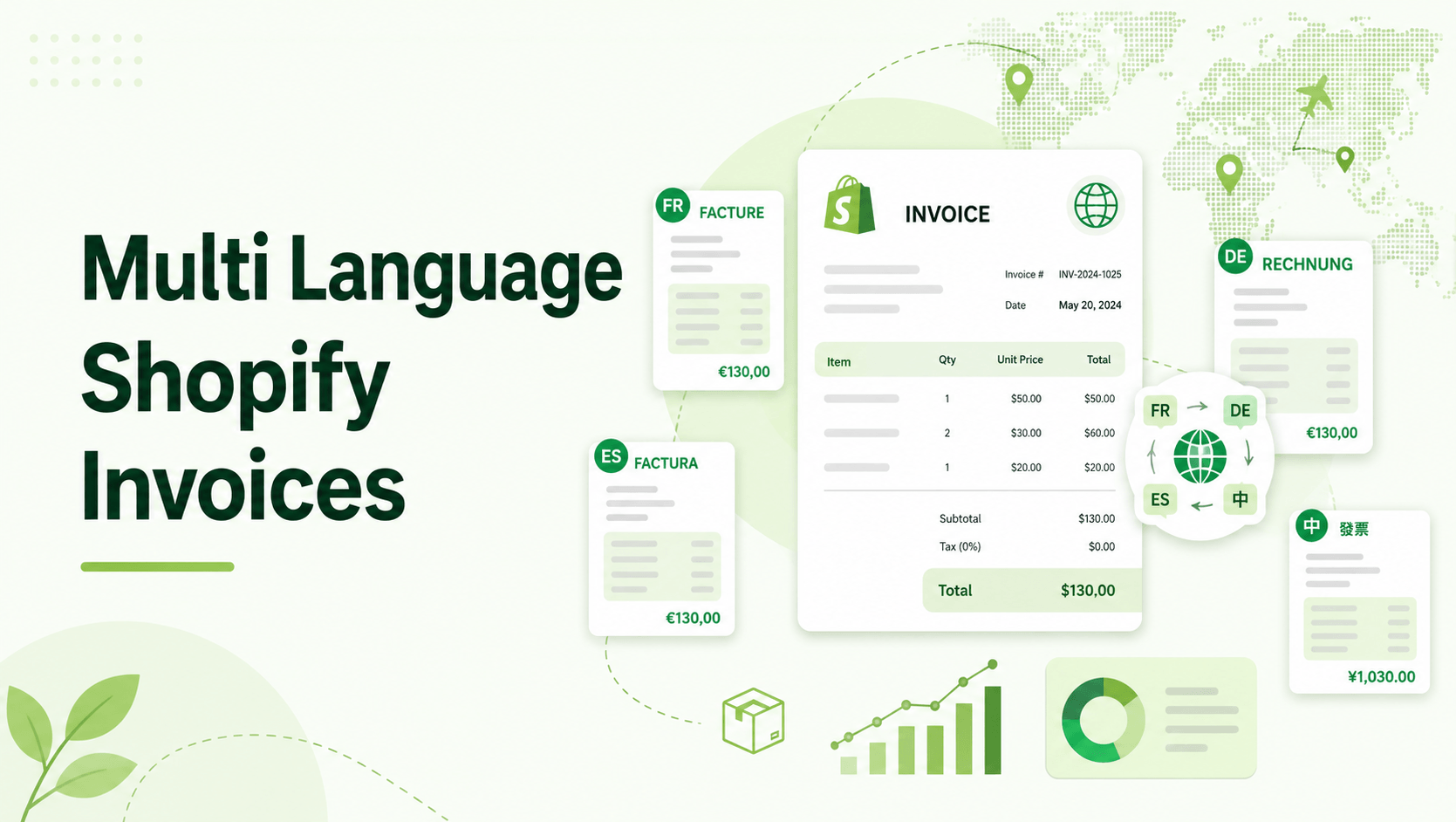
Scaling your Shopify store internationally is one of the most effective ways to drive revenue growth. But as you expand into new regions, your post-purchase experience has to adapt.
When a customer in Germany or Japan completes a checkout in their native language, receiving a generic English order confirmation email creates immediate friction.
For cross-border merchants, localizing the buying journey shouldn’t stop at the checkout page. Your invoices, packing slips, and credit notes are critical customer touchpoints. Furthermore, in many jurisdictions, providing a localized, compliant invoice isn’t just a customer service win ,it’s a legal requirement.
Below, we’ll break down exactly why localization matters for your order documents and how you can fully automate multi-language invoicing on Shopify without writing a single line of custom code.
Summary
- The core issue: Shopify’s default order confirmation emails are not legal tax invoices, and they typically send in your store’s default language, causing confusion for international buyers.
- Who this is for: Cross-border Shopify merchants and DTC brands scaling into Europe, Asia, or multi-lingual markets.
- What you’ll learn: How to automate post-purchase localization, from auto-detecting a buyer’s language to formatting regional addresses and handling multi-currency requirements.
- The quick fix: Using a dedicated app like GP PDF Invoice Generator allows you to automatically generate and deliver compliant invoices in 8 different languages based on the customer’s checkout locale.
To provide Shopify invoices in your customer’s local language, install a dedicated invoicing app that features automatic language detection. This ensures PDFs are instantly translated based on the buyer’s checkout locale, complete with their native currency and regional address formatting.
The Post-Purchase Localization Gap
According to independent research by CSA Research, 76% of online shoppers prefer to buy products with information in their native language. Shopify makes it remarkably easy to localize your storefront with Shopify Markets and translation apps. You can translate product descriptions, convert currencies in real-time, and adapt checkout flows to match local buying habits.
However, merchants often forget what happens after the payment clears.
Many growing DTC brands are still relying on a single, static English template for their receipts. When a non-English speaking customer needs a receipt for business reimbursement, customs clearance, or tax filing, they are forced to contact your support team. This creates a backlog of manual translation requests and degrades the premium experience you worked so hard to build on your storefront. We’ll show you how to fix this workflow so every order is documented automatically, in the right language, from day one.
What Problem Do Cross-Border Shopify Merchants Face With Invoices?
Selling internationally introduces a complex web of logistics, customer expectations, and legal requirements. When it comes to order documentation, merchants typically run into three major roadblocks:
- The Language Barrier: Sending an English invoice to a French or Japanese customer causes friction. If they can’t easily identify their order details, tax breakdowns, or return instructions, they will email your support desk.
- Currency and Formatting Confusion: Different regions display numbers, dates, and addresses differently. A localized invoice needs to respect these formatting rules to be considered valid by local authorities or accounting departments.
- Strict Tax Compliance: In the EU, LATAM, and parts of APAC, a simple order receipt is not enough. Tax authorities require sequential numbering, specific VAT breakdowns, and increasingly, structured e-invoicing formats.
Why Shopify’s Default Notifications Fall Short for Global Buyers
Shopify’s out-of-the-box order confirmation email is excellent for basic DTC transactions. However, it is not a legal invoice in most jurisdictions.
By default, Shopify sends a standard HTML email. If you are selling into the EU, the UK, or managing B2B wholesale orders, this generic receipt lacks the necessary tax ID fields, sequential numbering, and multi-language capabilities required by local tax authorities. Trying to hack Shopify’s Liquid notification templates to support five different languages and complex tax logic usually results in bloated, unmanageable code.
Recommended Blogs for You:
👉 Mastering Shopify BOGO: How to Run ‘Buy X Get Y’ Offers
👉 Core Web Vitals Rich Results Ranking Impact 2026
👉 Best Product Review Apps for Shopify in 2026 [Compared]
👉 How to Create Bundles on Shopify
Step-by-Step Solution: How To Automatically Send Invoices in Your Customer’s Local Language
To solve this, you need to detach your legal invoicing from Shopify’s basic notification system. Here is the exact workflow for automating localized invoices.
Step 1: Implement a Multi-Language Invoicing App
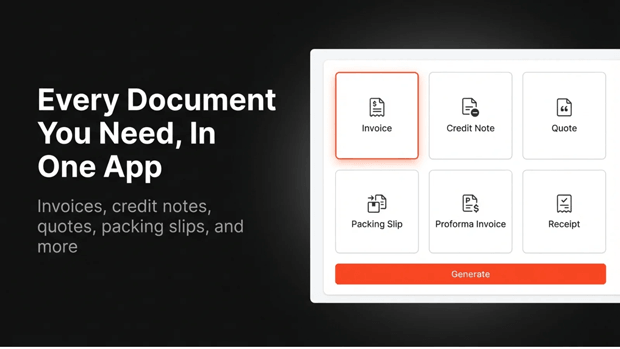
The most efficient route is to install an app designed specifically for global compliance. GP PDF Invoice Generator is a Shopify embedded app that allows you to automatically generate, customize, and deliver professional PDF invoices.
Step 2: Enable Auto-Language Detection
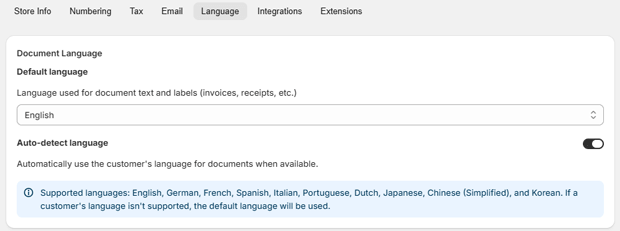
Instead of manually generating documents, look for tools that read the customer’s locale. GP PDF Invoice Generator features auto language detection based on the customer or order locale. It supports document output in 8 languages: English, German, French, Italian, Portuguese, Dutch, Japanese, and Chinese.
Step 3: Match the Currency and Address Formatting
Translation is only half the battle. A localized invoice must display the exact amount the customer paid in their native currency. Ensure your app offers multi-currency support, which displays the financials in the order’s original currency.
Additionally, GP PDF Invoice Generator provides auto address format detection, ensuring addresses are rendered according to specific country conventions.
Step 4: Automate Document Delivery
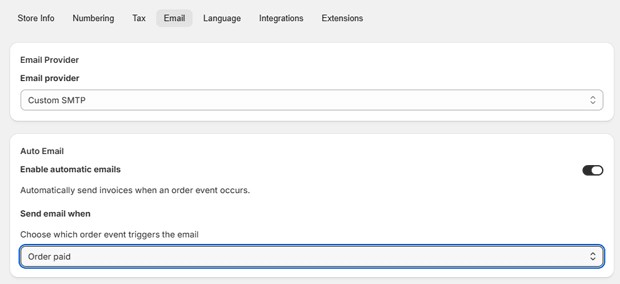
Once the templates are set, automate the send. You can configure your app to auto-email the PDF the moment an order is created or paid.
To improve the customer experience further, you can enable self-serve downloads. GP PDF Invoice Generator integrates with Shopify’s native Customer Account UI, adding an order action menu item that allows customers one-click downloads of their invoices from any past order.
Essential Features to Look For in a Multi-Language Shopify Invoice App
When evaluating your tech stack for international expansion, ensure your invoice solution includes these critical capabilities:
- ZUGFeRD e-invoicing: If you sell to Germany, France, or Italy, look for built-in ZUGFeRD compliance (a hybrid PDF/XML standard required for e-invoicing in these regions).
- Dual Tax ID Fields: Cross-border B2B sales often require capturing and displaying company VAT numbers or specific tax IDs.
- Multiple Document Types: Different countries and use cases require different documents. An app that generates proforma invoices, commercial invoices, and customs declarations alongside standard receipts saves you from installing multiple tools.
- Thank You Page Integration: Giving customers immediate access to their localized invoice via a “Download your invoice” button on the checkout Thank You page drastically cuts down on support requests.
Common Shopify Localization Mistakes That Hurt International Growth
1. Relying on Google Translate for Legal Documents: Automated browser translations or cheap translation apps often fail to use the correct financial terminology (e.g., confusing “VAT” with generic “Tax”). Use pre-built, professionally translated templates native to your invoice app.
2. Forgetting B2B Payment Terms: If you handle cross-border wholesale, your international buyers need invoices that clearly state net-payment terms and PO references. GP PDF Invoice Generator is built to pull company names, PO references, and payment terms directly from Shopify B2B data.
3. Trapping Invoices in External Portals: Do not force your international customers to create a new login on a third-party site just to download a PDF. Keep the experience native by embedding download links directly into their Shopify customer account.
Frequently Asked Questions About Shopify Multi-Language Invoices
Does language localization affect my tax compliance?
Yes. In many countries, tax authorities require invoices to be readable in the local language to be considered valid for VAT reclamation or corporate accounting.
Can I just edit Shopify’s default email template for different languages?
While you can use Liquid code to create rudimentary conditional statements based on customer language, it is highly complex to maintain, prone to breaking, and cannot generate a standalone PDF attachment.
How does auto-detection work for invoices?
Modern apps read the locale parameter tied to the Shopify order. If a customer checks out on the French version of your store, the app detects the fr locale and automatically uses the French translation file for the PDF generation.
Do I need a separate app for packing slips and customs declarations?
Not necessarily. Comprehensive tools like GP PDF Invoice Generator support 14 distinct document types ,including packing slips, commercial invoices, and customs declarations ,all within a single app.
Final Recap: Turn Post-Purchase Compliance Into a Customer Experience Win
Selling internationally is complex, but providing a localized, compliant post-purchase experience doesn’t have to be. By moving away from basic Shopify notification emails and upgrading to a dedicated, multi-language PDF generator, you remove friction for your buyers, ensure you meet global tax regulations, and significantly reduce the burden on your customer support team.
Review your current international order flow today. If your European buyers are receiving English receipts without VAT breakdowns, it’s time to upgrade your invoicing stack.




