
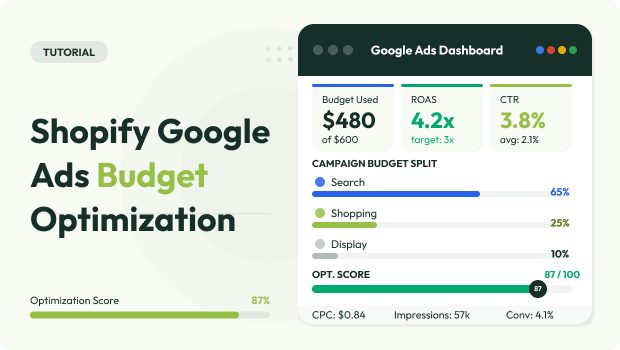
Google Ads budget optimization for Shopify is the strategic process of reallocating ad spend based on real-time purchase data and profit margins.
Unlike generic lead generation, Shopify optimization focuses on the delta between Ad Spend and Gross Profit, ensuring that every dollar increased contributes to “bottom-line” growth rather than just “top-of-funnel” traffic.
Summary:
Scaling Google Ads on Shopify requires more than just looking at ROAS. To grow profitably, you must align your Marketing Efficiency Ratio (MER) with inventory levels and tracking accuracy. This guide provides a 48-hour vs. 7-day decision framework to help you stop wasting spend and start scaling winners.
When to Scale vs Cut Google Ads?
Scale your Shopify Google Ads budget when your ROAS exceeds your break-even point and your Marketing Efficiency Ratio (MER) remains stable for 7 days. Cut or pause campaigns when the Cost Per Acquisition (CPA) exceeds your product margin for 72+ hours without a conversion assist.
How to Calculate Your Shopify Break-Even ROAS
Before deciding to scale, you must know your “Zero-Profit Point.” Many merchants make the mistake of scaling a 3.0 ROAS when their margins actually require a 4.0 to stay profitable.
Formula:
1 / Gross Margin % = Break-Even ROAS
Example: If your product costs $40 and you sell it for $100, your margin is 60%.
1 / 0.60 = 1.67 ROAS.
Anything above 1.67 is “mathematical” profit, but you must also account for shipping, Shopify fees, and app costs. Most successful Shopify managers aim for a “Target ROAS” that is at least 20% higher than the break-even point.
Recommended Blogs for You:
👉 Google Ads Retargeting for Shopify: From Setup to ROAS Wins
👉 How to Fix Cart Data Needs Attention in Google Ads for Shopify
👉 What Metrics Should I Track in My Google Ads Performance Reports?
👉 How to Write Google Ad Copy for Shopify: The Complete Guide
👉 How to Diagnose Google Ads Campaign in Shopify Using AdTrack
The “Scale vs Cut” Decision Framework
Avoid “knee-jerk” reactions to a single bad day. Google’s Smart Bidding requires data stability to function.
1. When to Scale: The Green Light Signals
You should increase your budget (typically by 10–20% every 48–72 hours) when:
- The 7-Day ROAS is Stable: Your performance is consistently 15% above your target.
- Impression Share is Low: Your “Search Lost IS (budget)” is higher than 10%, meaning there is unmet demand.
- Inventory is Healthy: You have at least 30 days of stock for the advertised product.
- Data is Accurate: Your conversion tracking is capturing both “Purchase” and “Add to Cart” events correctly.
2. When to Cut: The Red Light Signals
You should reduce budget or pause the campaign when:
- CPA > Product Margin: You are losing money on every single sale after 7 days of testing.
- The “Click-to-Conversion” Gap: You are getting high traffic (CTR > 2%) but zero sales, indicating a landing page or pricing mismatch.
- High Refund Rates: The campaign is driving sales, but the “Post-Purchase” data shows these customers are low-quality.
Why Accurate Tracking is the Foundation of Scaling
You cannot scale what you cannot see. Google Ads often “claims” credit for sales that may have happened anyway, or worse, fails to see sales due to cookie consent issues.
What This Means for Shopify Merchants:
If your Google Ads dashboard shows 10 sales but Shopify shows 5, or vice versa, your budget decisions will be flawed. Tools like AdTrack help bridge this gap by ensuring the tracking pixel is active and that Google Consent Mode V2 is properly configured.
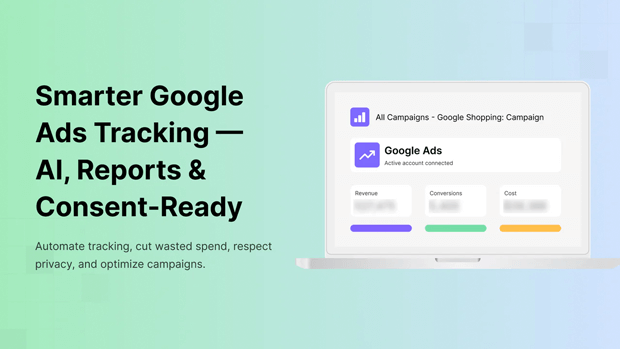
Without accurate tracking, scaling a “winning” campaign might actually be scaling a reporting error.
Step-by-Step Workflow: How to Scale Profitably
- Check Data Health: Use a Google Ads Diagnostic Tool to ensure no tracking breaks exist.
- Evaluate MER: Look at your total store revenue vs. total ad spend. If MER is improving, the ads are working.
- The 20% Rule: Increase budgets by no more than 20% every 3 days. This prevents the campaign from re-entering the “Learning Phase.”
- Monitor Creative Fatigue: If you scale the budget but ROAS drops, your ad copy may be getting stale. You can use an AI Ad Copy Generator to refresh headlines and descriptions quickly to maintain performance.
Comparison Table: Vertical vs. Horizontal Scaling
| Scaling Method | What It Is | Risk Level | Best For |
| Vertical Scaling | Increasing the daily budget on a current campaign. | Medium | Proven winners with high Search Impression Share. |
| Horizontal Scaling | Launching new campaigns for different products or audiences. | High | Diversifying risk and finding new customer segments. |
| Bid Optimization | Adjusting Target ROAS or Max CPA targets. | Low | Fine-tuning performance without changing spend. |
Common Shopify Budget Mistakes to Avoid
- Scaling During “Learning Phase”: Don’t touch the budget for the first 7 days of a new campaign.
- Ignoring the Funnel: Only scaling “Bottom of Funnel” (Search) while ignoring “Top of Funnel” (Video/Display) leads to eventual audience exhaustion.
- The “Silent” Tracking Break: Merchants often scale budgets while their Shopify pixel is broken, leading to thousands of dollars in “blind” spending.
Checklist: Pre-Scaling Audit for Shopify
- Break-even ROAS calculated?
- Inventory levels confirmed for next 14 days?
- Google Consent Mode V2 active? (Ensures tracking compliance and data accuracy)
- Search Lost IS (Budget) > 10%?
- Last 7 days of performance are “Green”?
FAQ: Google Ads Budget Optimization
How long should I wait before cutting a Shopify ad campaign?
Give a campaign at least 7 days or enough spend to equal 2x-3x your target CPA. If you haven’t seen a conversion or significant “Add to Cart” activity by then, it’s time to pivot.
Does increasing the budget reset the “Learning Phase”?
Large increases (over 20%) can trigger a full relearning. To stay stable, make smaller, incremental changes.
What if my ROAS is high but my profit is low?
This usually means your “Marketing Efficiency Ratio” is off. You may be spending too much to acquire repeat customers who would have bought anyway. Focus on new customer acquisition tracking.




