
For most Shopify merchants, the “post-purchase experience” ends at the thank-you page. However, there is a massive, often overlooked touchpoint that every customer interacts with: the invoice.
In 2026, a generic, plain-text receipt is a missed opportunity for branding and, in many regions, a potential compliance risk.
Whether you are a scaling DTC brand or a specialized B2B operator, your billing documents should feel like a natural extension of your storefront.
This guide explores how to move beyond default settings to create professional, branded PDF invoices that delight customers and satisfy accountants
Summary
- The Outcome: Transform “boring” Shopify billing documents into high-end brand assets that build trust and ensure global legal compliance.
- Who It’s For: Growing DTC brands and B2B merchants who have outgrown basic order confirmations.
- What You’ll Learn: How to navigate native Shopify settings vs. advanced apps, essential legal elements for 2026 (like ZUGFeRD), and how to automate delivery.
- The 2026 Nuance: Why “digital unboxing” is the new standard and how Shopify Checkout Extensibility simplifies self-service downloads..
To create custom PDF invoices on Shopify, navigate to Settings > Notifications to edit basic HTML/Liquid templates, or install Shopify’s free Order Printer app.
For compliant, fully branded B2B and DTC documents, merchants typically use third-party invoice generators to automate sequential numbering, localized taxes (VAT/GST), and self-service downloads directly from the Customer Account UI.
The “Digital Unboxing”: Why Shopify Invoices Matter
In the current ecommerce landscape, “brand” is the only defensible moat. When a customer opens a PDF invoice, they are in a high-attention state—often checking totals or saving it for their records.
If that document looks like a generic system output from 2010, the premium feel of your brand evaporates instantly.
According to benchmark data from Marq (formerly Lucidpress), presenting a brand consistently across all digital and physical touchpoints can increase revenue by up to 23%.
Treating your invoice as a marketing asset—what we call the “digital unboxing”—is a low-effort, high-impact way to encourage repeat purchases and reduce customer support inquiries.
3 Ways to Customize Your Shopify PDF Invoice
Method 1: Shopify Default Notifications (HTML/Liquid)
The most direct way to edit your invoice is through the Shopify Admin.
Go to Settings > Notifications
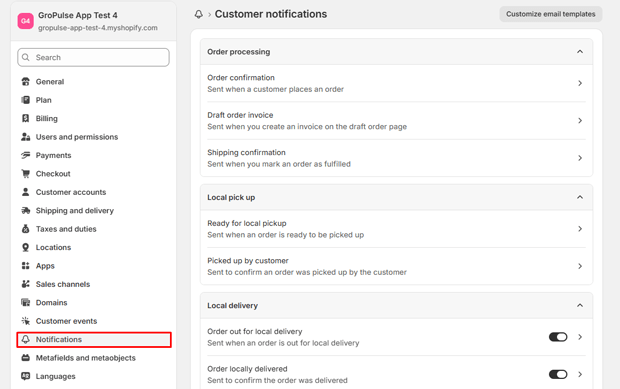
Scroll down and navigate the Order Invoice option.
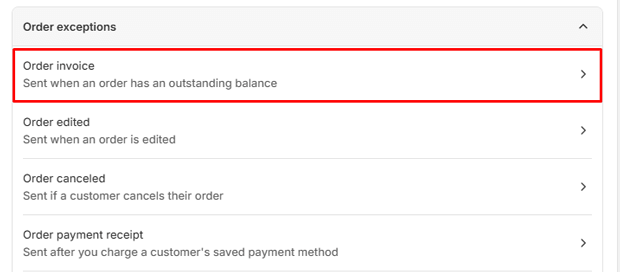
- The Pro: It’s free and built-in.
- The Con: It requires HTML/Liquid coding knowledge and does not generate a downloadable PDF attachment; it only sends an email-based notification.
Method 2: The Shopify Order Printer App
For merchants who need a simple physical or PDF copy without advanced automation.
- The Workflow: Install the free Order Printer app by Shopify. You can select an order and “Print” to PDF.
- Best For: Low-volume merchants who manually manage their fulfillment.
- Limitations: It lacks automated email delivery and struggles with complex international tax formatting.
Method 3: Dedicated Invoice Generator Apps
For brands scaling globally or handling B2B orders, automation is essential.
The Premium Solution: Apps like GP PDF Invoice Generator bypass code entirely, offering drag-and-drop editors and automatic PDF attachments.
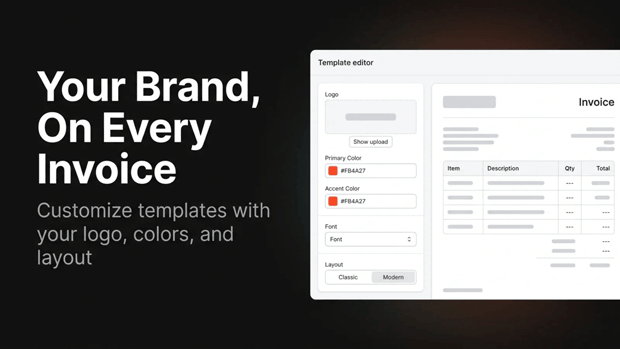
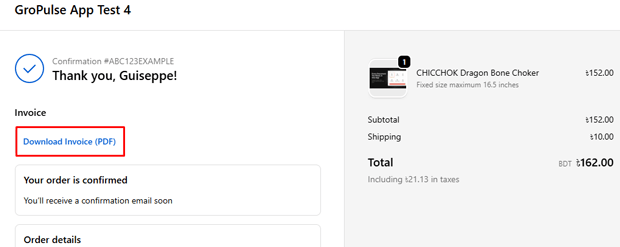
Key Feature: These tools use Checkout Extensibility to place a “Download Invoice” button directly on the Thank You page and Customer Account UI, reducing “Where is my invoice?” tickets—which typically account for 30-40% of CX volume.
Recommended Blogs for You:
👉 Consolidate Shopify Invoices: B2B & Wholesale Guide
👉 5 Must-Have Elements in a Professional Shopify Packing Slip
👉 How to Offer Personalized Gift Messages on Shopify
👉 How to Recover Lost Sales With Wishlist Back-in-Stock Alerts
Essential Features for High-Converting Invoices
Before you finalize your setup, ensure your templates include these high-ROI elements:
High-Resolution Assets: Use a 600px wide PNG with a transparent background.
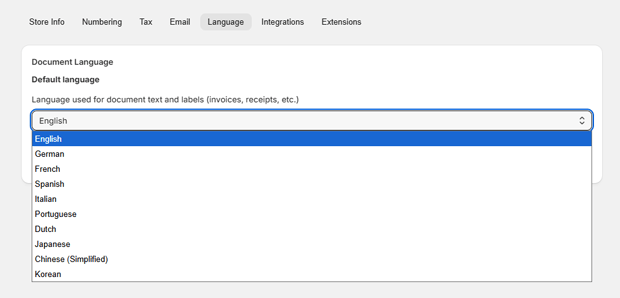
Dynamic Localization: Ensure the template auto-detects the customer’s locale to switch languages (e.g., English to Japanese) and currencies (cart.currency vs. shop.currency).
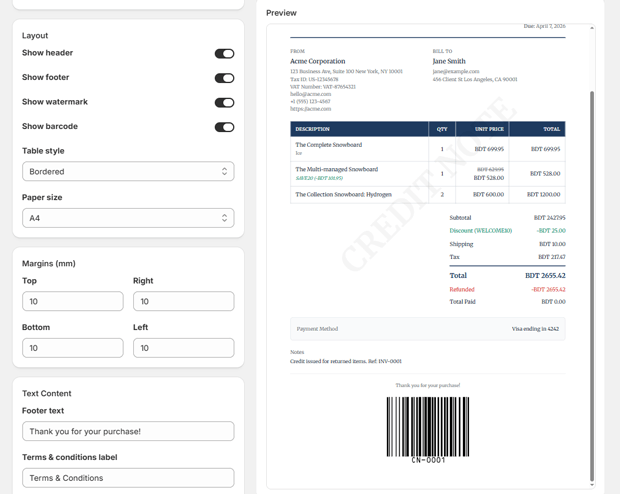
QR Code Integration: Place a QR code at the bottom leading to a “Reorder” page or a feedback survey.
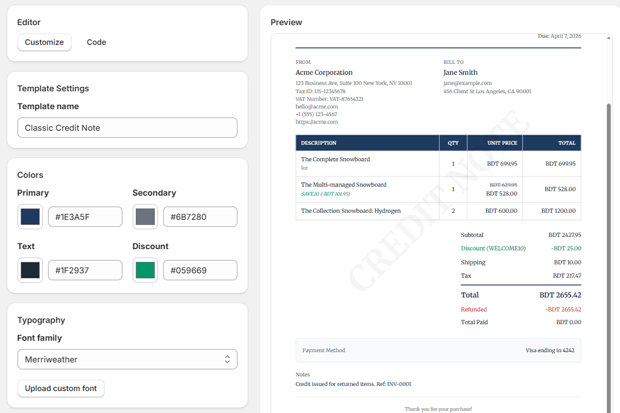
Brand-Consistent Typography: Upload TrueType fonts to match your storefront perfectly.
Professional Shopify Invoices in 2 Minutes
Automate 14 document types, ensure tax compliance, and brand every PDF. Join growing brands using GP PDF Invoice Generator.
Common Setup Mistakes (And How to Fix Them)
| Mistake | Impact | Fix |
| Non-Sequential Numbering | Audit Red Flag (EU/UK) | Ensure your app supports a continuous, uneditable numbering series. |
| Missing Tax Breakdowns | B2B Non-Compliance | Show Net Price, Tax Rate (VAT/GST), and Tax Amount as separate line items. |
| Blurry Logos | Low Professionalism | Use a 600px wide file; let the CSS scale it down for retina displays. |
| Broken Mobile View | Poor UX | Avoid wide tables; use responsive CSS blocks so customers can read invoices on phones. |
Technical Note: With the mandatory transition to Checkout Extensibility, relying on old checkout.liquid hacks for invoice delivery is no longer viable. Ensure your chosen tool uses native UI Extensions for 2026 compatibility.
Frequently Asked Questions
Can I edit Shopify’s default invoice template without an app?
Yes, via Settings > Notifications, but you are limited to HTML/Liquid edits and cannot easily generate a standalone PDF file for download without a secondary tool or browser-print hack.
Can I add a “Download Invoice” button to my Shopify store?
Yes. Using Shopify’s Customer Account UI extensions, you can add a native download button to the order history page. This allows customers to self-serve documents without contacting support.
Are standard Shopify invoices VAT/ZUGFeRD compliant?
Usually, no. Shopify’s default notifications often lack the specific merchant VAT ID, customer Tax ID, and the electronic e-invoicing standards (like ZUGFeRD) required in many European jurisdictions.
How do I print Shopify invoices in bulk?
In the Orders section of your admin, select multiple orders and use the “Print orders” action via the Order Printer app or your chosen PDF generator.
Final Recap: Branding Your Billing Journey
Your invoice is more than a tax requirement; it is a final “thank you” to your customer. By moving from generic receipts to branded, custom PDF invoices, you reinforce brand identity, build trust, and reduce overhead through automation.
The tools available, from LiquidJS templating to native Shopify extensions, mean there is no excuse for a “boring” invoice. Start with a clean template, add your brand soul, and turn your billing process into a retention engine.




