
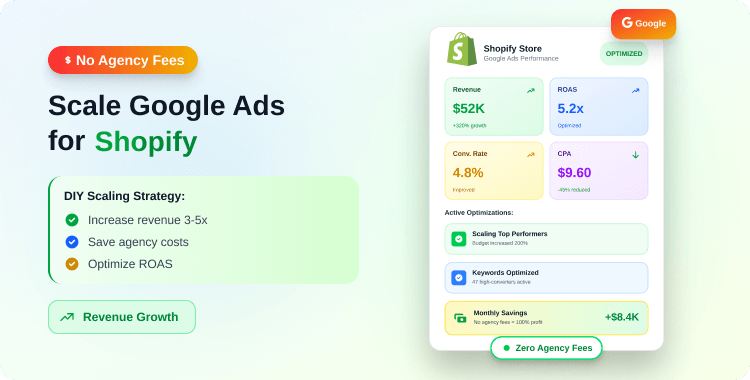
For many Shopify merchants, hiring a PPC agency feels like a rite of passage. You hit a certain revenue milestone, and the logical next step seems to be handing the keys over to experts. But for Direct-to-Consumer (D2C) brands operating on thin margins, the math often stops making sense.
If an agency charges a $3,000 monthly retainer plus 10% of ad spend, a brand spending $10,000/month is effectively paying a “tax” that eats directly into their Return on Ad Spend (ROAS). To break even, your ads have to perform significantly better just to cover the management fee.
Furthermore, Google Ads has changed. The platform has shifted heavily toward automation and machine learning (specifically Performance Max and Smart Shopping). The days of manually adjusting bids for thousands of keywords are largely gone.
This shift has democratized ad buying, making it entirely possible for a savvy internal marketing manager or founder to manage and scale a high-performing account—provided they understand the strategy.
This guide, How to Scale Google Ads for Shopify, outlines the exact framework for growing your Shopify store’s Google Ads revenue, without the agency cost.
Key Takeaways
- Fix Your Data First: You cannot scale ad spend profitably if your conversion tracking is missing data due to privacy blockers.
- Feed is King: In the age of Performance Max and Google Shopping, your product feed quality matters more than manual keyword bidding.
- Scale Slowly: Increasing budgets by more than 20% at a time triggers Google’s “learning phase,” which can temporarily kill your ROAS.
- Maintenance Matters: Running ads in-house doesn’t mean “set and forget.” It requires a strict weekly routine of negative keyword management.
To scale Google Ads without an agency, D2C brands must first ensure 100% accurate conversion tracking (using server-side tagging).
Consolidate campaigns to give Smart Bidding enough data, optimize product titles for high-intent search terms, and increase budgets incrementally (10–20% every few days) to avoid destabilizing the algorithm.
Why Most D2C Brands Fail to Scale: The Broken Data Loop
The single biggest reason merchants fail when taking ads in-house isn’t bad creative or poor copywriting—it’s broken data.
Google’s “Smart Bidding” algorithms (Target CPA or Target ROAS) run on data. They need to know exactly which clicks resulted in a purchase to find more customers like that. However, with iOS14+ privacy changes and ad blockers, client-side tracking (the old way of just pasting a pixel code) often misses 15–30% of conversions.
If Google only sees 70% of your sales, it thinks your ads are performing worse than they are, and it will bid less. When you try to scale spend on “bad” data, efficiency plummets.
The Fix: Server-Side Tracking
To scale, you must feed Google accurate data. This usually requires a robust implementation of Google Ads Conversion Tracking and Enhanced Conversions
While manual setup in Google Tag Manager can be complex for non-developers, tools like AdTrack ‑ Google Ads Tracking are designed specifically for Shopify merchants to solve this.
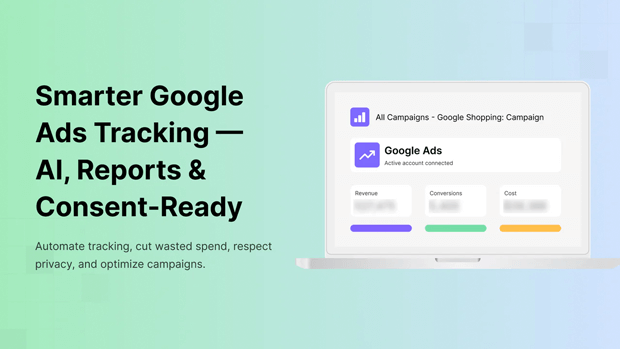
They implement server-side tracking (sending data directly from Shopify to Google), bypassing browser blockers and ensuring the algorithm sees every dollar you make.
Read More: Google Ads for Shopify: Complete Campaign Guide
Structuring Google Shopping and PMax for Algorithmic Success
When an agency manages an account, they often create complex structures to justify their fees. When you are scaling in-house, consolidation is your friend.
Modern Google Ads thrives on data density. If you split your budget across 20 different campaigns, none of them will get enough data to exit the “learning phase.”
The “Hero & Zombie” Structure
Instead of segmenting by every product category, organize your Shopping or Performance Max (PMax) campaigns based on product performance:
- The Hero Campaign (High ROAS / Best Sellers): Put your top 20% of products here. These are the items with high conversion rates and strong margins. This campaign gets the majority of your budget.
- The Zombie Campaign (Low Impressions): Products that rarely get clicks or impressions often eat up budget in a general campaign without delivering results. Move them to a separate “Catch-All” campaign with a lower target ROAS to see if you can wake them up cheaply.
- The New Drop Campaign: New products have no history. If you put them in with your Heroes, Google will ignore them. Give them their own dedicated budget for 2–3 weeks to build data.
The “Feed-First” Strategy: SEO for Your Ads
In Search campaigns, you bid on keywords. In Shopping and PMax campaigns, your product feed is your targeting.
Google scans your product title, description, and GTIN to decide which search queries trigger your ad. If your Shopify product title is “The Classic – Blue,” Google has no idea what you are selling.
How to Optimize Your Feed for Scale:
- Front-Load Key Terms: Structure titles as: Brand + Product Type + Key Attribute + Color/Size.
- Bad: “Essential Tee – Navy”
- Good: “Men’s Organic Cotton T-Shirt – Heavyweight Crew Neck – Navy Blue”
- Utilize Product Types: Use the product_type attribute in your feed to give Google deep context (e.g., Apparel > Men’s > Tops > T-Shirts).
- High-Res Imagery: In Shopping, the image is the ad. Ensure your main image is on a clean, white background, while secondary images show lifestyle context.
Recommended Blogs for You:
👉 How to Optimize Your Google Ads Without Hiring an Expert
👉 Google Ads Attribution Confusion? Get Clarity with Comprehensive Performance Reports
👉 How to Diagnose Google Ads Campaign in Shopify
👉 Mastering Geo and Device Data for Google Ads
How to Generate High-Converting Ad Copy for Google at Scale
One of the hardest parts of running ads in-house is the sheer volume of writing required. To scale, you need to test dozens of headlines and descriptions to find what resonates.
Most founders stare at a blinking cursor, unsure how to write “persuasive” copy, or they end up writing generic text that blends into the background.
This is where you can leverage AI to act as your internal copywriter.
Instead of spending hours brainstorming hooks, you can use tools integrated directly into your workflow. For example, AdTrack ‑ Google Ads Tracking includes a built-in AI Ad Copy Generator that creates high-converting copy in seconds using your existing Shopify data.
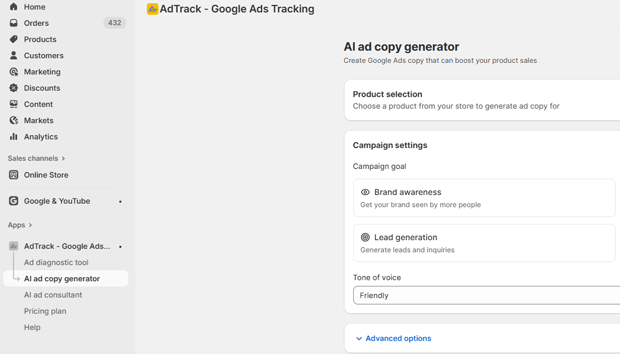
How to Rapidly Test Ad Creative:
- Define Your Goal First: Don’t just write “buy this.” Decide if the specific ad is for Brand Awareness, Driving Traffic, or Re-engaging Customers.
- Match Tone to Audience: A luxury watch needs a “Premium” tone, while a flash sale needs “Urgency.” AdTrack allows you to toggle these tones instantly.
- Use Proven Frameworks: You don’t need to be a professional copywriter if you use established structures. AdTrack’s AI can automatically apply frameworks like:
- AIDA (Attention → Interest → Desire → Action): Best for general cold traffic.
- PAS (Problem → Agitate → Solution): Excellent for products that solve a specific pain point.
- FOMO (Fear Of Missing Out): Critical for sales or limited drops.
- Target Specific Segments: A returning customer needs different messaging than a stranger. You can generate copy specifically for “Abandoned Checkouts” or “VIP Repeat Buyers” directly within the tool.
By automating the first draft of your creative, you can launch more ad variations faster—which is the key to finding a winning campaign.
Read More: How to Write Google Ad Copy for Shopify: The Complete Guide to High-Converting Ads
The 20% Rule: How to Increase Ad Spend Without Crashing ROAS
This is the most common mistake scaling brands make: they see a campaign hitting a 500% ROAS, get excited, and double the daily budget from $100 to $200.
The Result: Performance crashes.
When you drastically change the budget, Google’s algorithm resets into “learning mode.” It scatters your budget to find new audiences rapidly, often wasting money on low-quality traffic.
The Safe Scaling Protocol:
- Check Stability: Ensure the campaign has been profitable for at least 7–14 days.
- The 20% Increment: Increase the daily budget by a maximum of 20%.
- The Waiting Period: Wait 3–4 days. Monitor ROAS.
- Repeat: If ROAS holds, increase by another 20%.
This method allows you to scale vertically (spending more on the same audience) without confusing the machine learning models.
Weekly Maintenance: The “Negative Keyword” Firewall
If you are not paying an agency, you must do the “janitorial” work yourself. The most critical task is managing negative keywords.
Google’s “Broad Match” and PMax settings are aggressive. They will show your ads for loosely related terms that waste money.
Your Weekly Routine:
- Review Search Terms: Go to Insights & Reports > Search Terms.
- Identify Bleeders: Look for terms with high spend and zero conversions.
- Block Irrelevant Intent: If you sell high-end leather boots ($300), and you see searches for “cheap rubber boots” or “boots repair near me,” add “cheap,” “rubber,” and “repair” to your Negative Keyword list immediately.
Pro Tip: Create a shared Negative Keyword list applied to all campaigns. This ensures that once you block a bad term, it’s blocked account-wide.
Common Shopify Mistakes That Kill Ad Performance
Even with perfect ad settings, you can fail to scale if your Shopify store isn’t optimized for the traffic you’re buying.
- Slow Mobile Load Times: Google charges you for the click the second the user taps. If your site takes 4 seconds to load, 20% of users will bounce before seeing the product. That’s 20% of your budget vaporized.
- Pop-Up Fatigue: If a user clicks an ad and is immediately hit with a spin-to-win wheel and a cookie consent banner covering the product, they will leave. Delay pop-ups for traffic coming from Google Ads.
- Generic Landing Pages: Never send ad traffic to your Homepage or a generic Collection page unless the search term was very broad. Always direct traffic to the specific Product Detail Page (PDP) or a curated landing page matching the ad’s promise.
Smarter Alternatives When Standard Scaling Stalls
Eventually, you will hit a ceiling where increasing the budget simply increases your CPA (Cost Per Acquisition). When this happens, stop scaling vertically and start scaling horizontally.
- Expand to Microsoft Ads: Import your successful Google campaigns directly into Microsoft (Bing) Ads. It’s often 20–30% cheaper and captures an older, affluent demographic.
- YouTube Shorts (via Video Action): Use your vertical video assets to target top-of-funnel awareness.
- New Customer Acquisition Goals: In PMax settings, you can tell Google to bid higher for new customers only. This helps you stop burning budget on retargeting people who were already going to buy.
Freequently Asked Questions
How much budget do I need to start scaling Google Ads?
You generally need enough budget to generate at least 30 conversions per month for the machine learning to work effectively. If your CPA is $20, you need a minimum monthly budget of $600 per campaign, though $1,500+ is recommended for faster learning.
Should I use Performance Max (PMax) or Standard Shopping?
For most Shopify brands, Performance Max offers better scale because it accesses inventory across YouTube, Gmail, Display, and Search. However, Standard Shopping allows for more granular control over negative keywords and is often better for brands with very strict budget constraints.
Why is my ROAS dropping as I increase spend?
Diminishing returns are normal. As you spend more, you exhaust the “low-hanging fruit” (high-intent buyers) and start targeting colder audiences. To combat this, you must improve your creative and website conversion rate to make the colder traffic convert.
How do I track conversions accurately on Shopify?
Relying on the browser pixel is no longer enough due to ad blockers. You should implement server-side tracking (Conversion API) using a tool like AdTrack or Google’s native channel app to ensure data accuracy.
Conclusion
Scaling Google Ads without an agency isn’t about knowing “secret hacks.” It’s about operational discipline. It requires a commitment to clean data, a logical campaign structure, and the patience to scale budgets incrementally.
By taking ownership of your ad account, you not only save the management fees—you gain a deeper understanding of your customers’ intent, which is an asset no agency can buy for you.




