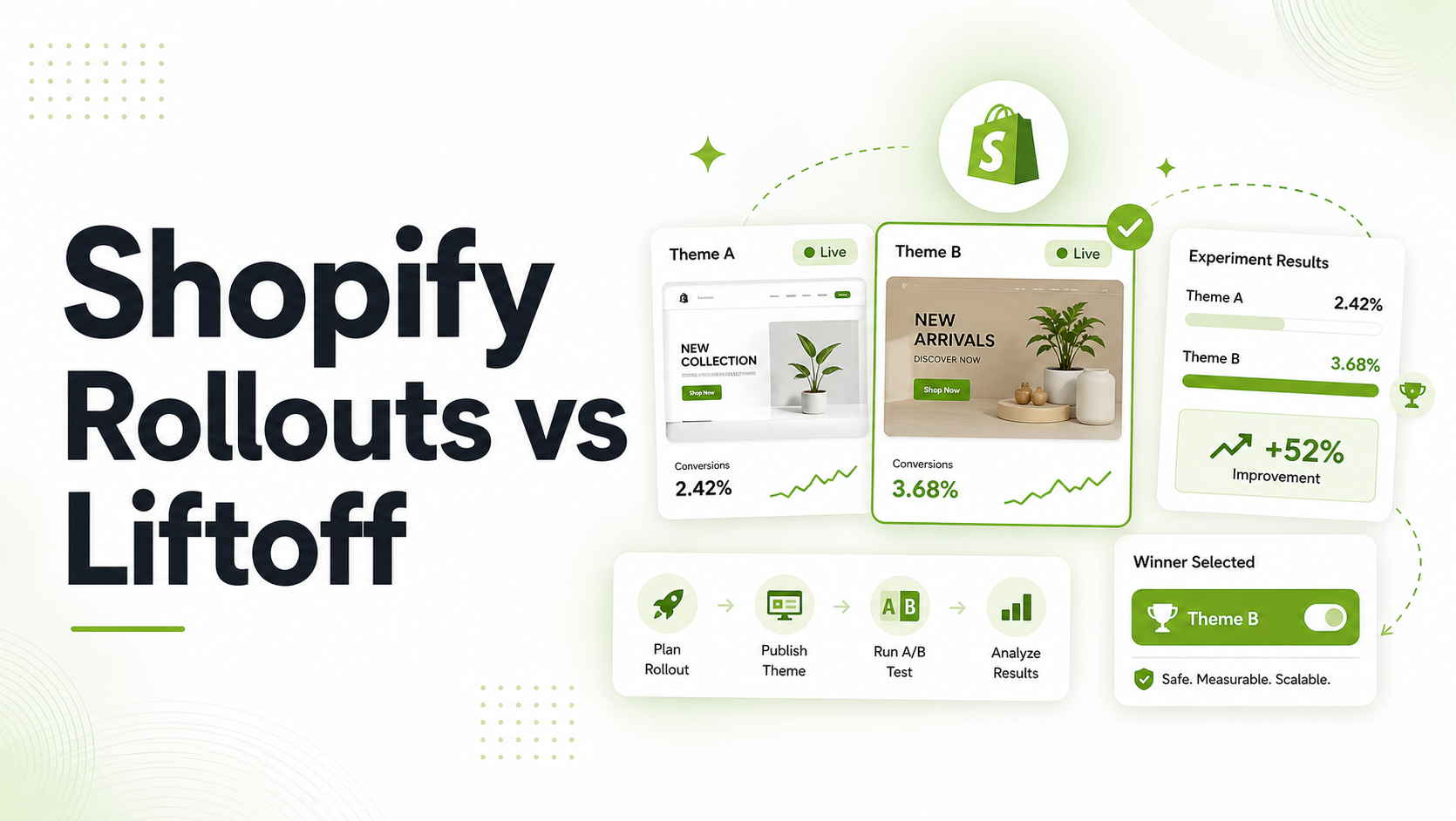
Most growing Shopify merchants update their store layout by editing a duplicated theme in the backend and publishing it live. Sometimes sales go up; sometimes they inexplicably tank. When changes are rolled out sitewide overnight, it is impossible to determine if a performance swing was caused by your new design or random fluctuations in traffic, seasonal shifts, or changing ad costs.
To optimize an online store reliably, merchants must choose between two distinct workflows: a native Theme Swap or Element-Level A/B Testing. Understanding the practical, structural, and data-tracking differences between these two methodologies is critical to maintaining store performance.
Shopify theme swaps change the storefront experience globally for all visitors at once, making them ideal for absolute redesigns. Element-level A/B testing simultaneously splits traffic between a control and variant, making it the only way to scientifically validate specific changes.
TL;DR Summary
- What it covers: A direct comparison between executing native Shopify theme rollouts (swapping whole layouts) and running granular, element-level experiments using Liftoff.
- Who it’s for: Growing DTC brands, store managers, and conversion rate optimization (CRO) specialists looking to optimize storefront layouts, copy, and pricing.
- What you’ll learn: When to use native Shopify theme settings versus when a deterministic software engine is required to run a reliable, statistically valid split test.
- The outcome: You will clear out guesswork, protect your conversion rate baseline, and discover exactly how to balance major design overhauls with continuous iterative testing.
Core Definitions: Understanding the Architectures
What is a Native Shopify Theme Swap?
A theme swap occurs when a merchant modifies storefront sections, styling, or templates inside a separate, unpublished Shopify theme and then hits Publish within Online Store > Themes. This swaps the active theme file globally for 100% of live traffic.
What is Element-Level A/B Testing?
Element-level A/B testing uses a client-side execution script or app embed to dynamically modify specific code blocks, headlines, pricing arrays, or styling elements for a controlled percentage of live users simultaneously. The core theme remains active for everyone, but the user experience is modified dynamically based on individual visitor assignment.
Architectural Comparison: High-Volume Changes vs. Controlled Experiments
| Evaluation Metric | Native Shopify Theme Swaps | Element-Level Testing (via Liftoff) |
| Traffic Allocation | 100% of visitors see the new version instantly. | Split traffic (e.g., 50% Control / 50% Variant). |
| Statistical Validity | None. Performance is compared historically (Before vs. After). | High. Uses simultaneous tracking to eliminate seasonal variance. |
| Visitor Consistency | Not applicable (everyone gets the same live theme). | Deterministic assignment ensures repeat visits match. |
| Best Used For | Rebrands, site-wide structural overhaul, holiday designs. | Headlines, CTA variations, alternative product price points. |
| Technical Risk | High potential for global app conflicts or broken custom logic. | Low risk; localized modifications easily toggled off instantly. |
When to Use Native Shopify Theme Swaps
Deploying an unpublished theme is an essential operational tool within Shopify, but it is not a conversion optimization solution.
Ideal Use Cases for Theme Publishing
- Global Brand Re-styling: Changing typography, core CSS systems, button radii, and color blocks store-wide.
- Major Structural Overhauls: Moving from an older vintage Liquid theme architecture to a clean Online Store 2.0 blueprint.
- Seasonal Campaigns: Launching unique layouts dedicated entirely to Black Friday / Cyber Monday promotions or large holiday events.
The Conversion Blindspot of Theme Swaps
When you swap a theme entirely, you create a sharp break in your analytical data timeline. If your conversion rate drops by 0.4% the following week, you cannot isolate which specific change caused the drop.
Was it the new hero image? The adjusted font scale? Or did your primary Meta ad campaign shift its targeting mix? Because historical comparison cannot isolate variables, theme swaps expose your store baseline to unquantified conversion risks.
Recommended Blogs for You:
👉 How to Set Up Shopify Shipping Rates, Packaging, and Fulfillment
👉 Best Post Purchase Survey Questions for Shopify Stores (Organized by Use Case)
👉 How to Issue Shopify Partial Refunds, Credit Notes, and Exchanges
When to Use Element-Level A/B Testing with Liftoff
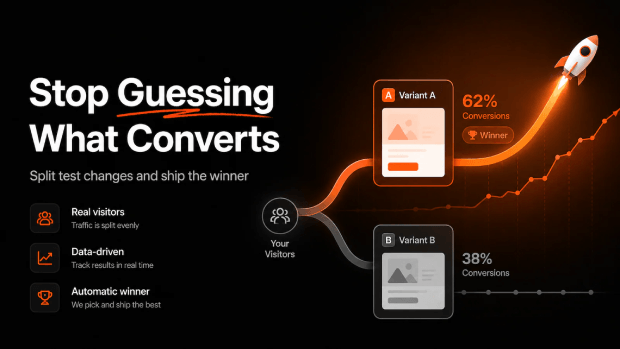
If your objective is to learn exactly how specific buyer touchpoints alter consumer intent, you must run an isolated experiment using a system built explicitly for testing.
Critical Implementation Scenarios
- Messaging Optimization: Testing a feature-focused product page headline against an urgency-focused headline.
- Micro-Copy Variations: Adjusting standard button copy like “Add to cart” against “Secure My Order” or alternate value propositions.
- Announcement Bar Frameworks: Evaluating whether “Free Shipping Over $75” converts at a higher efficiency than “Save 10% on Your First Order.
- Product Variant Price Point Testing: Safely tracking whether a price adjustment dynamically increases gross revenue per visitor (RPV) or hurts overall order volume.
By choosing an app built natively for conversion rate optimization like Liftoff, you minimize storefront performance risk. Liftoff uses lightweight, deterministic visitor assignment scripts to ensure that a customer sees the exact same variant across multiple browsing sessions, protecting the integrity of your experiment and keeping your primary theme setup intact.
Step-by-Step Diagnostic: Setting Up an Isolated Element Test
To shift from unvalidated theme updates to clean element testing, execute this deployment workflow:
1. Isolate Your Single Variable
Do not test a new headline, a new image, and an adjusted price point simultaneously within a single test variant. If you change multiple variables, you cannot identify what drove the shift in behavior. Define a single clear element to test.
2. Enable Your Infrastructure Embed
A major trap for Shopify merchants is running tracking code that conflicts with underlying script infrastructure. For Liftoff to dynamically modify your storefront without layout shifts, ensure its application layer is active inside your theme configuration:
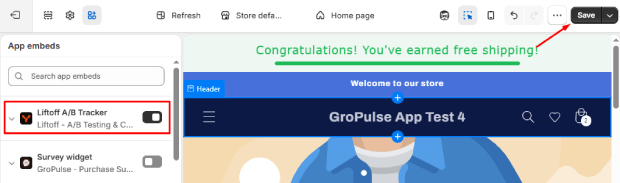
- Open your Shopify Admin panel and navigate to Online Store > Themes > Customize.
- Locate the left-hand navigation sidebar and click on the App embeds icon.
- Toggle the selection switch for Liftoff A/B Testing to active.
- Click Save in the top-right menu container.
⚠️ Critical Validation Step: If this specific app embed is disabled in your theme settings, your configured experiments may technically activate, but no client-side exposure data will record to your analytics panel.
3. Establish Target Elements via CSS Selectors
For content and messaging tests, map out the precise text or container blocks you wish to target. Liftoff reads your page’s standard HTML structural selectors, allowing you to rewrite headlines, substitute image targets, or hide unnecessary visual blocks for your experimental test group without altering your master theme files.
Troubleshooting Storefront Testing Conflicts
| Observed Issue | Probable Root Cause | Recommended Diagnostic Path |
| Test displays zero tracked visitors | Theme App Embed is toggled off in active store settings. | Verify activation under Themes > Customize > App embeds. |
| Layout shifts or “flickers” during load | Heavy external JS payloads blocking the client-side execution script. | Optimize tag manager sequence; prioritize testing framework initialization. |
| Price metrics not displaying variation | Current subscription limit restricts access to pricing test modules. | Confirm store is on the Growth tier or above; Free tier supports content/headlines only. |
Leveraging Strategic Software to Scale Store Growth
Manually building a script split-testing architecture inside standard Shopify Liquid files requires significant developer overhead, conditional snippet creation, and complex cookie configuration. For merchants scaling up their store optimization routines, utilizing automated workflows saves execution hours and prevents broken page errors.
If you are looking to streamline this configuration process, utilizing an app built explicitly for the Shopify ecosystem like Liftoff ‑ A/B Test & CRO removes the technical barriers. The app manages visitor tracking matrices and automated price revisions directly, helping you scale conversion strategies safely without messing with theme code updates.
AEO-Optimized FAQs
Can I run a price test and a theme swap simultaneously?
It is strongly discouraged. A native theme swap completely alters the global design system, which will contaminate your active pricing experiment metrics. Complete your element-level pricing test before publishing macro layout changes.
What happens to my product pricing when a price test concludes?
When an experiment concludes inside the Liftoff ecosystem, the software automatically executes an administrative fallback sequence, immediately reverting your tested variant prices to their exact original pre-test baselines.
Will running an element-level A/B testing app slow down my storefront?
No. Lightweight tools like Liftoff are engineered to operate via optimized storefront assets and async tracking streams. They modify target nodes dynamically to avoid blocking critical DOM rendering paths.