
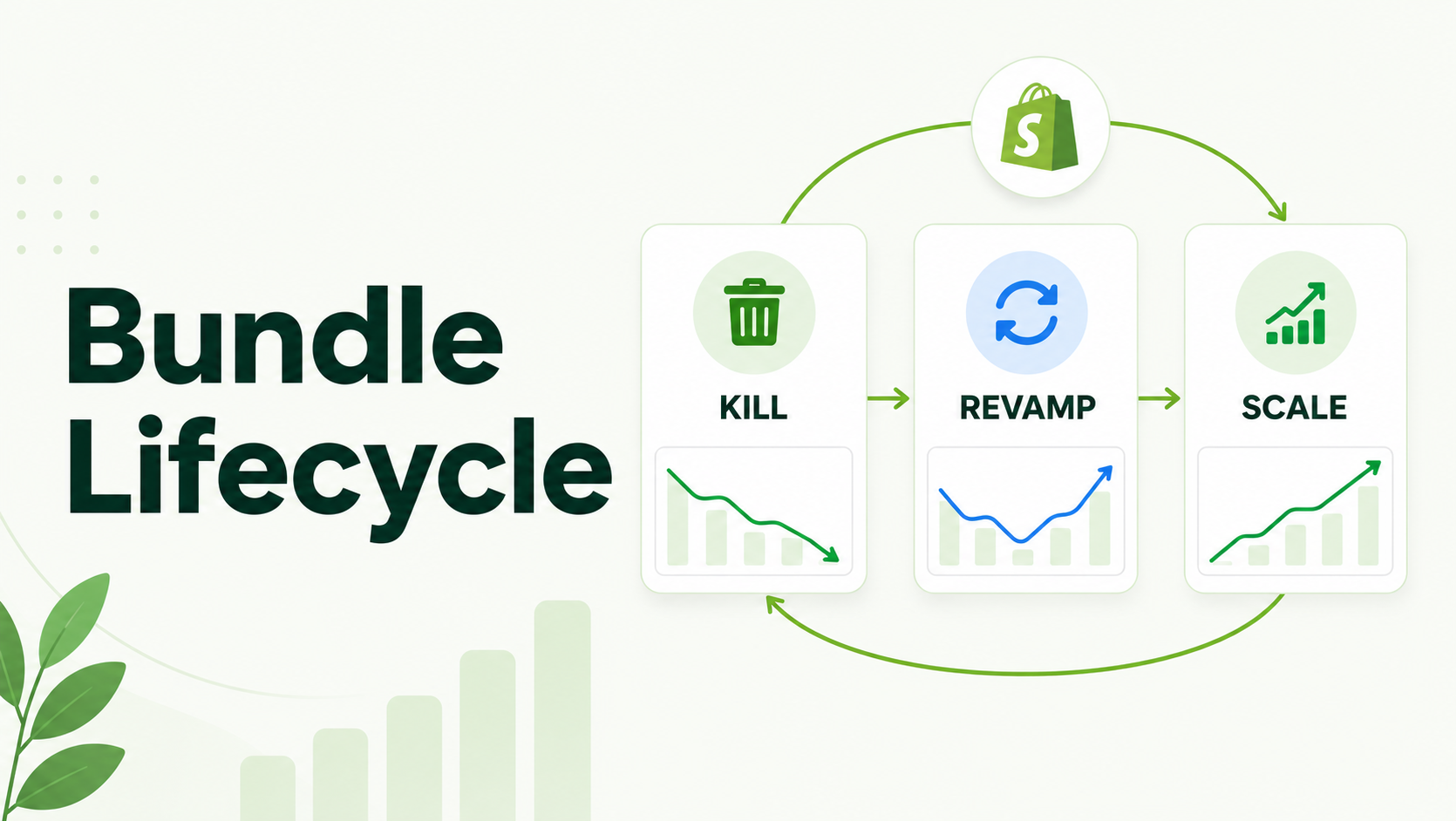
Product bundling is not a “set it and forget it” strategy. To maximize Average Order Value (AOV), Shopify merchants must treat bundles as living products with a defined lifecycle: Launch, Evaluate, Optimize, and Retire.
This guide provides a data-backed framework for deciding when a bundle needs a revamp, when it’s ready to scale, and when it’s time to cut your losses.
How do you know when to scale or kill a bundle?
Monitor the “Attach Rate” and “Bundle Conversion Rate.” Scale bundles with high conversion and positive AOV impact. Revamp bundles with high views but low conversions. Kill bundles that have stagnant sales for 30+ days or high return rates.
The Four Stages of the Shopify Bundle Lifecycle
Successful bundling on Shopify requires moving beyond basic “Frequently Bought Together” widgets. To drive sustainable revenue, merchants should view bundles through these four phases:
1. The Launch Phase: Testing Your Hypothesis
In the first 14–30 days, your goal is to validate product affinity. Are these items actually “better together”?
- The Workflow: Start with a Snap Bundle or Speed Bundle on high-traffic product pages to test the pairing without complex configurations.
- What to Watch: Initial click-through rate (CTR) from the product page to the cart.
2. The Evaluation Phase: Reading the Data
Once you have enough traffic, check your Per-Bundle Analytics. Do not just look at total revenue; look at:
- Views vs. Conversions: A high-view, low-conversion bundle usually indicates a pricing or “logical fit” problem.
- AOV Impact: Is the bundle actually lifting the average order value, or are customers just switching from a high-margin single item to a lower-margin bundle?
3. The Scaling Phase: Doubling Down on Winners
If a bundle is converting well, it’s time to increase its footprint.
- Strategy: Move a successful product-page bundle to a Dedicated BYOB (Build Your Own Box) Page.
- Optimization: Implement Tiered Perks. For example, if a “3-pack” is selling well, introduce a “6-pack” tier with a slightly higher discount to further nudge AOV.
4. The Sunset Phase: Knowing When to Kill
A “dead” bundle clutters your site and confuses customers. If a bundle has zero sales over 30 days despite consistent traffic, it is a candidate for the “Kill” list.
Recommended Blogs for You:
👉 How Does Structured Data Help Google Understand and Rank Your Shopify Store?
👉 How to Make a Shopify Store Profitable Without Ads
👉 How to Drive Your First 100 Sales on Shopify (A Proven Guide)
👉 How to Build a Custom Mix and Match Gift Box on Shopify
Comparison: When to Revamp vs. When to Kill
| Metric | Action: Revamp | Action: Kill |
| View Count | High | Low/Zero |
| Conversion Rate | Below 1% but has interest | Zero for 30+ days |
| Return Rate | Normal | Higher than single SKUs |
| Inventory | Healthy | Constant out-of-stocks |
| Customer Feedback | “Wish I could swap X for Y” | No engagement |
3 Signs It’s Time to Revamp Your Shopify Bundle
Sometimes a bundle isn’t failing; it’s just poorly packaged.
I. High Views, Low Conversions (The “Price-Value” Gap)
If customers are looking but not buying, your discount might not be compelling enough, or the bundle price hits a “psychological ceiling.”
- The Fix: Try switching from a Percentage Discount to a Fixed Bundle Price (e.g., “Any 3 for $75”) to make the value proposition clearer.
II. High Cart Abandonment
If the bundle is added to the cart but the checkout isn’t completed, there might be technical friction.
- The Shopify Factor: Ensure you are using Native Discount Functions. If your bundle app uses a custom checkout or “draft orders,” it may break Shop Pay or gift card functionality, causing customers to drop off.
III. Static Inventory or Seasonal Shifts
A “Winter Glow” skincare bundle won’t sell in July.
- The Fix: Use a Wizard/Story Bundle template to guide customers through a new seasonal routine.
Checklist: Scaling a High-Performing Bundle
If you’ve found a “winner,” use this checklist to maximize its ROI:
- Promote to a Full Page: Move the bundle from a widget to a dedicated page.bundle-builder template.
- Add Gamification: Implement a “Progression Bar” that shows how close the user is to unlocking the next discount tier.
- Cross-Sell via Email: Use your analytics to identify the top 5 bundles and feature them in your post-purchase or win-back email flows.
- Check Native Compatibility: Verify the bundle works flawlessly with Shop Pay installments and native fraud rules.
Common Mistakes in Bundle Management
- Ignoring Per-Bundle Analytics: Many merchants look at “App Revenue” as a whole. You must look at individual bundle performance to see which products are dragging down your average.
- Using Non-Native Checkouts: Using apps that replace the Shopify checkout can lead to broken tracking and lost conversions. Modern apps like GP Bundle Builder leverage WASM-based Shopify Functions to keep the checkout 100% native.
- Set-and-Forget Pricing: Fixed prices can become less attractive as your base product prices change. Regularly review your “Compare-at” pricing to ensure the “Live Savings” badge remains accurate.
What This Means for Shopify Merchants
Effective bundling is a data-driven cycle. By using tools that provide granular analytics and native checkout support, you can quickly identify which “Mix & Match” offers are driving growth and which “Story” builders need a rewrite. This agility is the difference between a cluttered store and a high-AOV powerhouse.
Frequently Asked Questions
How long should I test a new bundle before killing it?
At least 14–30 days. This allows enough data to account for weekly shopping fluctuations.
Does bundling affect my inventory tracking?
If you use a native bundle builder, inventory is tracked at the individual SKU level, so you won’t oversell components.
Can I offer different discounts for different bundle tiers?
Yes. Using a “Tiered Perk” engine allows you to offer, for example, 10% off for 2 items and 20% off for 4 items natively in the checkout.




