
Product recommendation widgets help customers discover relevant products throughout your store. This guide shows you how to create curated recommendation sections that drive engagement and sales.
What are Product Recommendations?
Product recommendations are curated displays of products shown to customers based on context, behavior, or merchant selection. They:
- Help customers discover products
- Increase time on site
- Boost cross-selling opportunities
- Improve customer experience
- Drive additional revenue
Accessing Product Recommendations
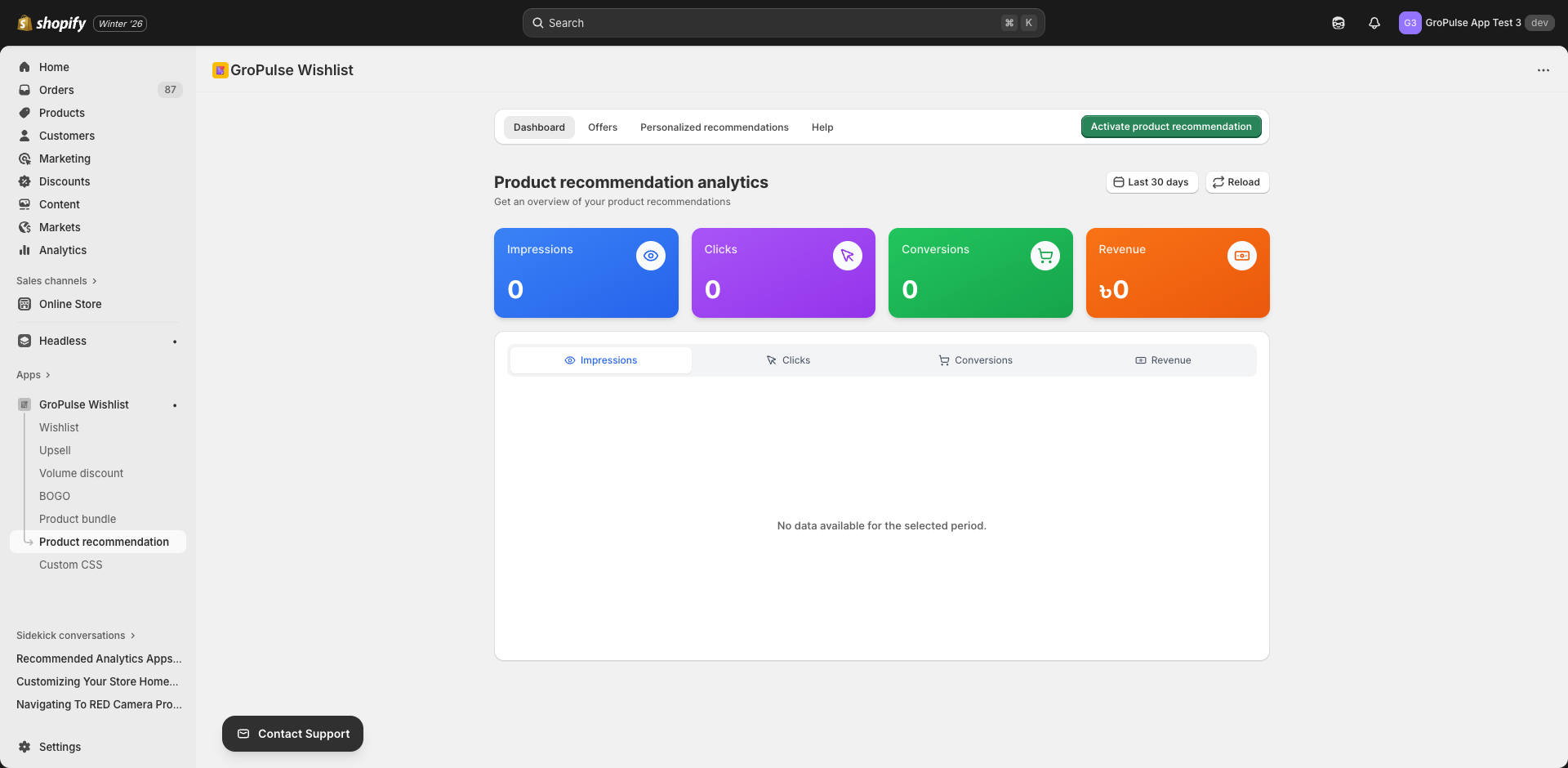
- Navigate to Product Recommendation in the main menu
- You’ll see four tabs:
- Dashboard — Analytics for your recommendations
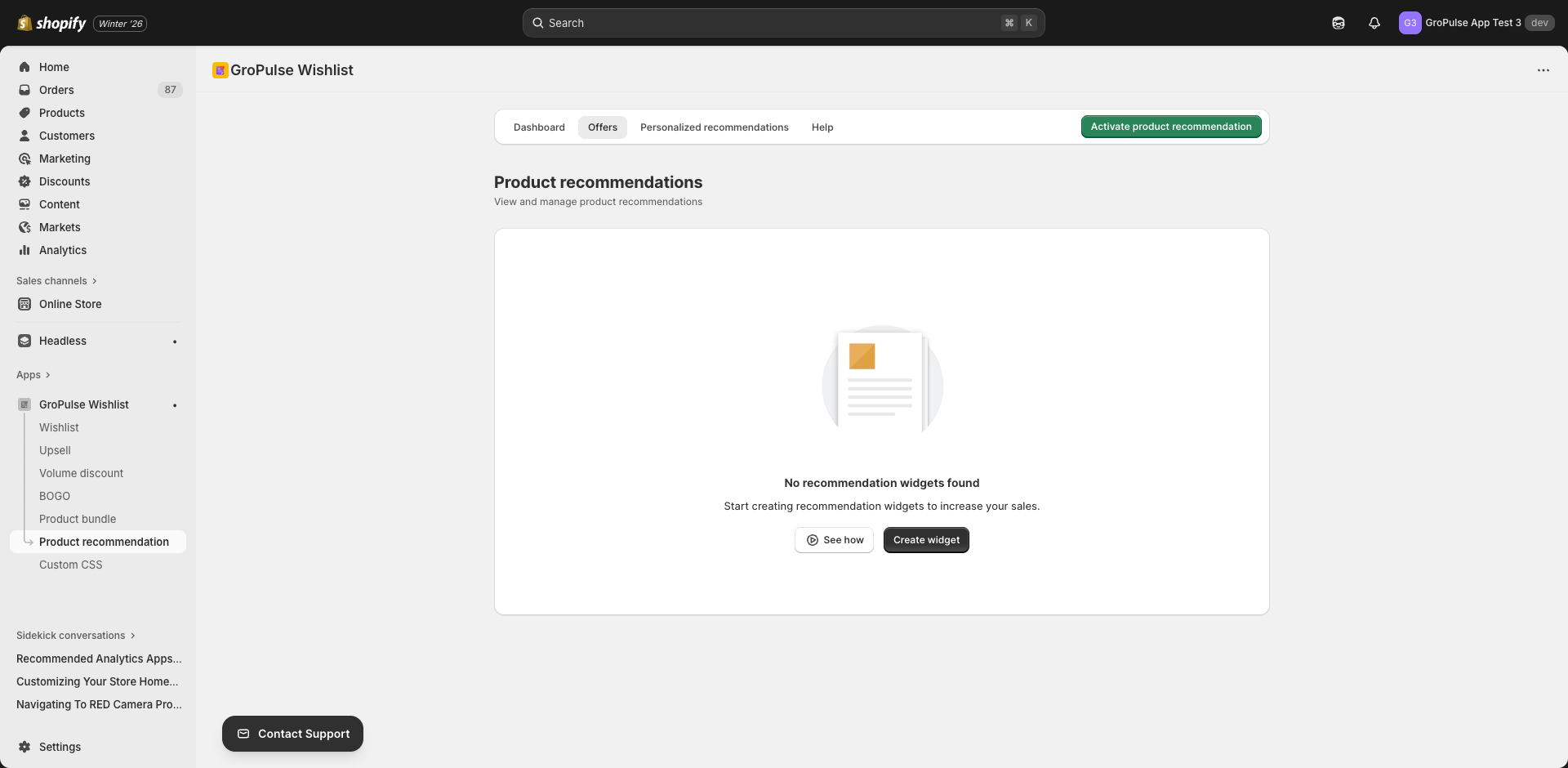
- Offers — Create and manage recommendation widgets
- Personalized — AI-powered personalized recommendations
- Help — Documentation and tutorials
Creating a Recommendation Widget
- Go to the Offers tab
- Click Create Recommendation
- Configure settings across the tabs
Settings Tabs
| Tab | Purpose |
|---|---|
| General | Basic widget information |
| Product Recommendation | Select products to recommend |
| Display Rules | Where recommendations appear |
| Placement | Widget position |
| Layout | Display style |
| Design | Visual customization |
General Settings
Configure basic widget information:
| Setting | Description | Example |
|---|---|---|
| Offer Title | Internal name | “Homepage Featured Products” |
| Customer-Facing Title | Title customers see | “You May Also Like” |
| Customer-Facing Subtitle | Descriptive text | “Based on your interests” |
| Add to Cart Button Text | Button text | “Add to Cart” |
Common Title Examples
| Context | Title Suggestion |
|---|---|
| Product page | “Customers Also Bought” |
| Homepage | “Trending Now” |
| Collection page | “Popular in This Category” |
| Cart page | “Complete Your Order” |
Product Selection
Selecting Products
- Click Select Products
- Search your catalog
- Choose products to recommend
- Arrange in display order
Ordering Products
- Drag and drop to reorder
- First products appear first in the widget
- Consider placing bestsellers at the start
Product Count
| Count | Best For |
|---|---|
| 4 products | Compact displays |
| 6-8 products | Standard carousels |
| 10-12 products | Full sections |
Display Rules
Control where recommendations appear:
Product Selection Type
| Option | Description |
|---|---|
| All Products | Show on all product pages |
| Specific Products | Show only on selected products |
| Specific Collections | Show on products in selected collections |
Exclusions
Exclude specific products where recommendations shouldn’t appear.
Placement Settings
Choose where the widget appears:
| Location | Best For |
|---|---|
| Product Page | Cross-selling on product views |
| Collection Page | Highlighting featured items |
| Cart Page | Last-minute additions |
| Homepage | General discovery |
Position Options
- Above content
- Below content
- Sidebar
- Footer area
Layout Settings
Choose how products are displayed:
Layout Types
| Layout | Description | Best For |
|---|---|---|
| Carousel | Scrollable horizontal display | Limited space |
| Grid | Fixed grid of products | Dedicated sections |
| List | Vertical product list | Sidebar displays |
Layout Options
| Setting | Options |
|---|---|
| Products per row | 2, 3, 4, 5, or 6 |
| Show navigation arrows | Yes/No |
| Auto-scroll | Yes/No |
| Show dots navigation | Yes/No |
Design Settings
Customize the visual appearance:
Color Options
| Setting | Purpose |
|---|---|
| Background Color | Widget background |
| Title Color | Heading text |
| Product Title Color | Product names |
| Price Color | Product prices |
| Sale Price Color | Discounted prices |
| Button Background Color | CTA buttons |
| Button Text Color | CTA button text |
| Border Color | Widget border |
Typography
| Setting | Options |
|---|---|
| Title Font Size | Small, Medium, Large |
| Product Font Size | Small, Medium, Large |
Best Practices
Product Selection Strategy
| Strategy | Description |
|---|---|
| Bestsellers | Your top-performing products |
| New Arrivals | Recently added products |
| Complementary | Products that go together |
| Same Category | Similar products |
| Price Range | Products at similar price points |
Placement Strategy
| Page | Recommendation Type |
|---|---|
| Product page | Complementary products, “Complete the look” |
| Collection page | Featured items, bestsellers |
| Cart page | Accessories, add-ons |
| Homepage | Trending, new arrivals, seasonal |
| 404 page | Popular products to recover the visit |
Optimization Tips
- Relevance is key — Show products that make sense together
- Limit choices — 4-8 products prevents overwhelm
- Update regularly — Rotate recommendations seasonally
- Test placements — Try different positions
- Mobile-first — Ensure good mobile display
Managing Recommendations
Widget List
View all recommendation widgets with:
- Widget name and status
- Product count
- Placement info
- Performance metrics
- Quick actions
Editing Widgets
Click the widget name to:
- Update products
- Change display rules
- Modify design
- Adjust layout
Enabling/Disabling
Toggle status for quick activation or deactivation.
Analytics
Track recommendation performance in the Dashboard:
| Metric | Description |
|---|---|
| Impressions | Times recommendations were shown |
| Click Rate | % of views that resulted in clicks |
| Add to Cart Rate | % that added recommended product |
| Revenue | Sales from recommendations |
| Top Clicked Products | Most popular recommendations |
Troubleshooting
Widget Not Showing
- Verify widget is active
- Check placement configuration
- Confirm display rules
- Ensure theme extension is enabled
Products Not Loading
- Check products are published
- Verify products aren’t archived
- Confirm variants are in stock
Styling Issues
- Review design settings
- Check for CSS conflicts
- Test on different devices
Examples
Fashion Store: Product Page
Title: “Complete Your Look”
Products: Matching accessories (shoes, bags, jewelry)
Layout: 4-product carousel
Placement: Below product description
Electronics Store: Cart Page
Title: “Don’t Forget These”
Products: Cables, cases, adapters
Layout: 3-product grid
Placement: Before checkout button
Beauty Store: Homepage
Title: “Trending This Season”
Products: Seasonal bestsellers
Layout: 6-product carousel with auto-scroll
Placement: Below hero section
What’s Next?
Take recommendations further:
- Personalized Recommendations — Product-specific suggestions
- Upsell Offers — Strategic upselling
- Product Bundles — Bundled offerings
Product recommendations guide customers to discover more — helping them find what they need while boosting your sales.