
This guide walks you through activating NoIndexly in your Shopify store.
Overview
NoIndexly uses Shopify’s theme app extension to add SEO meta tags to your store pages. Before the app can control search engine indexing, you need to activate the theme extension in your store’s theme customizer.
Check Activation Status
When you first open NoIndexly, you will see the App activation status card on the dashboard:
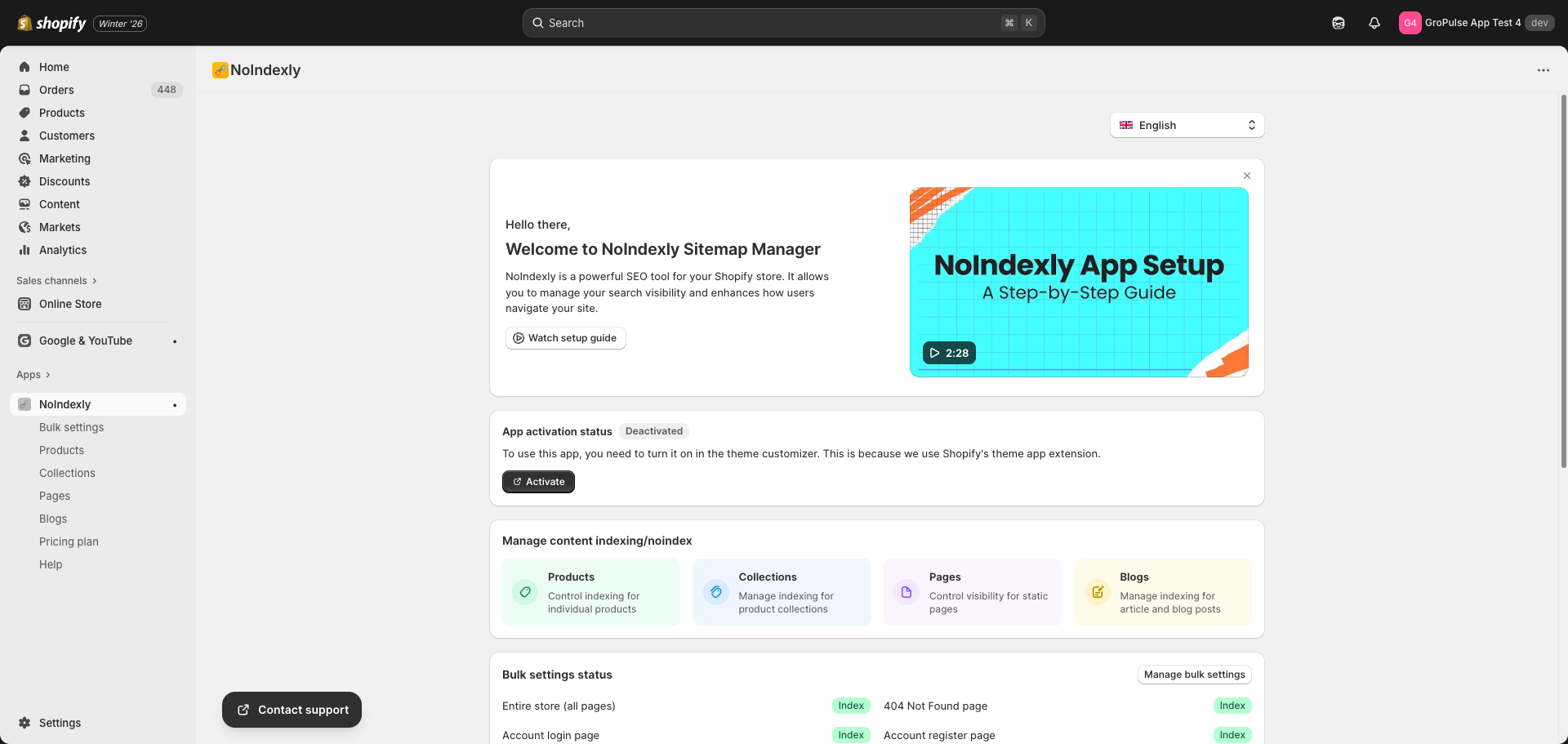
If the status shows Deactivated, follow the steps below to activate the app.
Activate the App
- Click the Activate button on the App activation status card
- You will be redirected to the Shopify Theme Customizer with the App embeds panel open
- Find NoIndexly Sitemap Manager in the App embeds list – it should already be toggled On
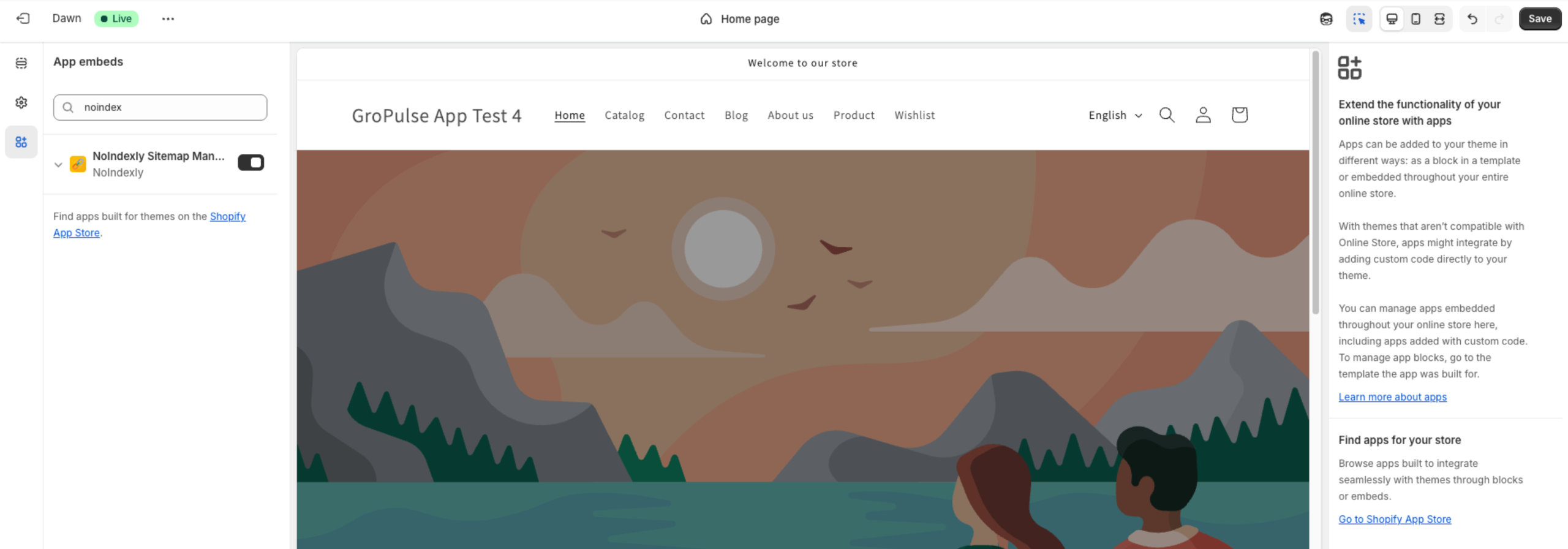
- Click Save in the top right corner of the Theme Customizer
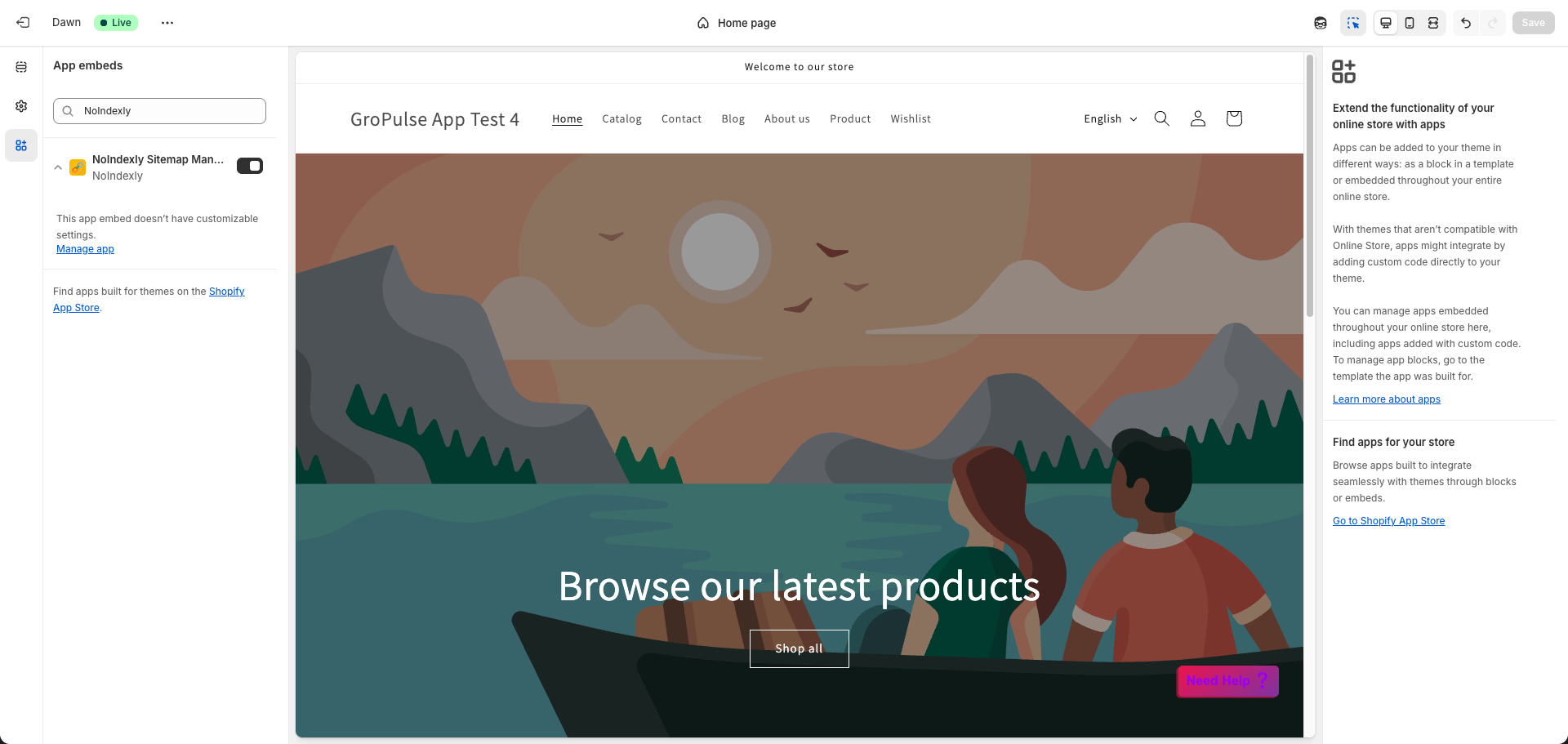
- Wait for the “Changes saved” confirmation message
Verify Activation
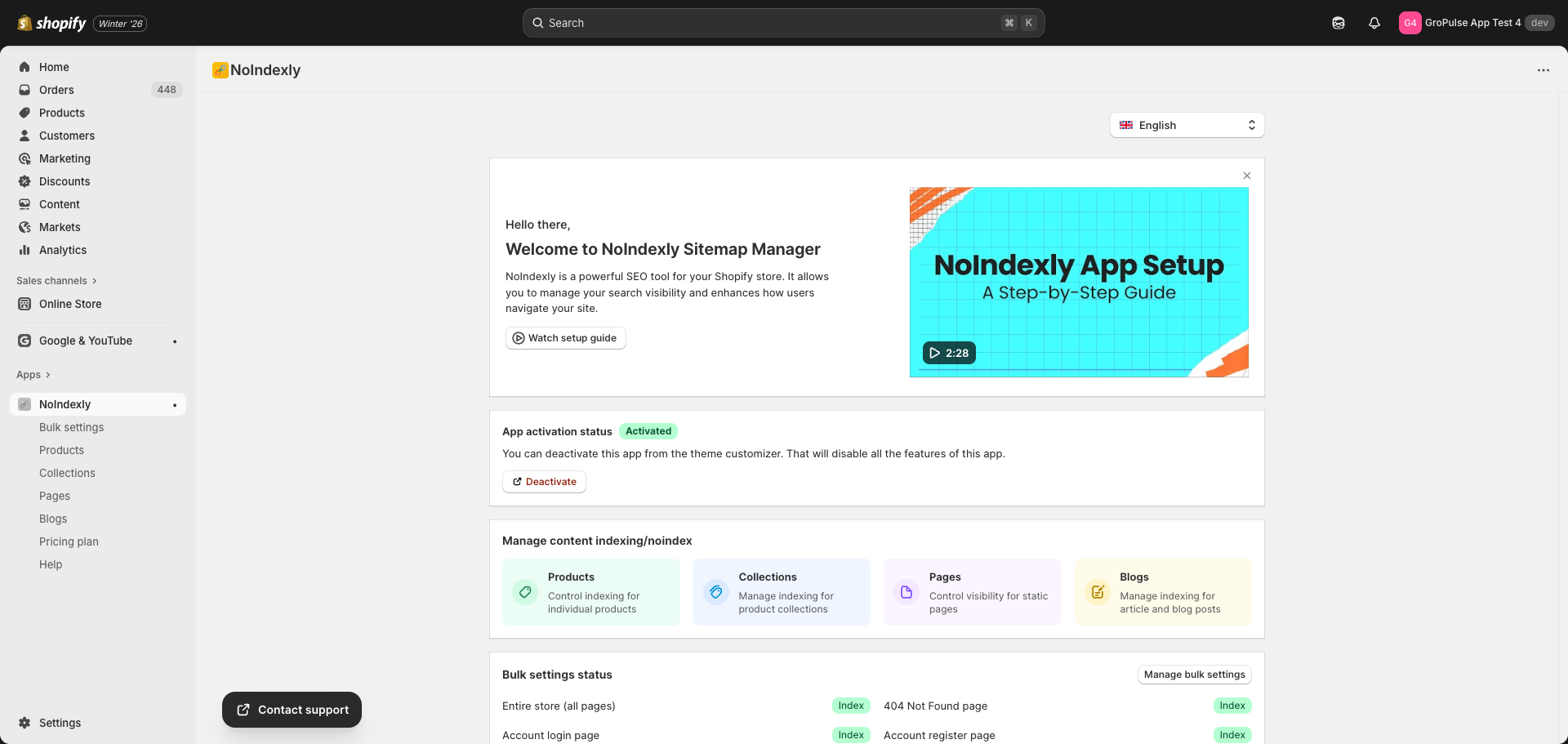
Return to the NoIndexly dashboard. The App activation status card should now show Activated with a green success indicator:
Troubleshooting
App shows as Deactivated after activation
- Make sure you clicked Save in the Theme Customizer
- Refresh the NoIndexly dashboard
- If still deactivated, try activating again
Cannot find NoIndexly in Theme Customizer
- Ensure you are in the App embeds section, not the regular theme sections
- Try searching for “NoIndexly” in the search box
- Contact support if the app embed is not visible
Theme was changed or updated
Each theme requires separate activation. If you switch themes, you will need to activate NoIndexly again in the new theme.
Tips
- Always verify that the app is activated after switching themes
- Changes to noindex settings take effect immediately on your store, but search engines may take days or weeks to reflect these changes in their results
Last updated on February 16, 2026
Was this article helpful?
Powered by Support Genix