
Get AI-powered SEO recommendations based on your Google Search Console data. Improve your content strategy with data-driven insights.
Overview
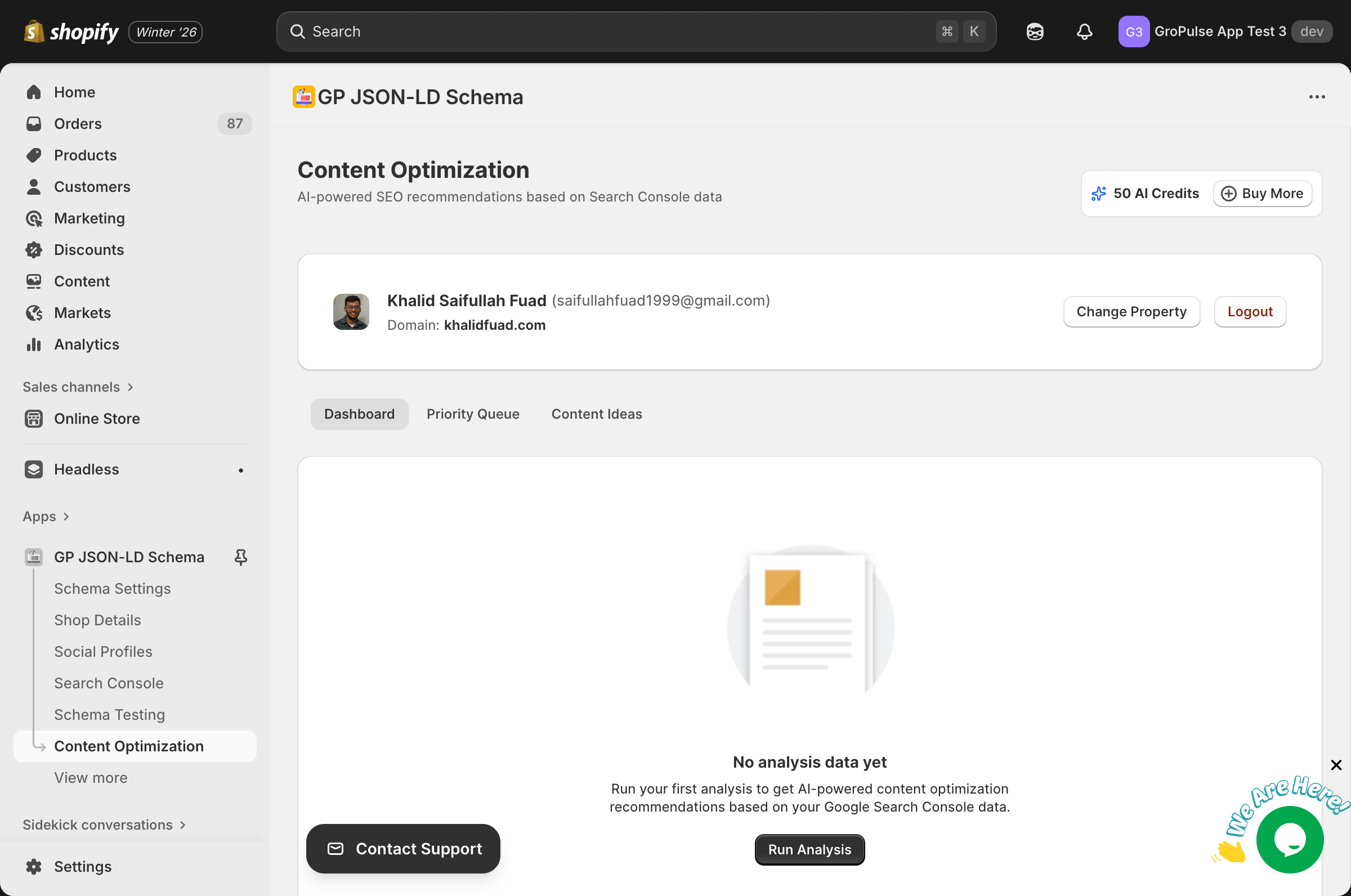
Content Optimization uses AI to analyze your Search Console data and provide:
- Performance Analysis — Identify content opportunities
- Priority Tasks — Actionable improvement recommendations
- Content Ideas — AI-generated suggestions based on your data
Prerequisites
To use Content Optimization:
- Connect Google Search Console (see Search Console Setup)
- Have sufficient AI Credits (Pro or Advanced plan)
- Have indexed pages with search data
Accessing Content Optimization
- Navigate to Content Optimization from the sidebar
- Connect your Google account if not already connected
- Select your property/domain
- Run your first analysis
Dashboard Tabs
Content Optimization Dashboard
The main view showing:
- Analysis results
- Performance metrics
- AI-generated recommendations
Priority Queue of Tasks
A prioritized list of:
- High-impact improvements
- Quick wins
- Content gaps to fill
- Pages needing attention
AI-Generated Content Ideas
Suggestions based on:
- Search query data
- Trending topics
- Content gaps
- Competitor analysis
Running an Analysis
First Analysis
- Click Run Analysis
- Wait for the AI to process your data
- Review the results
- Act on recommendations
Subsequent Analyses
- Re-run to get updated recommendations
- Each analysis uses AI credits
- Recommended: Run monthly
AI Credits
Credit Usage
| Action | Credits Used |
|---|---|
| Full analysis | 5 credits |
| Content suggestions | 1 credit |
| Individual insights | 1 credit |
Monthly Allocations
| Plan | AI Credits |
|---|---|
| Free | — |
| Pro | 50/month |
| Advanced | 300/month |
Need More Credits?
Click Buy More to purchase additional credits.
Understanding Recommendations
Types of Recommendations
Content Improvements
- Pages with declining traffic
- Low CTR opportunities
- Missing meta information
New Content Ideas
- Untapped search queries
- Related topics
- Trending subjects
Technical Fixes
- Schema errors
- Indexing issues
- Mobile optimization
Priority Levels
| Priority | Meaning |
|---|---|
| High | Immediate attention needed |
| Medium | Address within 1-2 weeks |
| Low | When time permits |
Acting on Recommendations
Implementing Changes
- Review the recommendation details
- Understand the potential impact
- Make the suggested changes
- Mark as complete when done
- Monitor results
Tracking Progress
- Check back regularly
- Compare before/after metrics
- Run new analyses to measure impact
Best Practices
Regular Analysis
- Run analyses monthly
- Track improvement trends
- Adjust strategy based on results
Prioritization
- Focus on high-impact items first
- Address quick wins early
- Don’t ignore low-priority items
Implementation
- Make changes systematically
- Test changes where possible
- Document what you’ve changed
Troubleshooting
No data available
Causes:
- Search Console not connected
- Insufficient search data
- New website
Solutions:
- Connect Google Search Console
- Select the correct property
- Wait for data to accumulate (1-2 weeks minimum)
Analysis failed
Solutions:
- Check your Search Console connection
- Ensure sufficient AI credits
- Try again later
- Contact support if persistent
Recommendations not relevant
Solutions:
- Ensure correct property is selected
- Check date range settings
- Run a new analysis with more data
Related Features
Need Help?
- Contact Support: gropulse.com/contact
- Live Chat: Available in the bottom-right corner of the app
Last updated on February 16, 2026
Was this article helpful?
Powered by Support Genix