
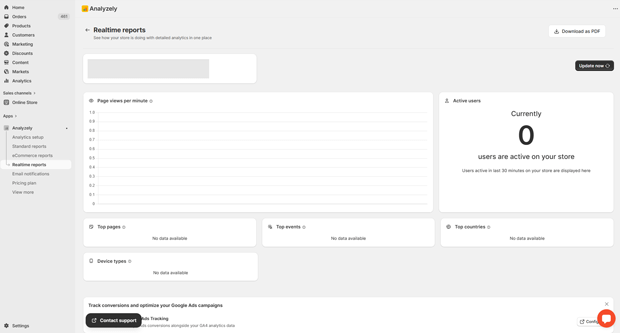
You can easily check if Analyzely is installed and working correctly. The app provides a Realtime section in the dashboard, where you can see your events as they happen. Here, you can monitor both top-performing events and recently triggered events in real time, giving you a clear view of your store’s activity.
If you want to analyze more details, you can also verify the events directly in Google Analytics 4 Realtime reports, where you’ll see events being triggered live as visitors interact with your store.
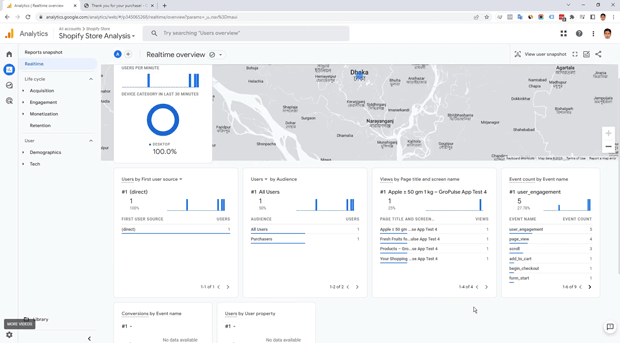
To make this process easier, we have a step-by-step tutorial that guides you through checking events in Google Analytics Real Time Reporst, so you can be confident everything is set up correctly and tracking as expected: https://youtu.be/M8LvDaybDHM