
Product bundles let you sell multiple products together at a discounted price. This powerful feature increases average order value while providing customers with convenient, value-packed purchasing options.
What are Product Bundles?
A product bundle is a curated group of products sold together, typically at a discount compared to buying items separately. Bundles:
- Increase average order value
- Move slow-selling inventory
- Create perceived value
- Simplify purchase decisions
- Introduce customers to new products
Accessing Product Bundles
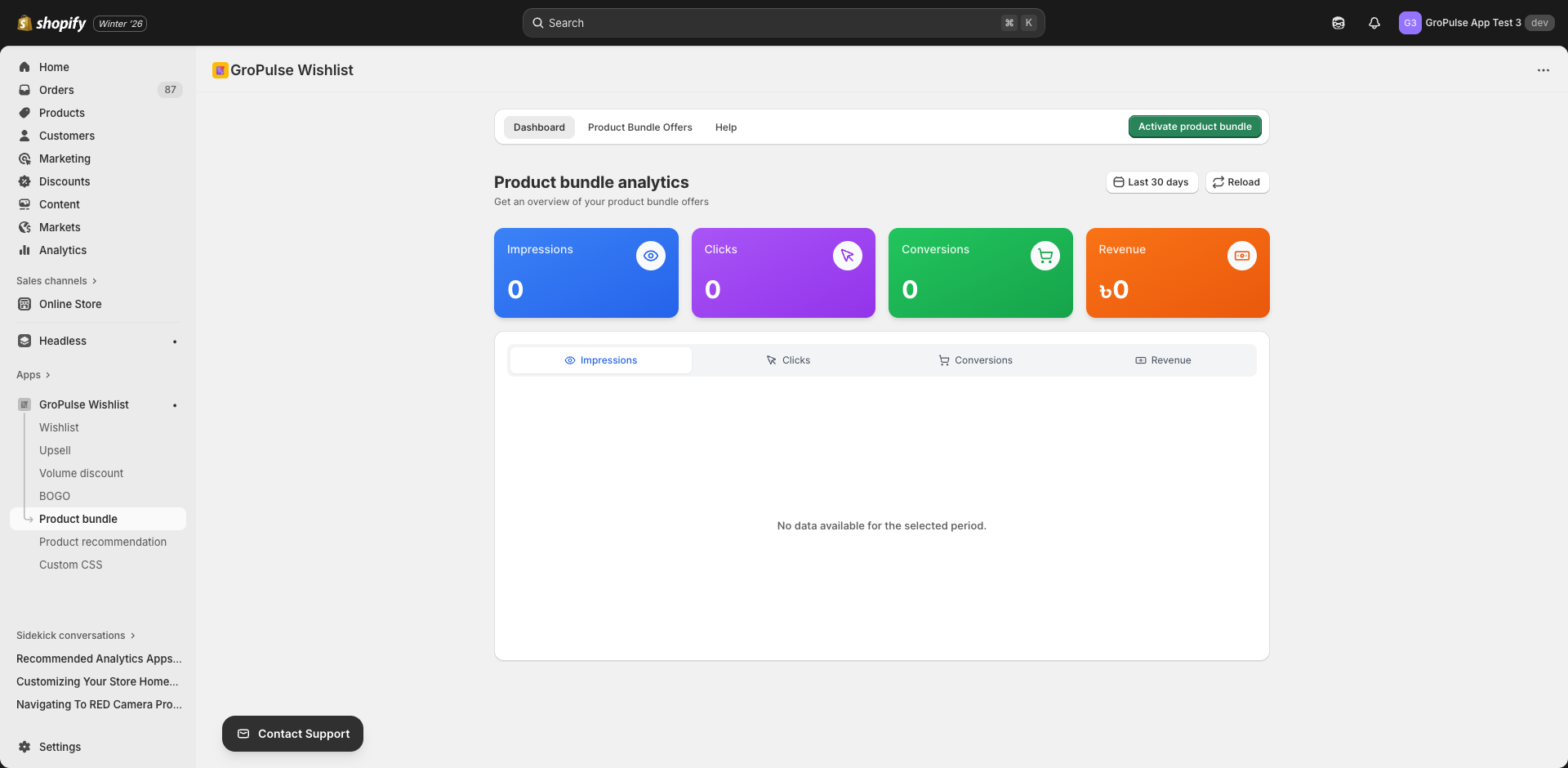
- Navigate to Product Bundle in the main menu
- You’ll see three tabs:
- Dashboard — Analytics for your bundles
- Offers — Create and manage bundles
- Help — Documentation and tutorials
Creating a Product Bundle
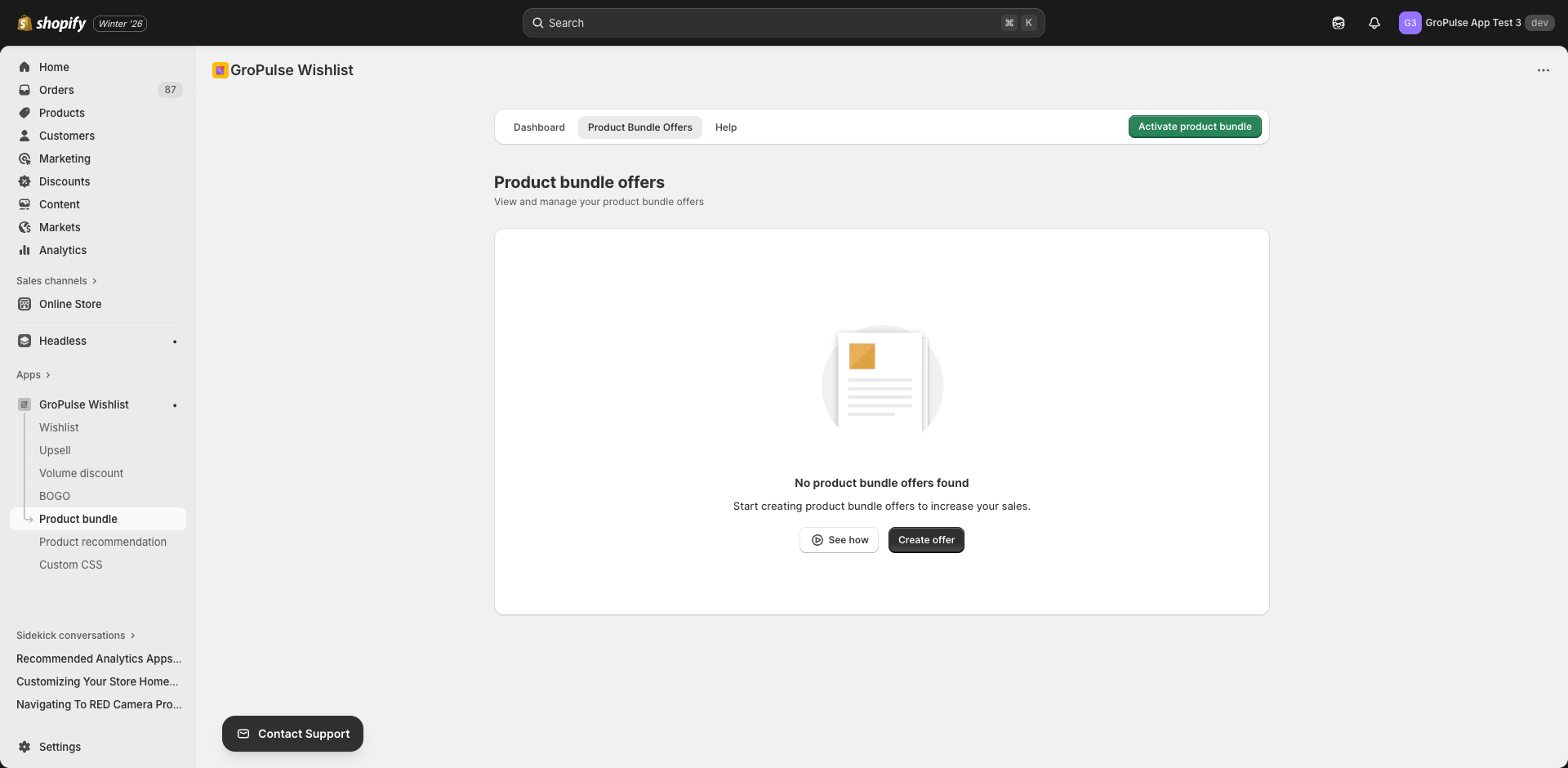
- Go to the Offers tab
- Click Create Bundle
- Configure settings across the tabs
Settings Tabs
| Tab | Purpose |
|---|---|
| General | Basic bundle information |
| Bundle Products | Select products to include |
| Discount | Bundle pricing configuration |
| Display Rules | Where the bundle appears |
| Placement | Widget position |
| Schedule | Start and end dates |
| Design | Visual customization |
General Settings
Configure basic bundle information:
| Setting | Description | Example |
|---|---|---|
| Offer Title | Internal name | “Skincare Starter Kit” |
| Display Title | Title customers see | “Complete Skincare Bundle” |
| Display Subtitle | Descriptive text | “Everything you need for glowing skin” |
| Add to Cart Button Text | CTA button text | “Add Bundle to Cart” |
| Discount Banner Text | Savings message | “Save 20% with this bundle!” |
| Bundle Total Text | Price label | “Bundle Price:” |
Bundle Products
Selecting Products
- Click Select Products
- Search your catalog
- Choose products to include (2+ products recommended)
- Arrange products in display order
Product Display
Selected products show:
- Product image
- Product title
- Individual price
- Variant options (if applicable)
Tip: Include 3-5 products for optimal bundle value perception.
Discount Configuration
Discount Type
| Type | Description | Example |
|---|---|---|
| Percentage | X% off bundle total | 20% off |
| Fixed Amount | $X off bundle total | $25 off |
| Fixed Bundle Price | Set specific bundle price | $99 for the bundle |
Discount Value
Enter the discount amount based on your selected type.
Discount Combinations
Choose which other discounts can stack with bundles:
- Product Discounts
- Order Discounts
- Shipping Discounts
Display Rules
Control where bundles appear:
Product Selection Type
| Option | Description |
|---|---|
| All Products | Show bundle on all product pages |
| Specific Products | Show only on selected product pages |
| Specific Collections | Show on products in selected collections |
Exclusions
When using “All Products,” exclude specific products where bundles shouldn’t appear.
Placement Settings
Choose widget positioning:
| Location | Description |
|---|---|
| Product Page | On individual product pages |
| Cart Page | In the shopping cart |
| Collection Page | On collection/category pages |
Position Options
- Above add to cart
- Below add to cart
- Product description area
- Sidebar
Schedule Settings
Control when your bundle is active:
| Setting | Description |
|---|---|
| Start Date | When bundle becomes available |
| End Date | When bundle ends (optional) |
Use scheduling for:
- Seasonal bundles
- Holiday promotions
- Limited-time offers
Design Settings
Customize the visual appearance:
Color Options
| Setting | Purpose |
|---|---|
| Background Color | Widget background |
| Title Color | Heading text color |
| Subtitle Color | Description text |
| Product Title Color | Product name color |
| Price Color | Regular price color |
| Bundle Price Color | Discounted price color |
| Savings Color | Savings message color |
| Button Background Color | CTA button fill |
| Button Text Color | CTA button text |
| Border Color | Widget border |
Layout Options
| Layout | Description |
|---|---|
| Grid | Products in a grid |
| Horizontal | Products in a row |
| Vertical | Products stacked |
Best Practices
Bundle Composition
| Type | Products | Use Case |
|---|---|---|
| Starter Kit | 3-4 essentials | New customers |
| Complete Set | 5-7 items | Full solution |
| Mix & Match | 2-3 options | Customization |
| Gift Set | 4-6 items | Gifting occasions |
Pricing Strategy
| Approach | Discount Range | When to Use |
|---|---|---|
| Light discount | 10-15% | Premium products |
| Standard discount | 15-25% | Regular bundles |
| Deep discount | 25-40% | Clearance, promotions |
Bundle Naming
Good bundle names:
- “Complete Skincare Routine” (solution-focused)
- “Essentials Kit” (value-focused)
- “Everything You Need” (convenience-focused)
- “Ultimate Collection” (premium-focused)
Avoid:
- “Bundle #1” (generic)
- “Products together” (unclear value)
Product Selection Tips
- Logical groupings — Products that go together
- Price balance — Mix high and low-priced items
- Inventory consideration — Include slow movers with bestsellers
- Variant compatibility — Ensure variants work together
Managing Bundles
Bundle List
View all bundles with:
- Bundle name and status
- Products included
- Discount amount
- Performance metrics
- Quick actions
Editing Bundles
Click the bundle name to:
- Add or remove products
- Adjust discount
- Modify display rules
- Update design
Enabling/Disabling
Toggle the status switch for quick activation or deactivation.
Analytics
Track bundle performance in the Dashboard:
| Metric | Description |
|---|---|
| Bundle Revenue | Total sales from bundles |
| Bundles Sold | Number of bundles purchased |
| Conversion Rate | % of viewers who bought |
| Average Discount Given | Average savings per bundle |
| Popular Bundles | Best-performing bundles |
Troubleshooting
Bundle Not Showing
- Verify bundle is active
- Check display rules configuration
- Confirm placement settings
- Ensure theme extension is enabled
Products Not Displaying
- Check products are published
- Verify products aren’t archived
- Confirm variants are in stock
Discount Not Applying
- Check Shopify discount function is installed
- Review discount combination settings
- Verify minimum requirements are met
Examples
Beauty Store: Skincare Starter Kit
Products:
- Cleanser ($24)
- Toner ($18)
- Serum ($45)
- Moisturizer ($32)
Individual Total: $119
Bundle Price: $95 (20% off)
Customer Savings: $24
Electronics Store: Home Office Bundle
Products:
- Keyboard ($79)
- Mouse ($49)
- Mousepad ($19)
- USB Hub ($29)
Individual Total: $176
Bundle Price: $149 (15% off)
Customer Savings: $27
Fashion Store: Complete Outfit
Products:
- Shirt ($45)
- Pants ($65)
- Belt ($25)
- Socks ($12)
Individual Total: $147
Bundle Price: $125 (15% off)
Customer Savings: $22
What’s Next?
Explore more product discovery features:
- Product Recommendations — Curated suggestions
- Personalized Recommendations — AI-powered suggestions
- Upsell Offers — Complementary product suggestions
Product bundles create value for customers while increasing your revenue — start bundling today.