
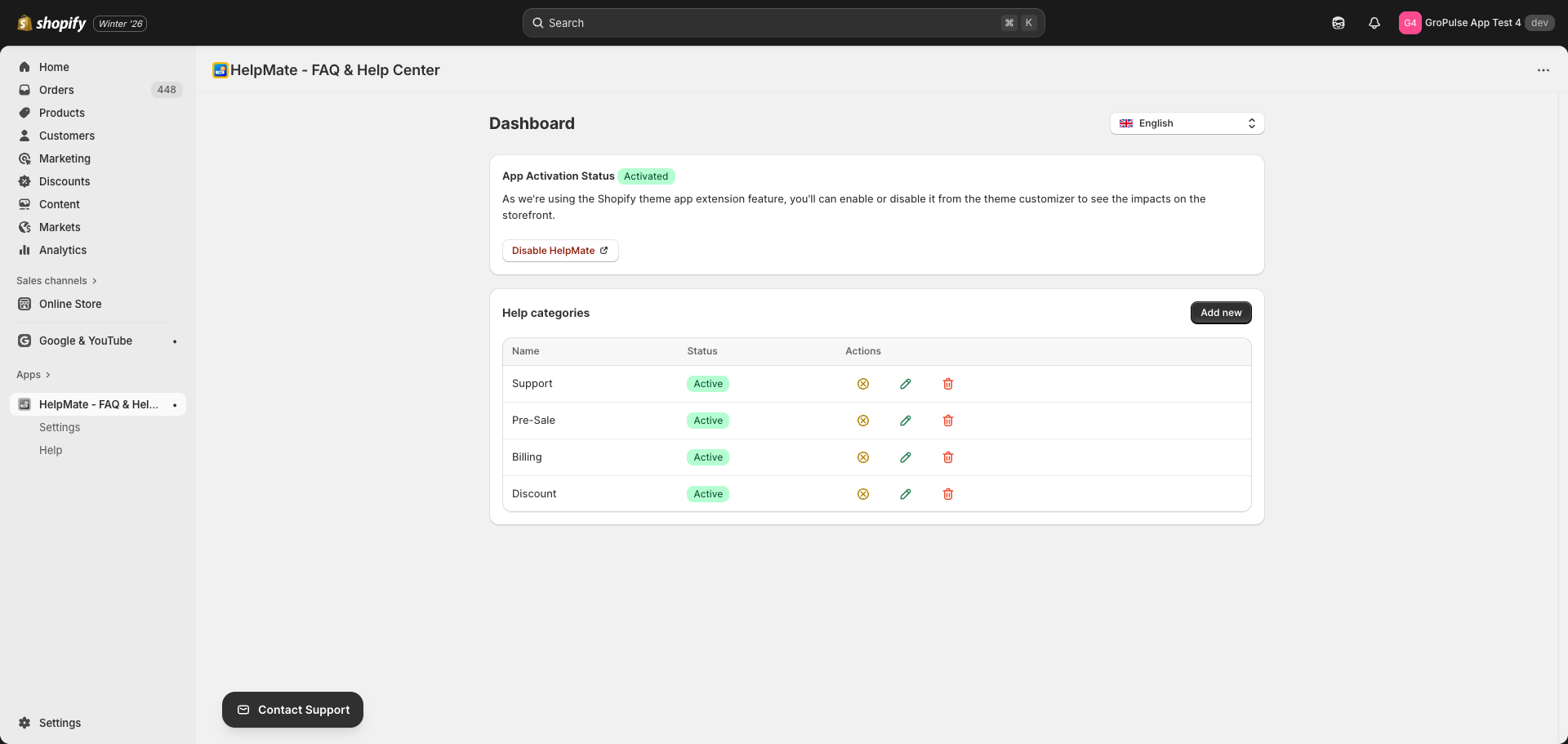
The HelpMate dashboard is your central hub for managing help categories and FAQ content. This guide explains each section of the dashboard and how to use it effectively.
Accessing the Dashboard
To open the HelpMate dashboard:
- Log in to your Shopify admin
- Click Apps in the left sidebar
- Select HelpMate – FAQ & Help Center
You will see the main dashboard with several sections and quick access options.
Dashboard Sections
App Activation Status
This card shows whether HelpMate is properly activated in your theme:
| Status | Meaning |
|---|---|
| Activated (green badge) | The help widget is active and visible on your storefront |
| Deactivated (gray badge) | The app needs to be enabled in your theme customizer |

Actions:
- Enable HelpMate – Opens the theme customizer to enable the app (when deactivated)
- Disable HelpMate – Opens the theme customizer to disable the app (when activated)
Note: As HelpMate uses the Shopify theme app extension feature, you can enable or disable it from the theme customizer to see the impacts on the storefront.
Help Categories
The Help Categories section displays all your FAQ categories in a table format:
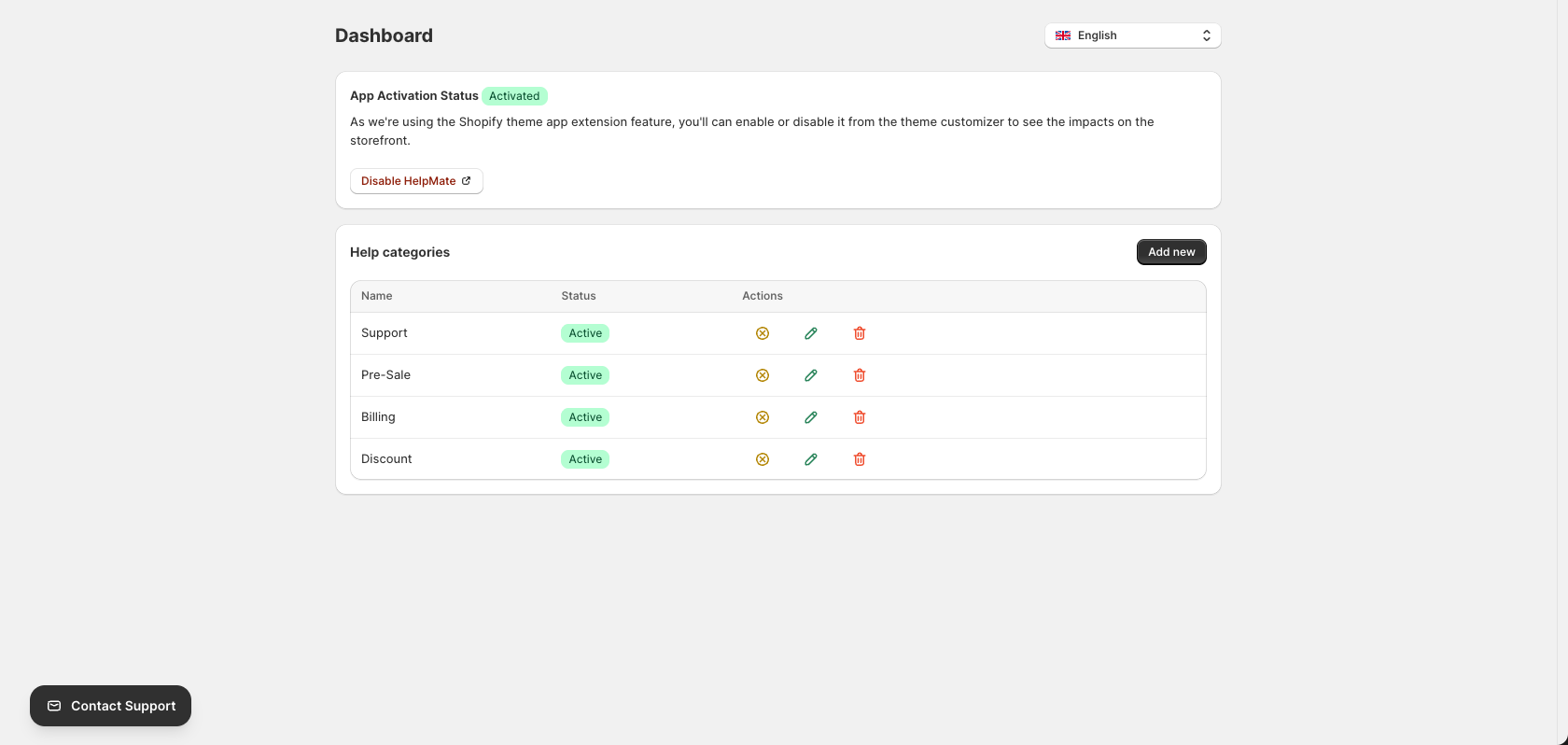
Table Columns:
| Column | Description |
|---|---|
| Name | The name of your help category |
| Status | Shows “Active” (green badge) or “Inactive” status |
| Actions | Quick action buttons for each category |
Actions Available:
| Icon | Action | Description |
|---|---|---|
| Toggle | Activate/Deactivate | Turn the category on or off |
| Pencil | Edit | Modify the category name and questions |
| Trash | Delete | Remove the category permanently |
Add New Button:
Click the Add new button in the top right corner of the Help categories section to create a new FAQ category.
Language Selector
HelpMate supports multiple languages. To change the app interface language:
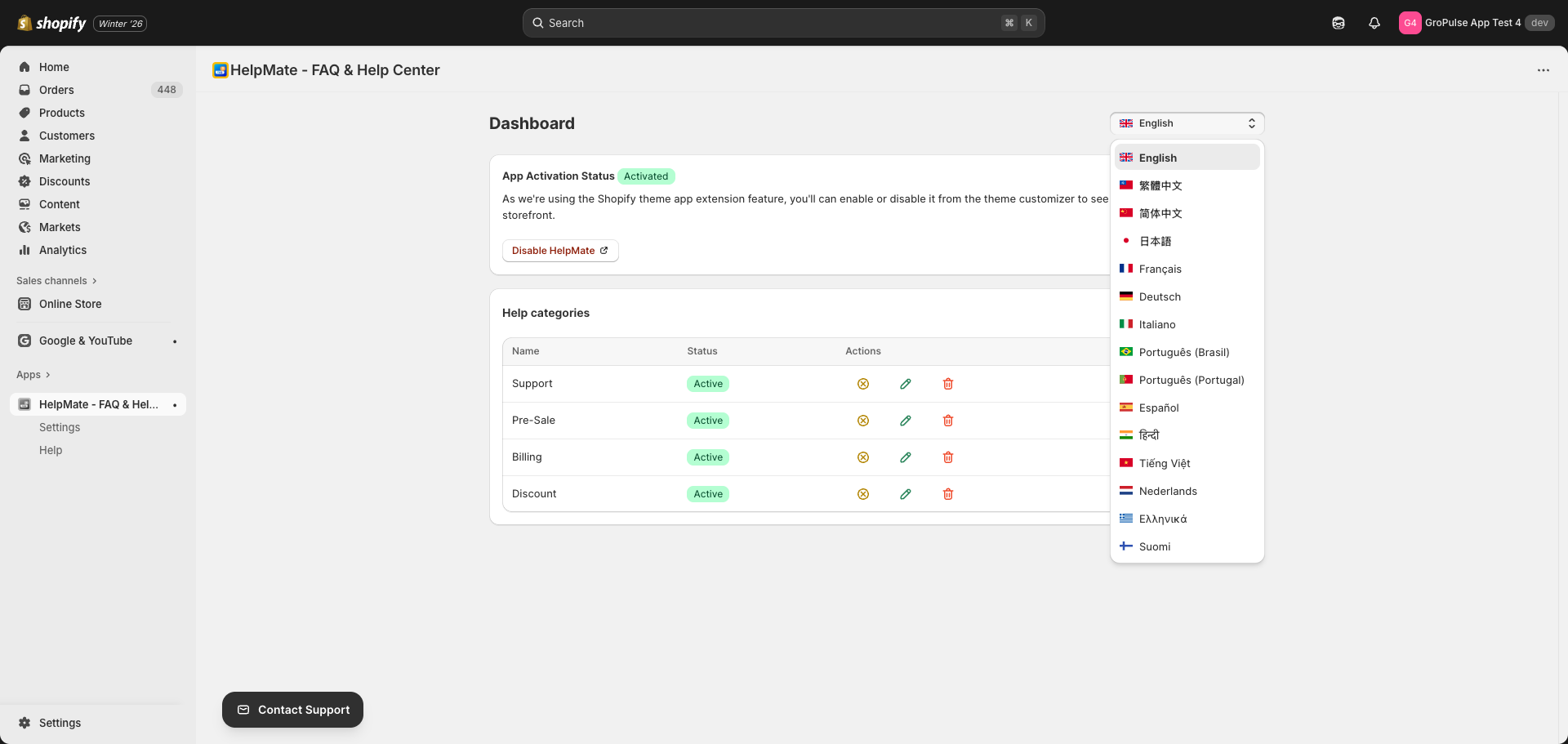
- Look for the language selector in the top right corner of the dashboard (shows current language with flag icon)
- Click the dropdown to see available languages
- Select your preferred language
The app interface will update immediately to your selected language.
Navigation
HelpMate has a simple navigation structure accessible from the Shopify admin sidebar:
| Menu Item | Description |
|---|---|
| HelpMate – FAQ & Help Center | Main dashboard page |
| Settings | Appearance and customization options |
| Help | In-app tutorial and setup guide |
Quick Actions from Dashboard
From the dashboard, you can quickly:
- Check activation status – See if the help widget is active on your store
- Enable/Disable the app – Toggle visibility on your storefront
- View all categories – See your complete list of help categories
- Create new category – Add new FAQ content with the “Add new” button
- Edit existing categories – Click the edit icon on any category row
- Manage category status – Activate or deactivate categories
- Delete categories – Remove categories you no longer need
- Change language – Switch the app interface to your preferred language